
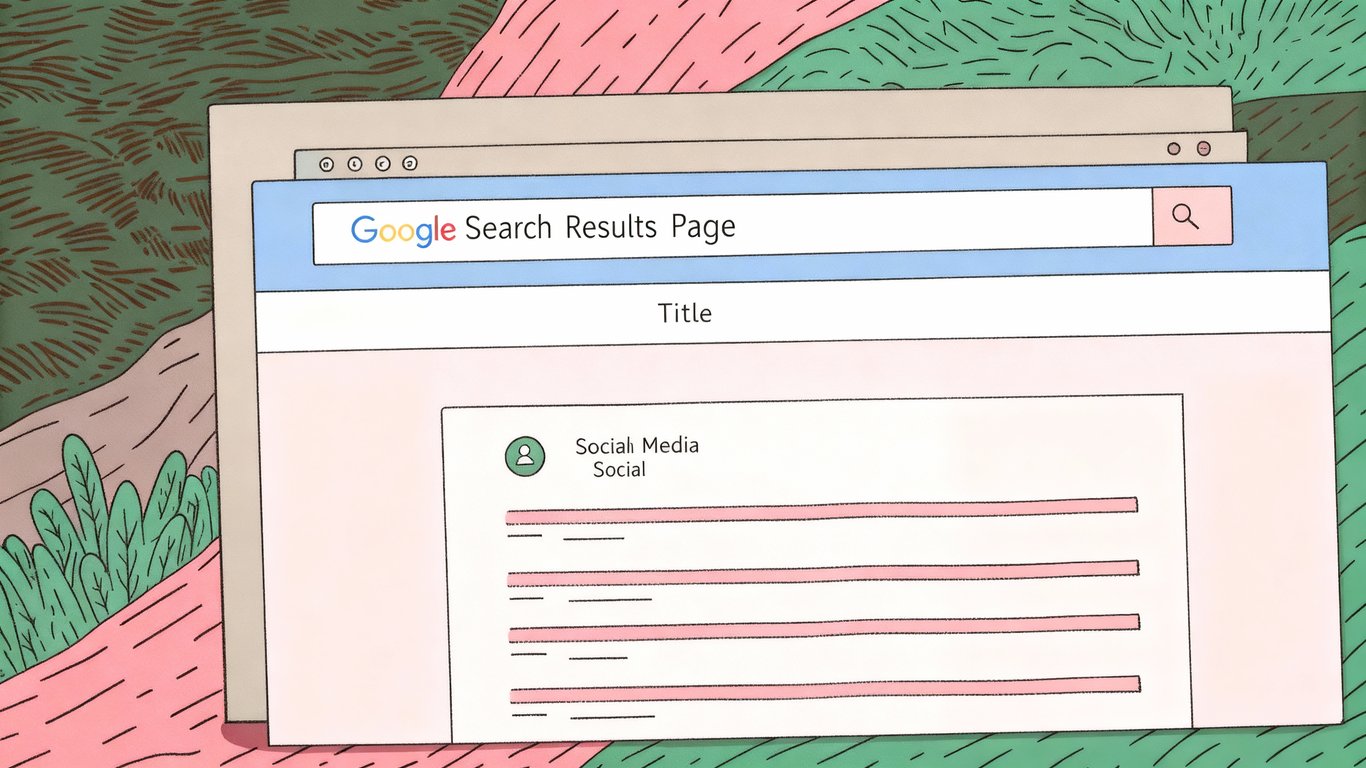
You've probably seen them a thousand times without really thinking about them. Those blue clickable links in Google search results? That's your title tag at work. And if you're running a WordPress site, getting these right can make the difference between showing up on page one or getting lost in the digital void.
Title tags aren't just some technical SEO thing you can ignore. They're one of the first impressions people get of your content, and search engines use them to figure out what your page is actually about.
What Exactly Is a Title Tag?
A title tag is an HTML element that specifies the title of a web page. It lives in the <head> section of your page's code and looks something like this: <title>Your Page Title Here</title>.
Here's where you'll see title tags in action:
- In search engine results as the clickable headline
- At the top of your browser tab
- When someone shares your link on social media
- In browser bookmarks and history
Think of it as your page's elevator pitch to both search engines and potential visitors. You've got about 60 characters to convince someone your content is worth clicking on.
Why Title Tags Matter for Your WordPress Site
Title tags serve two masters, and you need to keep both happy. First, there's Google and other search engines. They use your title tag as a major signal to understand what your page covers. A well-crafted title tag helps search engines match your content with relevant searches.
But here's the thing: ranking isn't enough. You also need people to actually click on your result. That's where the second purpose comes in. Your title tag is competing with nine other results on that first page, all fighting for attention. A compelling title tag can dramatically improve your click-through rate, even if you're not in the top position.
Recent trends show that adding first-person pronouns and emotional hooks to title tags can boost click-through rates. Instead of "Guide to WordPress SEO," something like "How I Improved My WordPress SEO in 30 Days" tends to perform better because it feels more personal and specific.
Title Tags vs. H1 Tags vs. Post Titles
This confuses a lot of people, so let's clear it up. In WordPress, you've got three different elements that might seem similar but serve different purposes.
Your post title is what you type into the title field when creating a new post or page in WordPress. By default, WordPress uses this as both your H1 tag and your title tag. But they don't have to be identical.
The H1 tag is the main heading visitors see when they land on your page. It's part of your visible content and helps structure your page for readers. You should only have one H1 per page, and WordPress automatically uses your post title for this.
The title tag is what appears in search results and browser tabs. It doesn't have to match your H1 exactly. Sometimes you'll want to optimize your title tag differently for search engines while keeping your H1 more reader-friendly.
For example, your H1 might be "10 Ways to Speed Up Your Site," while your title tag could be "10 Ways to Speed Up Your WordPress Site | YourBrand" to include your brand name and be more specific for search.
How WordPress Title Tags Work
Default WordPress Title Tag Behavior
Out of the box, WordPress handles title tags automatically. When you create a new post or page, WordPress takes your post title and uses it as the title tag. It'll typically add your site name to the end, separated by a dash or pipe symbol.
So if your post is titled "Best Coffee Makers" and your site is "Kitchen Reviews," your title tag becomes something like "Best Coffee Makers - Kitchen Reviews." This happens automatically through your theme's code.
The problem? This default behavior doesn't give you much control. You can't easily customize the format, adjust the length, or optimize for specific keywords without editing code. That's why most serious WordPress users install an SEO plugin.
Where Title Tags Appear
Understanding where your title tags show up helps you write better ones. In Google search results, your title tag appears as the blue clickable link at the top of each result. This is prime real estate. It's often the first thing people read when deciding whether to click.
Browser tabs display a shortened version of your title tag. If someone has multiple tabs open, only the first few words might be visible. That's why front-loading your most important keywords matters.
When people share your content on platforms like Facebook or Twitter, these platforms often pull your title tag for the preview text. Some platforms use Open Graph tags instead, but the title tag serves as a fallback.
How Search Engines Read WordPress Title Tags
Google reads your title tag to understand what your page is about. It's one of the strongest on-page SEO signals you can send. The search engine looks at the words you use, their order, and how they relate to your content.
But here's something important: Google doesn't always use your title tag as-is. Sometimes it rewrites titles if it thinks it can create something more relevant to the search query. This happens more often than you'd think, especially if your title tag is too long, stuffed with keywords, or doesn't accurately reflect your content.
You can't completely prevent Google from rewriting your titles, but following best practices reduces the chances significantly.
WordPress Title Tag Best Practices
Optimal Length: The 60-Character Rule
Search engines typically display the first 50-60 characters of your title tag. Anything beyond that gets cut off with an ellipsis. Technically, Google measures by pixel width rather than character count, but 60 characters is a safe guideline.
This doesn't mean you should always max out at 60 characters. Sometimes a shorter, punchier title works better. The key is making sure your most important information appears in those first 60 characters.
If you're including your brand name, consider whether it's really necessary. For well-known brands, it makes sense. For newer sites, you might want to use that character space for more descriptive keywords instead.
Keyword Placement and Strategy
Your target keyword should appear in your title tag. Ideally near the beginning. Search engines give more weight to words that appear earlier in the title.
But don't just stuff your keyword in there awkwardly. It needs to read naturally. "WordPress Title Tags Best Practices SEO Guide Tips" is terrible. "WordPress Title Tags: Best Practices for SEO" flows much better and still includes your keywords.
You don't need to repeat your keyword multiple times. Once is usually enough. Focus on creating a title that accurately describes your content and appeals to human readers.
Creating Unique Title Tags for Every Page
Every page on your WordPress site should have a unique title tag. Duplicate title tags confuse search engines and waste opportunities to rank for different keywords.
This is especially important for e-commerce sites with multiple product pages, or blogs with lots of similar content. Each page needs its own distinct title that describes what makes that specific page different.
WordPress makes this easy since each post or page gets its own title field. The challenge comes with archive pages, category pages, and other automatically generated pages. That's where SEO plugins really help by creating dynamic title tag formulas.

Writing Compelling, Click-Worthy Titles
SEO gets you ranked. But compelling copy gets you clicked. You need both.
Numbers work well in titles. "7 Ways to Improve Your WordPress Speed" typically outperforms "Ways to Improve Your WordPress Speed." Odd numbers seem to perform slightly better than even numbers, though the difference is small.
Power words add emotional appeal. Words like "proven," "essential," "simple," or "fast" can increase clicks. But don't overdo it. One or two power words is enough.
The 2026 trend toward first-person titles is worth considering. "How I Built My WordPress Site" feels more authentic than "How to Build a WordPress Site." It suggests real experience rather than generic advice.
Matching Title Tags with Content
Your title tag makes a promise. Your content needs to deliver on that promise. If your title says "Complete Guide to WordPress Security" but your article only covers basic password tips, people will bounce immediately.
High bounce rates signal to Google that your content didn't satisfy the searcher's intent. Over time, this can hurt your rankings. Make sure your title accurately reflects what's actually on the page.
Brand Name Inclusion Strategy
Should you include your site name in every title tag? It depends.
For your homepage and main pages, definitely include it. For blog posts and articles, it's less critical. If you're short on character space, the descriptive part of your title is more important than your brand name.
Many WordPress themes and SEO plugins let you set a site-wide format like "Post Title | Site Name" or "Post Title - Site Name." You can usually customize this or turn it off for specific pages.
How to Edit WordPress Title Tags
Method 1: Using SEO Plugins
SEO plugins are the easiest way to control your wordpress title tags. The three most popular options are Yoast SEO, Rank Math, and All in One SEO.
With any of these plugins, you'll see a new section below your post editor where you can customize your title tag. The plugin shows you a preview of how your title will appear in search results, including a character counter so you know if you're going over the limit.
These plugins also let you set up templates for different page types. You can create a formula like "%title% | %sitename%" that automatically applies to all your posts, then override it on individual pages when needed.
Method 2: Editing Through WordPress Theme Settings
Some WordPress themes include built-in SEO options that let you customize title tags without a plugin. This is less common now since most people use dedicated SEO plugins, but it's worth checking your theme settings.
Look for a section called "SEO Settings" or "Title Settings" in your theme customizer. The options vary by theme, but you can usually at least control the site-wide title format.
Method 3: Manual Code Editing (Advanced)
If you're comfortable with code, you can edit title tags directly in your theme files. This gives you complete control but requires more technical knowledge.
You'd typically add code to your theme's functions.php file or create a custom plugin. This approach makes sense if you need very specific title tag logic that plugins don't support.
I wouldn't recommend this method unless you really know what you're doing. One mistake in your functions.php file can break your entire site. Always use a child theme and keep backups.
Bulk Editing Title Tags
Need to update title tags across multiple pages? Most SEO plugins offer bulk editing features. In Yoast SEO, you can use the search console integration to identify pages with issues. Rank Math has a built-in bulk editor.
You can also export your titles to a spreadsheet, make changes, and import them back. This works well if you're restructuring your entire site or fixing systematic issues.
Common WordPress Title Tag Mistakes to Avoid
Duplicate Title Tags Across Multiple Pages
This happens more often than you'd think, especially on WordPress sites with lots of automatically generated pages. Category archives, tag pages, and pagination can all create duplicate title tag issues if you're not careful.
Check Google Search Console under the "Coverage" section to find duplicate title tags. The report will show you exactly which pages have the same titles so you can fix them.
Keyword Stuffing and Over-Optimization
"WordPress SEO WordPress Tips WordPress Guide WordPress Tutorial" is not a good title tag. It's obvious keyword stuffing and it reads terribly.
Search engines are smart enough to understand synonyms and related terms. You don't need to cram every variation of your keyword into the title. Write for humans first.
Generic or Vague Titles
"Home," "Blog," "Services," "About." These waste your title tag's potential. They tell search engines and users almost nothing about what's actually on the page.
Even your homepage should have a descriptive title like "Professional Web Design Services in Austin | YourCompany" instead of just "Home | YourCompany."
Ignoring Mobile Display
Mobile search results show even fewer characters than desktop. Sometimes as few as 50 characters get displayed. If your most important keywords are at the end of a 60-character title, mobile users might not see them.
Front-load your titles with the most critical information. Put your brand name at the end if you're including it.
Forgetting to Update Old Content
You published a post three years ago with a perfectly good title tag. But search trends change. What people search for evolves. Your old title tags might not match current search behavior.
Review your top-performing content every six months or so. Update title tags to reflect current keywords and search intent. This can breathe new life into old posts.
Testing and Optimizing Your WordPress Title Tags
Tools for Previewing Title Tags
Before you publish, preview how your title tag will actually look in search results. Most SEO plugins include a preview feature, but you can also use free tools like SERP snippet optimizers.
These tools show you exactly how your title will appear on both desktop and mobile, including where it gets cut off if it's too long.
Analyzing Title Tag Performance in Google Search Console
Google Search Console is your best friend for understanding how your title tags perform. The Performance report shows you impressions, clicks, and click-through rate for each page.
Look for pages with high impressions but low click-through rates. These are opportunities to improve your title tags. If people are seeing your result but not clicking, your title might not align with their search intent. Understanding what users are actually searching for helps you write titles that resonate. For deeper insights into matching user expectations, see our guide on search intent.
A/B Testing Title Tags for Better CTR
You can test different title tag variations to see which performs better. Change a title tag, wait a few weeks for Google to re-index it, then compare the click-through rate to the previous version.
This isn't perfect A/B testing since you can't run both versions simultaneously, but it gives you useful data over time. Test one element at a time so you know what made the difference.
Monitoring and Updating Based on Results
Set a reminder to review your title tag performance quarterly. Look at your analytics, check Search Console data, and identify underperforming pages.
Don't change title tags constantly. Give each version at least a month to gather meaningful data. But don't leave obviously poor-performing titles unchanged either.
Advanced WordPress Title Tag Strategies
Dynamic Title Tags for Different Page Types
Your blog posts, pages, categories, and archives all need different title tag approaches. SEO plugins let you create templates for each page type.
For blog posts, you might use: "%title% | %sitename%". For category pages: "%category% Articles | %sitename%". For author archives: "Posts by %author% | %sitename%".
These templates ensure consistency while keeping each page unique.
Local SEO Title Tag Optimization
If you're targeting local customers, include your location in title tags. "Best Pizza in Brooklyn" performs better for local searches than just "Best Pizza."
For service area businesses, you might create separate pages for each location with location-specific title tags. Just make sure each page has unique content to match.
Title Tags for E-commerce WordPress Sites
Product pages need descriptive, specific title tags. Include the product name, key features, and maybe the brand. "Nike Air Max 270 Running Shoes - Men's Size 10" is much better than "Running Shoes."
Category pages should describe what's in the category: "Women's Winter Jackets | Free Shipping" rather than just "Jackets."
Leveraging Schema Markup with Title Tags
Schema markup doesn't directly affect your title tag, but it can enhance how your result appears in search. Rich snippets, star ratings, and other enhanced features make your listing more prominent, which can improve click-through rates even with the same title tag.
Many WordPress SEO plugins include schema markup features. Use them to complement your optimized title tags.
Putting It All Together
Quick Checklist for Optimized Title Tags
Before you publish any WordPress page or post, run through this checklist:
- Title tag is 50-60 characters or less
- Primary keyword appears near the beginning
- Title accurately describes the page content
- Title is unique across your entire site
- Title is compelling and click-worthy
- No keyword stuffing or awkward phrasing
- Brand name included only if space allows
- Previewed in both desktop and mobile formats
Next Steps for Your WordPress SEO
Title tags are just one piece of WordPress SEO. Once you've got these optimized, focus on your meta descriptions next. They don't directly affect rankings, but they influence click-through rates just like title tags do.
Then look at your content structure. Use header tags properly, optimize your images, improve your site speed, and build quality backlinks. Selecting the right focus keywords before writing ensures your title tags target the terms people actually search for. SEO is a long game, but getting your wordpress title tags right is a solid foundation to build on. Explore more strategies in our comprehensive WordPress SEO guide.