

What Are Focus Keywords in WordPress and Why They Matter for SEO
Understanding Focus Keywords: The Foundation of WordPress SEO
If you want your WordPress site to show up in Google, you need to get focus keywords right. These are the main search terms you want a specific page or post to rank for. In plain English, a focus keyword is the word or phrase you hope people type into Google when they're looking for your content. It's the anchor of your keyword strategy and the first thing most WordPress SEO plugins ask you to set.

Think of a focus keyword as a signal flare for search engines. It tells Google, "Hey, this page is all about this topic." Without a clear focus keyword, your content can get lost in the noise. And if you pick the wrong one, you might end up with a post that nobody finds.
Here's a real-world example. A food blogger switched their focus keyword from "best vegan recipes" (which had huge competition) to "easy vegan dinner recipes" (a long-tail keyword with less competition but still solid search volume). After updating the post and optimizing for the new focus keyword, their organic traffic jumped from about 200 visits a month to over 1,000. That's the power of choosing the right target keyword.
How Focus Keywords Impact Your Search Rankings
Search engines like Google use SEO keywords to figure out what your page is about. When you set a focus keyword, you're making it easier for Google to match your content with what people are searching for. This isn't just about getting found, though. If your focus keyword matches what users want, you'll probably see higher click-through rates and more engaged visitors.
Modern WordPress SEO plugins like Yoast SEO and Rank Math have built-in fields for focus keywords. They scan your content and give you feedback on how well you've optimized for your chosen keyword. If you ignore this step, you're missing out on a big chunk of what makes on-page search engine optimization work.
- Helps search engines understand your content's main topic
- Improves your chances of ranking for the right searches
- Boosts click-through rates when aligned with user intent
- Provides a clear framework for optimizing each page or post
If you're serious about growing organic search traffic, you can't just write whatever comes to mind. You need a plan. Focus keywords give you that plan. They help you organize your content, target the right audience, and measure what works.
Focus Keywords vs. Primary Keywords vs. Target Keywords
Here's where a lot of people get tripped up. You'll see terms like primary keyword, target keyword, and focus keyword used all over SEO guides. In most cases, they're talking about the same thing: the main search term you want a page to rank for. But in the WordPress world, "focus keyword" usually means the specific keyword you enter into your SEO plugin for a single post or page.
So, if you're optimizing a blog post about "WordPress SEO tips," your focus keyword, primary keyword, and target keyword could all be "WordPress SEO tips." The difference is mostly about context. Focus keyword is the term your plugin uses to analyze your content. Primary or target keyword is what you might call it in your overall keyword strategy.
Bottom line: don't overthink the labels. What matters is picking a keyword that matches what your audience is searching for and making it the centerpiece of your content optimization.
Picking the right focus keyword for your WordPress content is where real SEO results start. It’s not just about finding a phrase that sounds good. You need a keyword that people actually search for, that matches what your post delivers, and that you have a shot at ranking for. If you skip this step or rush it, you’ll probably end up with content that never gets seen. Here’s how to do it the way the pros do—step by step, with real tools and examples.
Step 1: Conduct Keyword Research for Your Topic
Every solid SEO strategy starts with keyword research. This is where you figure out what people are actually typing into Google when they want answers. You’re looking for keywords that are relevant to your topic, have enough search volume to matter, and aren’t so competitive that you’ll never break through. Here are three tools that make this process a lot easier:
- Google Keyword Planner: Free, reliable, and straight from Google. It shows you search volumes, competition, and even suggests related terms.
- Semrush: Paid, but packed with features. You get deep data on search volume, keyword difficulty, and competitor rankings. Great for finding long-tail keywords and analyzing what’s working for others.
- Ahrefs: Another top-tier paid tool. It’s known for its massive keyword database and super-accurate difficulty scores. You can see what keywords your competitors rank for and spot gaps in your own content.
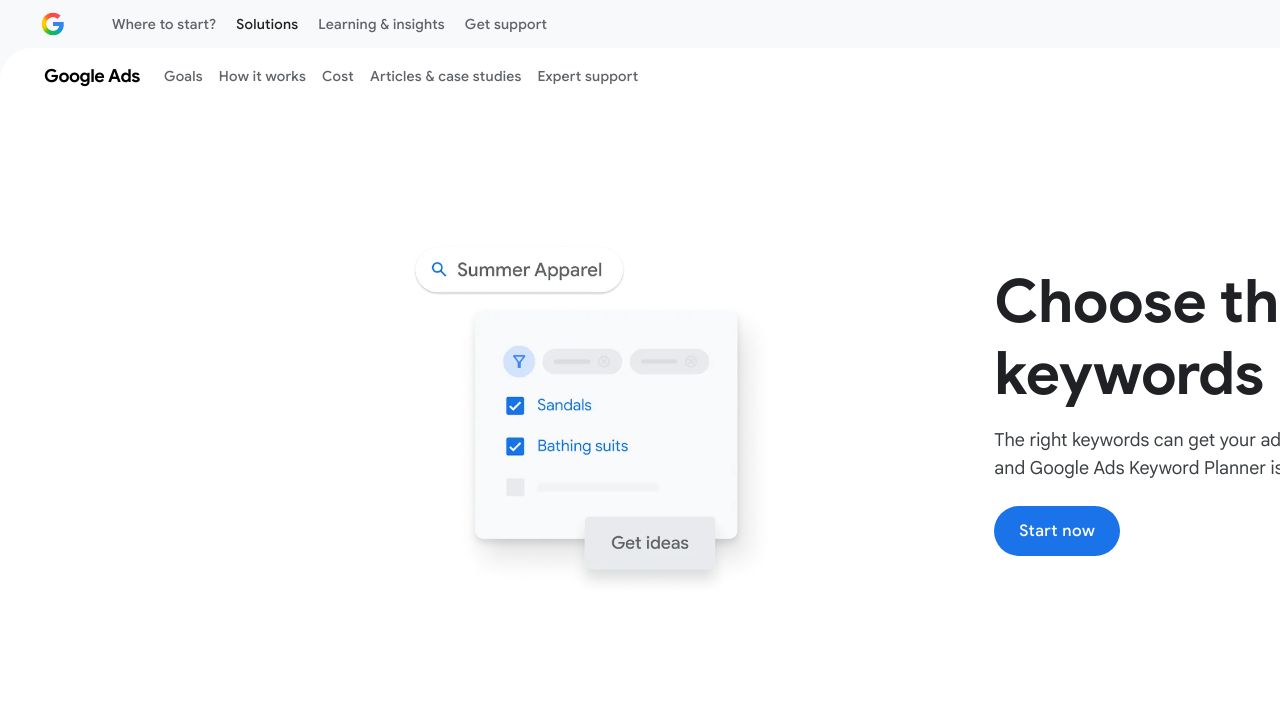
Start by brainstorming a few broad topics related to your site. Plug those into one of these tools and see what comes up. Look for semantic keywords and related phrases—these can help you find hidden opportunities that your competitors might miss.
Step 2: Analyze Search Volume and Keyword Difficulty
Once you’ve got a list of possible keywords, it’s time to check two things: search volume (how many people search for this each month) and keyword difficulty (how tough it’ll be to rank on page one). You want a balance—enough volume to bring in traffic, but not so much competition that you’re fighting giants. Here’s a quick comparison of real keyword data:

Keyword | Search Volume (Monthly) | Difficulty |
|---|---|---|
WordPress SEO | 18,000 | High |
WordPress SEO tips | 2,400 | Medium |
Best WordPress SEO plugin | 1,300 | Medium |
WordPress SEO for beginners | 700 | Low |
You can see that "WordPress SEO" gets a ton of searches, but it’s brutally competitive. "WordPress SEO for beginners" has less volume, but it’s way easier to rank for. If your site is newer or you’re not an authority yet, targeting those lower-difficulty, more specific keywords is usually the smarter move.
Step 3: Evaluate Search Intent and SERP Results
Don’t just trust the numbers. Before you pick your focus keyword, Google it yourself. This is called SERP analysis (Search Engine Results Page analysis), and it’s where you check what’s actually ranking for your keyword. You want to make sure your content matches the search intent—what people are really looking for when they type in that phrase.
Let’s say you’re thinking about "WordPress SEO tips". When you Google it, you’ll probably see a mix of list posts, how-to guides, and maybe a few videos. There might be a featured snippet at the top with a quick list of tips, and the top results are likely from big names like Yoast or WPBeginner. If your content is a deep-dive tutorial, you’re in the right ballpark. But if you’re planning a product review, you’ll be out of place. Always check:
- What type of content is ranking (guides, lists, reviews, videos)?
- Are there featured snippets or "People Also Ask" boxes?
- How strong are the competitors (big brands, niche blogs, forums)?
- What keywords are they using in their titles and headings?
If you see a gap—maybe nobody’s answered a specific question, or the top results are outdated—you’ve found an opportunity. That’s where you can stand out.
Step 4: Select Long-Tail Keywords for Better Rankings

Here’s a secret: long-tail keywords (phrases with 3-5 words) are usually way easier to rank for, and they bring in visitors who are more likely to convert. They’re specific, less competitive, and often show clear intent. Instead of chasing broad terms, try these:
Head Term | Long-Tail Variant |
|---|---|
WordPress SEO | WordPress SEO tips for beginners |
SEO plugin | best free SEO plugin for WordPress |
keyword research | how to do keyword research in WordPress |
content optimization | content optimization checklist for WordPress blogs |
Notice how the long-tail versions are more targeted? Someone searching "how to do keyword research in WordPress" is probably looking for a step-by-step guide, not just general info. That’s your chance to deliver exactly what they need.
Common Mistakes When Choosing Focus Keywords
Even experienced site owners mess this up. Here are the biggest traps to avoid when picking your focus keyword:
- Choosing keywords that are too competitive: If you’re not an authority site, you’ll struggle to rank for broad, high-volume terms.
- Ignoring search intent: If your content doesn’t match what searchers want, Google won’t rank it—no matter how well you optimize.
- Selecting keywords with no search volume: Ranking #1 for a keyword nobody searches is pointless.
- Using keywords unrelated to your content: Don’t try to force a keyword just because it has volume. Relevance is everything.
- Keyword stuffing: Overusing your focus keyword makes your content sound robotic and can actually hurt your rankings.
If you want to save time (and avoid these mistakes), AI-powered tools like Republish AI can help. They analyze top-ranking content, spot gaps, and suggest focus keywords that fit your topic and audience. It’s not magic, but it’s a smart shortcut—especially if you’re managing lots of posts or updating old content.
Bottom line: take your time with keyword research. Use the right tools, check the SERPs, and focus on long-tail phrases that match what your audience actually wants. That’s how you set your WordPress content up for real, lasting SEO success.
Setting Up and Optimizing Focus Keywords in WordPress (Step-by-Step)
Getting your focus keywords right in WordPress is a game-changer for on-page SEO. Most site owners use a dedicated SEO plugin to handle this. The two most popular options are Yoast SEO and Rank Math. Both make it easy to add, analyze, and optimize your focus keywords, but their setup and features have a few differences. If you want your content to rank, you need to know how to use these tools the right way.
Installing and Configuring WordPress SEO Plugins
First things first: you need an SEO plugin installed. Both Yoast SEO and Rank Math are available for free in the WordPress plugin directory. Just head to Plugins > Add New in your WordPress dashboard, search for "Yoast SEO" or "Rank Math," and click Install Now. Once installed, hit Activate. Each plugin will walk you through a basic setup wizard. You can usually stick with the default settings if you're new, but take a minute to review the options for things like site type, search appearance, and connecting to Google Search Console. These plugins are designed to work out of the box, but a quick setup ensures your site is ready for keyword optimization.
Adding Your Focus Keyword in Yoast SEO
Yoast SEO is probably the most recognized SEO plugin for WordPress. It gives you a dedicated field to enter your focus keyword (or "focus keyphrase" as Yoast calls it). Here's how you do it:
- Open the post or page editor for the content you want to optimize.
- Scroll down below the main content area. You'll see the Yoast SEO meta box (in the classic editor) or the Yoast sidebar (in the block editor).
- Find the Focus Keyphrase field. Enter your main keyword or keyphrase here.
- Yoast will instantly analyze your content and show feedback in the SEO analysis tab. You'll see colored bullets (green, orange, red) for different on-page SEO factors.
The feedback covers things like keyword placement, keyword density, meta description, and more. If you see a red or orange bullet, Yoast will tell you exactly what needs fixing. The goal is to get as many green bullets as possible, but don't force it. Natural writing always beats keyword stuffing.
Yoast's analysis is pretty detailed. It'll check if your focus keyword appears in the title, URL, first paragraph, subheadings, and image alt text. It also looks at keyword density (how often your keyword appears compared to total word count). If you overdo it, Yoast will warn you about keyword stuffing. The plugin also gives tips for improving readability, which is just as important for SEO.
Adding Your Focus Keyword in Rank Math
Rank Math is another top-rated SEO plugin for WordPress. It's known for its clean interface and extra features, especially for users who want more control. Adding a focus keyword in Rank Math is just as simple:
- Edit the post or page you want to optimize.
- Look for the Rank Math meta box below the editor (classic) or the Rank Math sidebar (block editor).
- You'll see a field labeled Focus Keyword. Enter your main keyword here.
- Rank Math will instantly analyze your content and display an SEO score (out of 100) along with actionable suggestions.
Rank Math's feedback is visual and easy to follow. You'll see a colored score (red, yellow, green) and a checklist of on-page SEO factors. The plugin checks for keyword placement in the title, URL, meta description, headings, and body content. It also flags issues like missing alt text or low content length. If you want to optimize further, Rank Math's premium version lets you add multiple focus keywords (more on that in a second).
How to Add Multiple Focus Keywords to One Post
Here's a common question: can you add more than one focus keyword to a WordPress post? The answer depends on your plugin and plan. In both Yoast SEO and Rank Math, the free version lets you set a single focus keyword per post. If you want to target multiple keywords (like a primary and a couple of secondary phrases), you'll need the premium version of either plugin.
Here's how it works:
- Focus Keyword: This is your main target. It's the primary search term you want the post to rank for.
- Additional/Secondary Keywords: These are related phrases or variations. Premium plugins let you add these, and they'll analyze your content for each one.
- To add multiple keywords in Yoast or Rank Math premium, just enter them in the provided fields (usually separated by commas or in separate boxes). The plugin will run its analysis for each keyword.
Important: Just because you can add multiple focus keywords doesn't mean you should force them everywhere. Only use secondary keywords if they fit naturally with your content. Over-optimizing can hurt readability and even SEO.
If you're using the free version, you can still optimize for secondary keywords manually. Just include them in your content where it makes sense, but the plugin won't analyze them for you.
Focus Keyword Placement: Where to Use Your Keywords
Where you put your focus keyword matters just as much as which keyword you choose. Search engines look for keywords in specific spots to understand what your page is about. Here's a practical checklist for keyword placement that works for both Yoast SEO and Rank Math users:
- Page Title / H1 (within first 60 characters): The title is the first thing users and search engines see. Including your focus keyword early signals relevance and can improve click-through rates.
- URL Slug: Short, keyword-rich URLs are easier for both users and search engines to understand. For example: yoursite.com/focus-keywords-wordpress.
- First Paragraph (within first 100 words): Mentioning your keyword early helps search engines confirm your topic. It also reassures readers they're in the right place.
- Subheadings (H2/H3): Using your keyword in at least one subheading (naturally) reinforces your topic and helps with on-page SEO.
- Throughout Body Content (2-3% density): Sprinkle your keyword and close variations throughout the post. Don't force it. If your post is 1,000 words, aim for 20-30 mentions, but only if it reads naturally.
- Meta Description: This summary appears in search results. Including your keyword here can boost relevance and click-throughs. Keep it under 155 characters.
- Image Alt Text: Add your keyword to at least one image's alt text. This helps with image SEO and accessibility.
- Conclusion: Wrapping up with your focus keyword reinforces your topic and can help with semantic relevance.
You don't need to hit every spot perfectly every time. The goal is to use your focus keyword where it makes sense, not to cram it in. Search engines are smart enough to spot keyword stuffing, and so are your readers.
Optimizing Content Based on SEO Plugin Recommendations
Both Yoast SEO and Rank Math give you real-time feedback as you write. You'll see a score or colored bullets that update as you make changes. For example, Yoast uses green, orange, and red bullets for each SEO factor. Rank Math gives you a numeric score out of 100, plus a checklist of what to fix.
A typical SEO score interface looks like this: a sidebar or meta box with your overall score at the top, followed by a list of checks (like "Focus keyword in title," "Meta description length," "Image alt attributes"). Each item turns green when it's optimized. If something's missing, you'll see a warning and a tip for how to fix it.
Don't obsess over getting every single bullet green. Sometimes, it's better to skip a suggestion if it would make your writing awkward. Natural, helpful content always wins in the long run. Use the plugin's feedback as a guide, not a rulebook.
If you're using AI-powered tools (like Republish AI or similar platforms), you can automate some of this process. These tools can analyze top-ranking content, suggest focus keywords, and even optimize placement for you. But even with automation, you still need to review and edit for clarity and flow.
Bottom line: focus keywords are only effective if you use them strategically and naturally. The right SEO plugin makes the process easier, but your expertise and judgment are what set your content apart.
Advanced Focus Keyword Strategies for WordPress Sites
Creating a Focus Keyword Strategy for Content Clusters
If you want to build real authority in your niche, you can't just publish random posts and hope for the best. Content clusters are the backbone of modern WordPress SEO. The idea is simple: create a main pillar page targeting a broad, high-value focus keyword, then support it with several related articles that each target a specific long-tail keyword. This approach helps search engines understand your site's structure and boosts your chances of ranking for both broad and specific queries.
Here's a straightforward example of how a content cluster might look for a site about WordPress SEO. Notice how each supporting post has its own focus keyword, but all connect back to the main pillar topic. This structure is proven to help with content optimization and keyword ranking.
Content Type | Focus Keyword | Purpose |
|---|---|---|
Pillar Post | WordPress SEO Guide | Comprehensive overview of WordPress SEO strategies |
Cluster Post | focus keywords WordPress | Deep dive into choosing and optimizing focus keywords |
Cluster Post | WordPress SEO plugins | Comparison and review of top SEO plugins for WordPress |
Cluster Post | long-tail keywords WordPress | Guide to finding and using long-tail keywords |
Cluster Post | on-page SEO WordPress | Step-by-step on optimizing on-page elements |
If you want to learn more about content clusters, check out this detailed resource from HubSpot: What Are Topic Clusters?
Using Focus Keywords for Different Content Types
Not every page on your WordPress site serves the same purpose. Your keyword strategy should adapt based on the type of content you're publishing. Here's how focus keyword targeting shifts depending on the page:
- Blog Posts (Informational Intent): Target questions or topics your audience is searching for. Use focus keywords that match what people type into Google when looking for answers or advice.
- Product Pages (Transactional Intent): Choose focus keywords that signal buying intent, like 'buy WordPress SEO plugin' or 'best SEO tool for WordPress.' These help attract visitors ready to make a purchase.
- Landing Pages (Conversion-Focused): Optimize for keywords that match your offer or call to action, such as 'download SEO checklist' or 'get WordPress SEO audit.' The goal is to drive signups or sales.
- Category Pages (Navigational Intent): Use broader focus keywords that describe the group of content, like 'WordPress SEO articles' or 'SEO tutorials.' This helps users and search engines understand what the section covers.
Matching your focus keyword to the intent behind each page is a big deal. It improves organic search performance and makes your site more useful for real people, not just algorithms.
Optimizing Focus Keywords for Featured Snippets
Featured snippets are those answer boxes you see at the top of Google results. Landing one can send a flood of traffic your way. To optimize for snippets, you need to identify snippet opportunities and tweak your focus keywords and content to match.
Start by searching your target keyword and looking for questions, definitions, or lists in the results. If you see a 'People Also Ask' (PAA) box, that's a sign Google's looking for clear, concise answers. Structure your content to answer these questions directly, using your focus keyword in the question and answer. For example, if your focus keyword is 'focus keywords WordPress,' you might include a section titled 'What are focus keywords in WordPress?' and answer it in 1-2 sentences.
Lists and tables also work well for snippet optimization. If the top result is a list, format your answer as a bulleted or numbered list. For more on featured snippet strategies, Moz has a solid guide: How to Optimize for Featured Snippets.
Don't forget: answering PAA questions and using semantic keywords related to your focus keyword can boost your chances of getting picked for a snippet. But there's no guarantee. Google's always changing things up.
Focus Keywords and Internal Linking Strategy
Internal links are the secret sauce for WordPress SEO. When you use focus keywords to guide your internal linking, you help search engines map out your site's structure and pass authority between related pages. For example, if you have a pillar post on 'WordPress SEO Guide,' you should link to your cluster posts using their focus keywords as anchor text (naturally, not forced).
This isn't just about SEO. It also helps readers discover more relevant content, which keeps them on your site longer. If you're managing a big site, manual linking gets tedious fast. That's where AI-powered tools like Republish AI's Nexus AI Agent come in. Nexus can analyze your site structure, map out content topics, and suggest or even automate internal links based on your focus keywords and semantic relationships. This kind of automation saves time and helps you avoid missed opportunities for content optimization.
If you're not using AI, at least make a habit of reviewing your existing posts and adding links to new content where it makes sense. Always use descriptive anchor text that matches the target page's focus keyword or a close variation.
When NOT to Use Focus Keywords
Here's something a lot of people miss: not every page on your WordPress site needs a focus keyword. In fact, trying to optimize every single page can backfire. Some pages just aren't meant to rank in search engines, and that's totally fine.
- Contact Pages: These exist so people can reach you, not to rank for 'contact us.'
- About Pages: Usually more about your story or team than a specific search query.
- Thank You Pages: Shown after a form submission or purchase. No need to target keywords here.
- Temporary Announcements: Event notices, limited-time offers, or maintenance updates don't need focus keywords.
- Purely Navigational Pages: Pages that just help users move around your site, like login or dashboard screens.
Focusing your keyword targeting on pages that actually have a shot at ranking (and driving value) is a smarter use of your time. For everything else, just make sure the page is clear, helpful, and easy to navigate.
If you take one thing from this section, it's that advanced keyword strategy is about more than just picking a phrase and stuffing it everywhere. It's about understanding your site's structure, your audience's intent, and how all the pieces fit together for long-term organic search growth.
Tracking and Measuring Focus Keyword Performance
Setting Up Google Search Console for Keyword Tracking
If you care about keyword tracking and want to see how your WordPress site performs in organic search, Google Search Console (GSC) is a must. It’s free, reliable, and gives you direct insight into how Google sees your site. Connecting your WordPress site to GSC is pretty straightforward. You’ll need a Google account, then just add your site as a new property in GSC. Google will ask you to verify ownership, which you can do by uploading a file, adding a DNS record, or using your domain provider. Many SEO plugins like Yoast or Rank Math offer built-in GSC integration, making the process even easier.
Once you’re set up, head to the Performance report. This is where the magic happens. You’ll see data on impressions (how often your site appears in search), clicks (how many people actually visit), average position (your typical ranking for a query), and CTR (click-through rate). These metrics are gold for anyone serious about WordPress SEO.
To track a specific focus keyword, use the filter options. Click on 'Pages' to select the URL you want to analyze, then switch to the 'Queries' tab. Now you’ll see exactly which search terms are driving traffic to that page. This is the best way to measure if your focus keyword is actually working.
Monitoring Focus Keyword Rankings
Google Search Console is great for a high-level view, but sometimes you want more detail or daily updates. That’s where dedicated rank tracking tools come in. Here are a few that are widely used and respected:
Tool | What It Does | Link |
|---|---|---|
Google Search Console | Shows your average position, impressions, and clicks for each keyword. Free and direct from Google. | |
Semrush Position Tracking | Lets you track keyword rankings daily, compare with competitors, and monitor SERP features. | |
Ahrefs Rank Tracker | Tracks your keyword positions across locations and devices, with historical data and visibility trends. |
When you’re watching your keyword ranking, don’t obsess over every tiny movement. What matters most is getting onto the first page (positions 1-10), then pushing into the top 3. Landing a featured snippet is even better, since it puts you above the regular results. If you see your focus keyword climbing, you’re on the right track. If it’s stuck or dropping, it might be time to revisit your content optimization.
Analyzing Keyword Performance in WordPress
You don’t have to leave your WordPress dashboard to keep tabs on your focus keywords. Many analytics plugins, like MonsterInsights or Site Kit by Google, pull in data from Google Analytics and Search Console. This means you can see which keywords are driving traffic, how users interact with your content, and where you might be losing out.
Tracking keyword performance helps you spot posts that are slipping in the rankings or not getting enough clicks. Maybe your search volume estimates were off, or maybe search intent has shifted. Either way, this data tells you which posts need a refresh, a new focus keyword, or a complete overhaul. It’s a lot easier to make smart decisions when you’re looking at real numbers instead of guessing.
When and How to Update Your Focus Keywords
Even the best focus keyword won’t last forever. Search trends change, competitors move in, and sometimes your content just stops performing. Here’s when you should consider updating your focus keywords, and how to do it without hurting your organic search visibility.
- Check your rankings and traffic regularly. If your post is stuck on page 2 or lower for months, it’s probably time for a change.
- Watch for shifts in search trends. Use tools like Google Trends or your rank tracker to spot new opportunities.
- If you find a keyword with higher search volume and lower competition that fits your content, consider switching.
- Update your content to match the new focus keyword. This means adjusting your title, headings, meta description, and body text.
- Resubmit your updated page to Google Search Console to speed up reindexing.
Don’t change your focus keyword too often, though. Give your updates time to work. And always make sure the new keyword is actually relevant to your content.
Common Focus Keyword Questions Answered
What is the focus keyword in WordPress?
A focus keyword in WordPress is the main search term you want a specific page or post to rank for in search engines. It’s the word or phrase you optimize your content around so Google knows what your page is about.
What is the difference between a focus keyword and a primary keyword?
There’s really no difference. Focus keyword and primary keyword are used interchangeably in most SEO tools and guides. Both mean the main keyword you’re targeting for a page.
How do I add multiple focus keywords in WordPress?
Most free SEO plugins (like Yoast or Rank Math) let you set one focus keyword per post. If you want to target multiple keywords, you’ll need the premium version of these plugins. Then you can add secondary keywords and get optimization tips for each one.
What are focus keywords for website?
Focus keywords are the main search terms you want your website’s pages to rank for. Each page should have its own unique focus keyword, chosen based on keyword research, search intent, and your overall SEO strategy.
Key Takeaways for Tracking Focus Keywords in WordPress
Getting your focus keywords right is only half the battle. Tracking and measuring their performance is what separates guesswork from real WordPress SEO results. Google Search Console gives you the clearest view of how your keywords perform in organic search, while rank tracking tools like Semrush and Ahrefs help you monitor progress and spot new opportunities.
Don’t be afraid to update your focus keywords when the data tells you it’s time. The best sites are always evolving. And with modern AI-powered tools (like those from Republish AI), you can automate a lot of the heavy lifting, from keyword research to content optimization. The more you measure, the smarter your SEO strategy gets.