

You've probably experienced this: you hand off a content brief to your AI writing tool, expecting a polished draft. Instead, you get something that sounds like a robot wrote it during a coffee break. The tone's off, the structure's weird, and you're spending more time editing than you would've writing from scratch.
This isn't the AI's fault. It's a brief problem.
Most content briefs were designed for human writers who can read between the lines, understand context, and make judgment calls. AI tools can't do that. They need explicit instructions, clear parameters, and structured guidance. Without these elements, you'll get inconsistent outputs that require extensive editing, defeating the entire purpose of using AI in the first place.
Why Traditional Content Briefs Fail with AI Tools

Traditional briefs typically include vague instructions like "write in a friendly tone" or "make it engaging." A human writer knows what that means based on experience and context. An AI tool? It'll interpret "friendly" differently every single time.
The gap between human-oriented briefs and AI requirements creates several pain points. Your AI might produce content that's technically correct but tonally inconsistent. One draft sounds like a corporate press release, the next like a casual blog post, even though you used the same brief. This inconsistency forces editors to spend hours rewriting sections to match your brand voice.
Missing context is another major issue. When you tell a human writer to create a how-to guide, they understand the implied structure: introduction, steps, conclusion. AI tools need you to spell out exactly what sections you want, in what order, and with what level of detail.
The ROI of Reproducible Content Briefs

Here's what changes when you implement reproducible content briefs: your editing time drops significantly. Instead of spending two hours reworking an AI draft, you're spending 20 minutes on final polish. That's not an exaggeration. Well-structured briefs can reduce editing time by 60-70% because the AI produces drafts that already match your requirements.
Quality improves too. When your briefs are specific and structured, AI outputs become predictable. You know what you're getting before you even generate the draft. This consistency means your content maintains a uniform voice across your entire WordPress site, which builds trust with readers and strengthens your brand identity.
For WordPress publishers managing multiple content streams, this efficiency compounds. You can scale production without scaling your editing team, which directly impacts your bottom line.
What Makes a Content Brief 'Reproducible'
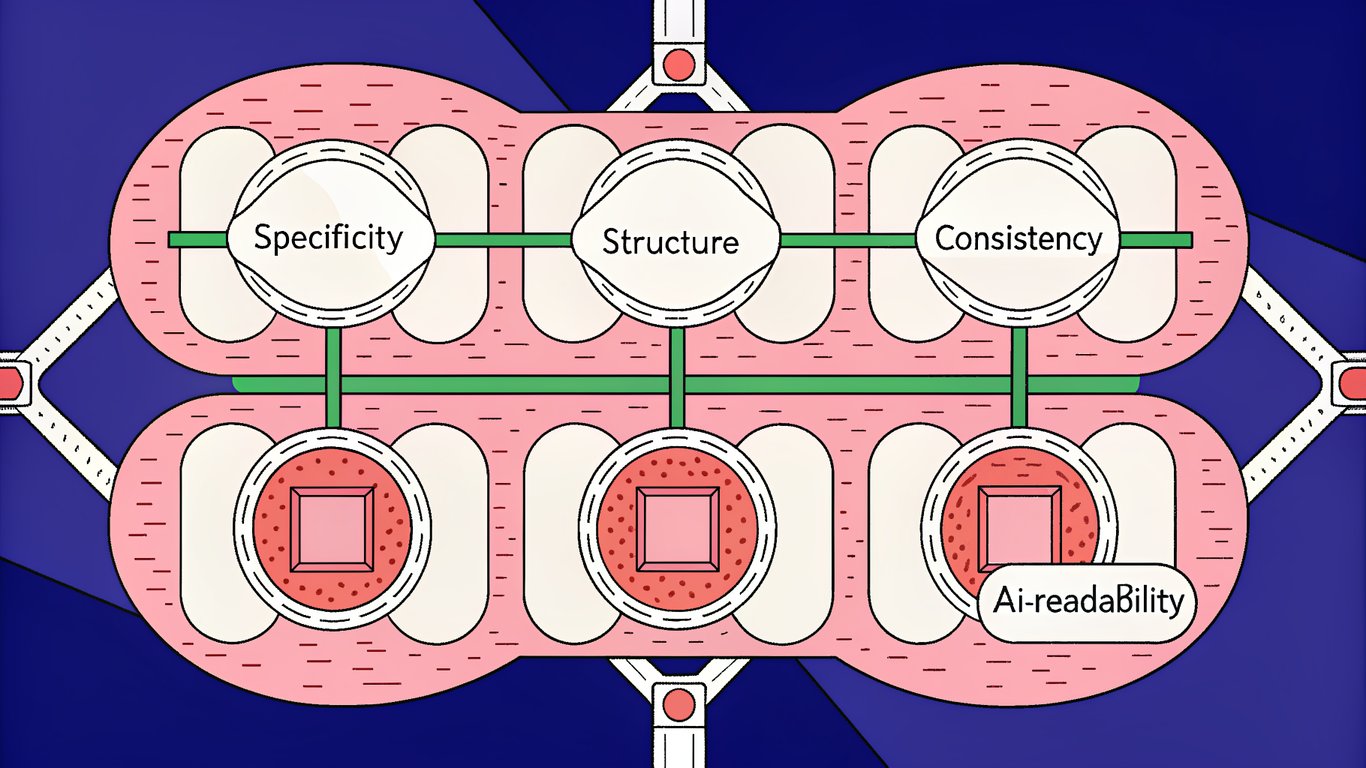
A reproducible brief has four key characteristics. First, it's specific. Instead of "write about email marketing," it says "write a 1,200-word guide explaining how to segment email lists for e-commerce stores, targeting beginners who've never used segmentation before."

Second, it's structured. Every element has a designated place: audience definition, content goals, tone parameters, format specifications. This structure ensures nothing gets overlooked and the AI receives complete instructions.
Third, it's consistent. You can use the same brief template across different topics and get similar quality outputs. The template becomes a reliable system rather than a one-off document.
Fourth, it's AI-readable. The language is clear, direct, and unambiguous. You avoid metaphors, implied meanings, and subjective descriptors that AI tools struggle to interpret consistently.
The 7 Essential Components of AI-Optimized Content Briefs
Every effective content brief needs seven mandatory components. Miss one, and you'll see inconsistency in your AI outputs. Include all seven, and you'll generate drafts that require minimal editing.
Component 1: Precise Audience Definition and Reader Intent
Don't just write "marketing professionals." Specify: "Content marketing managers at B2B SaaS companies with 2-5 years of experience who are exploring AI tools for the first time and feel overwhelmed by the options."
Include their pain points explicitly. What problem are they trying to solve? What keeps them up at night? What have they already tried that didn't work? This context helps AI tools adjust complexity, choose relevant examples, and address specific concerns.

Define their knowledge level too. Are they complete beginners who need basic terminology explained? Intermediate users who understand concepts but need implementation guidance? Advanced practitioners looking for optimization strategies? This determines how much background information the AI should include.
Component 2: Structured Content Goals and Success Metrics
What should readers be able to do after reading this content? "Understand email marketing" is too vague. "Set up their first email segmentation strategy using their existing email platform" is specific and measurable.
Include the desired action. Should readers download a template? Sign up for a trial? Implement a specific technique? This goal shapes how the AI structures the content and what it emphasizes.
You might also specify content performance indicators: target word count, expected time on page, or the number of actionable takeaways readers should walk away with. These metrics give the AI concrete targets to hit.
Component 3: Tone, Voice, and Style Parameters
This is where most briefs fail. Saying "conversational and professional" means nothing to an AI. Instead, provide specific examples: "Use contractions (don't, we're, you'll). Write in second person. Include occasional one-sentence paragraphs for emphasis. Avoid jargon unless you immediately explain it."
List prohibited phrases or words. If you never want to see "leverage" or "synergy" in your content, say so explicitly. If you hate opening sentences that start with "In today's digital landscape," tell the AI to avoid them.
Include a sample paragraph that exemplifies your desired voice. This gives the AI a concrete reference point to match.
Component 4: Content Structure and Format Specifications
Outline your heading hierarchy explicitly. How many H2 sections? Should each H2 have H3 subsections? What about H4s? Specify the exact structure you want.
Define section requirements: "Each main section should be 200-300 words. Include at least one specific example per section. End each section with a practical tip readers can implement immediately."
For WordPress-specific needs, specify formatting elements: "Use bullet lists for steps. Include a table comparing three options. Add a callout box highlighting the most important takeaway."
Set content length parameters with ranges rather than exact numbers. "1,800-2,200 words" gives the AI flexibility while maintaining consistency.
Component 5: SEO and Keyword Integration Guidelines
List your primary keyword and specify where it should appear: in the title, first paragraph, at least two H2 headings, and naturally throughout the body. Don't just say "include this keyword." Tell the AI exactly how to integrate it.
Provide secondary keywords and semantic variations. If your primary keyword is "content briefs," your variations might include "content brief template," "writing briefs," and "brief creation." This helps the AI create naturally-flowing content that covers the topic comprehensively.
Specify natural integration instructions: "Use keywords in context. Never force keywords into sentences where they don't fit naturally. Prioritize readability over keyword density."
Component 6: Research Sources and Factual Requirements
Provide reference materials the AI should consult or align with. This might include competitor articles, industry reports, or your own existing content. Be explicit: "Reference the methodology from [specific article] but explain it more simply."
Set fact-checking requirements. If you need statistics, specify: "Include at least three recent statistics (from the past two years). Cite sources for all data points."
Define credibility guidelines. Should the AI mention specific tools or platforms? Are there industry standards it should reference? This ensures the content demonstrates expertise and builds trust.
Component 7: Examples and Reference Content
Include model content that illustrates your desired output quality. This could be a previous article that nailed the tone, a competitor piece with excellent structure, or specific passages that demonstrate the writing style you want.
Show examples of what you don't want too. If there's a common mistake you see in AI outputs, include a bad example with notes on why it doesn't work.
These examples give the AI concrete patterns to follow or avoid, dramatically improving output consistency.
Creating Your Content Brief Template System
Building reusable templates is where reproducible briefs really pay off. Instead of creating each brief from scratch, you'll have a system that ensures consistency across all your WordPress content production.
Designing Your Master Brief Template
Start with a comprehensive base template that includes all seven essential components. You can build this in Google Docs, Notion, Airtable, or even a simple text file. The tool doesn't matter as much as the structure.
Your master template should have clearly labeled sections for each component. Use headers, bold text, or formatting to make each section visually distinct. This makes it easy to fill out quickly and ensures you don't skip critical elements.
Include placeholder text that shows what kind of information goes in each field. For example, under "Audience Definition," you might have: "[Job title] at [company type] with [experience level] who [specific pain point]."
Building Content-Type Specific Variations
Your how-to guides need different specifications than your listicles or product reviews. Create variations of your master template for each content type you regularly publish.
A how-to guide template might emphasize step-by-step structure and include fields for prerequisites, tools needed, and expected completion time. A listicle template would focus on item count, criteria for inclusion, and how to structure each list entry.
Product review templates need sections for features to cover, comparison criteria, and testing methodology. Thought leadership pieces require fields for unique perspective, supporting arguments, and counterpoints to address.
Creating a Brief Component Library
Build reusable modules for elements you use repeatedly. You probably have three or four audience profiles you write for regularly. Document these once, then copy and paste them into new briefs as needed.
Same with tone descriptions. If you've nailed the perfect tone specification for your brand, save it as a module you can drop into any brief.
Create structural elements you can mix and match: standard introductions, conclusion formats, section templates. This library approach speeds up brief creation while maintaining consistency.
Implementing Version Control and Documentation
Track which version of your brief template you're using and when you make changes. This seems tedious but becomes invaluable when you're trying to figure out why recent outputs are better (or worse) than previous ones.
Document what works. When a brief produces an exceptional draft, note what made it successful. Was it the specific tone instructions? The detailed audience definition? The examples you included? Build a knowledge base of successful patterns.
Keep a changelog of template updates. This helps team members stay aligned and makes it easy to revert if a change doesn't improve results.
Writing Content Briefs That AI Can Consistently Execute
Having a template is one thing. Filling it out effectively is another. The language you use in your briefs directly impacts output quality and consistency.
Using Specific, Actionable Language
Compare these two instructions:
Vague: "Write in an engaging style that captures reader attention."
Specific: "Start with a relatable scenario the reader has experienced. Use questions to engage them directly. Include specific examples with brand names and real situations. Vary sentence length between 5 and 25 words."
The second version gives the AI concrete actions to take. It knows exactly what "engaging" means in your context.
Replace subjective descriptors with objective criteria. Instead of "make it interesting," specify "include three surprising statistics" or "open each section with a counterintuitive statement."
Structuring Instructions for AI Comprehension
AI tools process numbered lists and clear hierarchies more effectively than paragraph-form instructions. Format your briefs accordingly.
Instead of writing "The tone should be conversational but professional, avoiding jargon while maintaining credibility," structure it as:
- Use conversational language with contractions
- Maintain professional credibility through specific examples
- Avoid industry jargon or explain it immediately
- Write at an 8th-grade reading level
Use explicit constraints: "Maximum 2,000 words. Minimum 5 H2 sections. At least one example per section." These boundaries help AI tools stay focused and consistent.
Providing Context Without Overwhelming the AI
There's a balance between sufficient background and information overload. Too little context and the AI makes assumptions. Too much and it gets confused about what's actually important.
A good rule: include context that directly impacts how the content should be written. Background about your company's history probably isn't relevant unless it affects the article's perspective. Information about your audience's specific challenges definitely is.
Keep briefs focused. Most effective briefs are 500-800 words of instructions. Longer than that and you're probably including unnecessary details.
Including Negative Instructions (What to Avoid)
AI tools benefit enormously from knowing what not to do. Create a "Do Not" section in your briefs that lists prohibited elements.
Common items to exclude:
- Phrases like "in today's digital landscape" or "let's dive in"
- Overly promotional language
- Unsubstantiated claims or statistics
- Generic conclusions that just summarize the article
- Passive voice (unless specifically needed)
- Clichéd metaphors or overused expressions
These negative instructions prevent common AI mistakes and reduce editing time significantly.
Adding Quality Checkpoints and Self-Evaluation Prompts
Embed verification steps within your briefs that prompt the AI to review its own output. Something like: "After writing, verify that each section includes at least one specific example and that the tone remains consistent throughout."
These self-evaluation prompts catch issues before you see the draft, improving first-pass quality.
Integrating Content Briefs into Your WordPress AI Workflow
Templates and instructions don't matter if they're not integrated into your actual publishing workflow. You need a system that moves smoothly from brief creation to published content.
Connecting Briefs to Your AI Writing Tools
Different AI platforms handle briefs differently. ChatGPT and Claude work well with detailed, structured prompts pasted directly into the chat interface. You can save your brief templates as text files and copy-paste them when needed.
Some platforms let you create custom instructions or system prompts. Use these for your standard tone and style guidelines, then add topic-specific details in each individual brief.
The key is consistency in how you feed briefs to your chosen tool. Develop a standard process and stick to it.
Setting Up Brief-to-Draft Workflows in WordPress
Create a streamlined process: brief creation, AI generation, draft import, editing, publishing. Each step should have a clear owner and timeline.
Many WordPress users keep briefs in a project management tool like Asana or Notion, generate drafts in their AI platform, then paste the content into WordPress. This works but creates friction.
Look for ways to reduce manual steps. Some teams use automation tools to move content between platforms, though this requires technical setup.
Building a Brief Review and Approval Process
Don't skip brief review. Having someone check that briefs are complete before AI generation prevents wasted time on poor outputs.
Create a simple checklist: Are all seven components filled out? Is the audience clearly defined? Are the tone instructions specific? Does it include examples?
This quality control checkpoint takes five minutes but saves hours of editing later.
Creating Feedback Loops for Continuous Improvement
Track which briefs produce the best outputs. When an editor spends minimal time on a draft, note what made that brief successful. When a draft requires extensive rework, identify what was missing or unclear in the brief.
Capture this feedback systematically. A simple spreadsheet works: brief ID, editing time, quality rating, notes on what worked or didn't.
Review this data monthly and update your templates based on patterns you see.
Testing and Refining Your Content Briefs for Consistency
Your first brief template won't be perfect. That's fine. What matters is having a system for testing and improving it over time.
Establishing Baseline Metrics
Before implementing reproducible briefs, measure your current state. How long does editing typically take? How many revision rounds does each piece go through? What's your quality score (however you define it)?
These baseline metrics let you track improvement objectively. You'll know whether your new brief system is actually working.
Running A/B Tests on Brief Variations
Test different approaches systematically. Try two versions of tone instructions on similar topics and compare the outputs. Which produces better results? Which requires less editing?
This doesn't need to be complicated. Just document which brief version you used and track the results. Over time, you'll identify patterns about what works best for your specific needs.
Analyzing AI Output Patterns and Inconsistencies
When you see recurring issues in AI drafts, trace them back to your briefs. If the AI consistently misses your desired tone, your tone instructions probably aren't specific enough. If structure varies wildly, you need clearer format specifications.
Most inconsistencies stem from ambiguous brief language. The fix is usually adding more specificity or examples.
Iterating Based on Editor Feedback
Your editors are your best source of improvement insights. They see exactly where AI outputs fall short. Create a structured way for them to provide feedback: What did they have to fix? What was missing? What worked well?
Translate this feedback into brief improvements. If editors consistently add more examples, update your brief template to require more examples upfront.
Documenting Your 'Greatest Hits' Brief Library
When a brief produces an exceptional draft, save it. Build a library of your most successful briefs organized by content type, topic, or audience.
This library becomes a valuable resource for training new team members and creating new briefs. You can reference successful examples rather than starting from scratch each time.
Advanced Strategies for Scaling Reproducible Content Production
Once you've mastered basic reproducible briefs, these advanced techniques can help you scale even further.
Creating Brief Automation with Custom GPTs or AI Assistants
You can build custom AI tools that generate content briefs based on minimal input. Feed it a keyword and target audience, and it produces a complete brief using your templates and specifications.
This requires some technical setup but dramatically speeds up brief creation for high-volume publishing.
Implementing Dynamic Brief Elements
Advanced briefs can include conditional instructions that adapt based on variables. For example: "If the target audience is beginners, include definitions for technical terms. If intermediate, skip definitions and focus on implementation."
You can also use variable insertion for elements that change frequently, like seasonal references or current statistics.
Training Team Members on Brief Writing Best Practices
As your team grows, you need a system for onboarding new content strategists. Create training materials that explain your brief philosophy, walk through your templates, and provide examples of good versus bad briefs.
Include practice exercises where new team members write briefs and get feedback before they create briefs for actual production.
Building a Brief Performance Dashboard
Track key metrics over time: average editing time per brief type, draft acceptance rate, number of revision rounds. Visualize this data so you can spot trends and identify areas for improvement.
This dashboard helps you make data-driven decisions about which brief templates to prioritize improving and where your system is already working well.
From Inconsistent Outputs to Predictable Publishing
Reproducible content briefs transform AI from an unpredictable experiment into a reliable production system. When you provide clear, structured instructions, AI tools deliver consistent outputs that match your brand voice and quality standards.
Reproducible content briefs transform AI from an unpredictable experiment into a reliable production system. When you provide clear, structured instructions, AI tools deliver consistent outputs that match your brand voice and quality standards.
Start with the seven essential components. Build your master template. Test it on a few pieces and refine based on results. Within a month, you'll have a system that produces AI drafts requiring 60-70% less editing time.
The key is treating brief creation as a skill worth developing, not just a box to check before generating content. Your briefs are the foundation of your entire AI content workflow. Get them right, and everything else becomes easier.