

If you're running a WordPress site in 2026, you've probably realized that manually publishing posts one by one doesn't scale. I've watched countless bloggers and small content teams struggle with this exact problem. They start with good intentions, publishing consistently for a few weeks, then life happens. Posts get delayed, publishing times become erratic, and suddenly that content calendar you spent hours planning falls apart.
The good news? WordPress has built-in scheduling capabilities that can handle this for you. The bad news? Most people don't use them properly, which leads to missed publications, server crashes during peak times, and audiences who stop checking back because they can't predict when new content will appear.
The State of WordPress Scheduling in 2026

WordPress scheduling has come a long way since the early days. The platform now handles scheduled posts through its cron system, which checks every few minutes to see if any posts are ready to publish. But here's the thing: this system wasn't really designed for sites publishing dozens or hundreds of posts per month.
When you're scheduling posts at scale, you're dealing with database queries, server resources, and timing precision that the average WordPress user never thinks about. Your hosting environment matters. Your cron configuration matters. Even the time of day you schedule posts can impact whether they actually publish on time.
Common Pitfalls of Poor Scheduling Practices
I've seen sites where scheduled posts just... don't publish. The author checks their site at the scheduled time, and nothing's there. Sometimes the post appears hours later. Sometimes it never publishes at all and just sits in a weird limbo state.
Other times, sites schedule too many posts to publish simultaneously, and the server can't handle the load. Pages slow down, images don't load properly, and visitors bounce before they even see your content. Or worse, you schedule posts without proper validation, and they go live with broken images, missing links, or formatting issues that make you look unprofessional.
Strategic Timing: When to Schedule Your WordPress Posts
Timing isn't just about picking a random hour and sticking with it. Your publishing schedule should reflect when your actual readers are online and engaged. This requires some detective work, but it's worth it.
Best Practice #1: Analyze Your Audience's Peak Activity Times
Start by checking your Google Analytics data. Look at the Audience Overview section and filter by hour of day. You'll probably notice patterns. Maybe your readers are most active during their lunch break, or perhaps they browse in the evening after work.
Don't just look at overall traffic though. Check which hours generate the most engagement: comments, social shares, time on page. Sometimes you'll get traffic at odd hours, but those visitors aren't really engaging with your content. Schedule your best posts for when people are actually paying attention.
Best Practice #2: Distribute Posts Across Time Zones
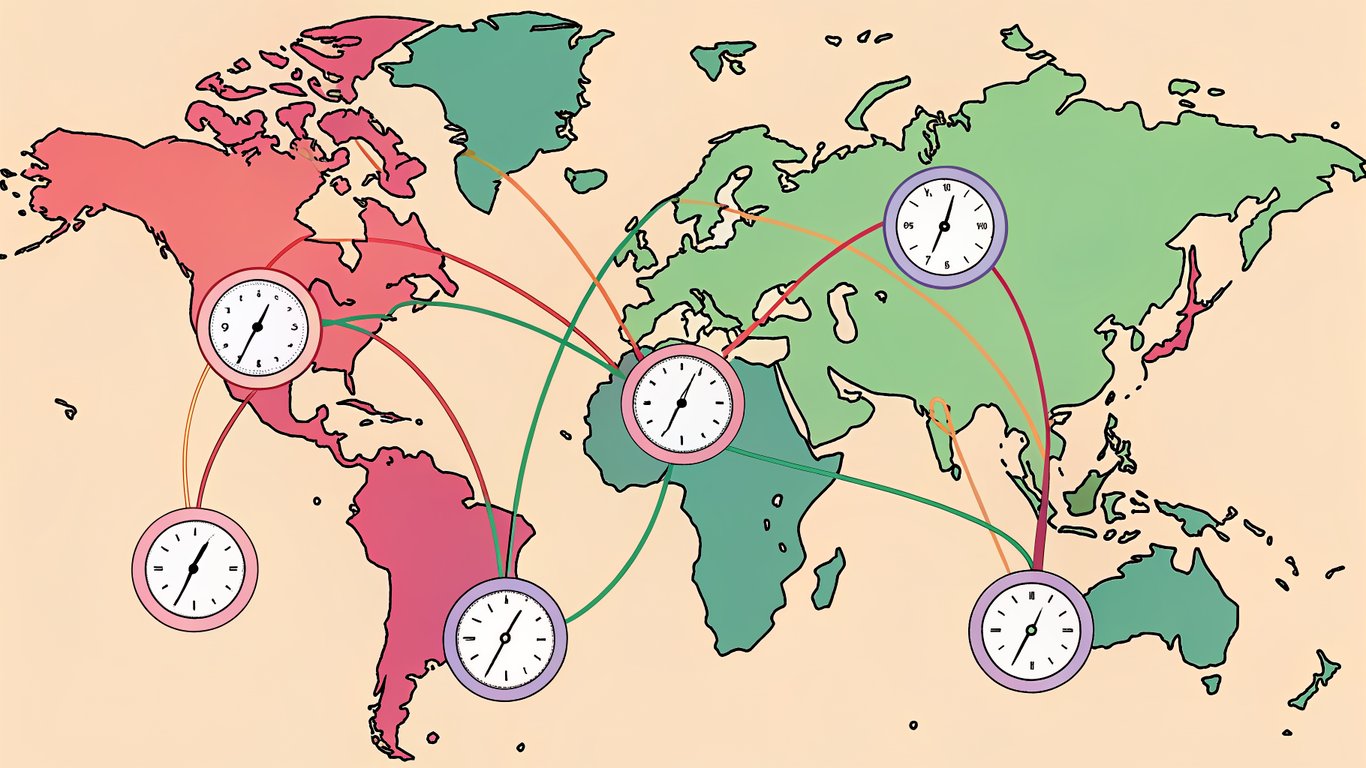
If you've got a global audience, scheduling everything for 9 AM Eastern Time means you're publishing at 2 AM for readers in London and 10 PM for folks in Sydney. That's not ideal.
Consider staggering your scheduled posts throughout the day to catch different time zones. You don't need to publish 24/7, but spreading posts across a 12-hour window can significantly increase your reach. WordPress stores all times in UTC by default, so you'll need to account for timezone conversions when setting up your schedule.
Best Practice #3: Avoid Publishing Clusters That Overwhelm Readers
I've seen bloggers schedule five posts to go live on Monday morning because they batch-created content over the weekend. Then nothing publishes for the rest of the week. This creates a feast-or-famine situation that confuses your audience and dilutes the impact of each individual post.
Space out your scheduled posts with at least a few hours between them. If you're publishing daily, pick consistent times. If you're publishing multiple times per day, spread them out so readers have time to digest one piece before the next appears. Your email subscribers will thank you too, since they won't get bombarded with notifications all at once.
Best Practice #4: Align Scheduling with SEO Crawl Patterns
Search engines crawl sites at different frequencies depending on your site's authority and update patterns. If you publish consistently at the same times, crawlers learn your schedule and check back more reliably.
This doesn't mean you need to publish at exactly 10:00 AM every single day, but establishing a general pattern helps. You can check your crawl stats in Google Search Console to see when Google typically visits your site, then schedule important posts around those times for faster indexing.
Content Batching: Efficient Workflows for Bulk Scheduling
Batching is where scheduling really starts to save you time. Instead of writing and scheduling posts one at a time, you create multiple pieces of content in focused sessions, then schedule them all at once.
Best Practice #5: Create a Content Calendar Framework
Before you start batching content, you need a roadmap. I use a simple spreadsheet with columns for publish date, topic, target keyword, content type, and status. Nothing fancy, but it keeps me organized.
Plan at least a month ahead, but don't over-plan. Things change, trending topics emerge, and you'll want flexibility to adjust. The calendar should guide you, not constrain you. When you sit down to batch-create content, you'll know exactly what needs to be written and when it should publish.
Best Practice #6: Batch Similar Content Types Together
Your brain works more efficiently when you're doing similar tasks. If you're writing listicles, write several in one session. If you're creating how-to guides, batch those together. This reduces context-switching and helps you maintain a consistent voice and structure.
Create templates for your common content types. Save them as draft posts in WordPress with your standard formatting, heading structure, and any boilerplate text. When you're ready to batch-create, duplicate the template and fill in the specifics. This probably cuts my writing time by 20-30% compared to starting from scratch each time.
Best Practice #7: Set Realistic Batch Limits to Prevent Server Strain
Here's something most people don't think about: scheduling too many posts at once can strain your WordPress database. Each scheduled post creates database entries, and when multiple posts try to publish simultaneously, your server needs to handle all those operations at once.
If you're on shared hosting, be conservative. Maybe schedule 10-15 posts at a time, and make sure they're not all set to publish within the same hour. If you've got a dedicated server or managed WordPress hosting, you can probably handle more, but test your limits gradually. Watch your server resources during peak publishing times to see how your setup handles the load.

Best Practice #8: Use Staging Environments for Bulk Upload Testing
If you're scheduling a large batch of posts, especially if you're importing them or using automation tools, test everything in a staging environment first. Most managed WordPress hosts like WP Engine or Kinsta include staging sites as part of their service.
Upload your batch to staging, check that images load correctly, links work, formatting looks right, and the scheduled posts actually publish when they're supposed to. Once you've verified everything works, push to production. This extra step prevents embarrassing mistakes from going live on your main site.
Automation Safeguards: Protecting Your Scheduled Posts
Automation is great until it fails. And it will fail at some point. The key is having safeguards in place so you catch problems before they impact your audience.
Best Practice #9: Implement Backup Scheduling Systems
WordPress's built-in cron system is decent, but it's not bulletproof. It only runs when someone visits your site, which means low-traffic sites might experience delays in publishing scheduled posts.
Consider setting up a real server-level cron job that triggers WordPress's cron independently of site traffic. Your hosting provider can usually help with this. Alternatively, you can use a service like EasyCron to ping your site's cron URL at regular intervals, ensuring scheduled posts publish on time even during slow traffic periods.
Best Practice #10: Configure Proper WordPress Cron Settings
By default, WordPress uses what's called WP-Cron, which isn't a true cron job. It's triggered by page loads, which can be unreliable. You can disable WP-Cron and set up a real cron job instead by adding this line to your wp-config.php file: define('DISABLE_WP_CRON', true).
Then create a server cron job that runs every few minutes and calls wp-cron.php directly. This ensures your scheduled posts publish precisely when they're supposed to, regardless of site traffic. If you're not comfortable editing server settings, ask your hosting support team to help set this up.
Best Practice #11: Set Up Pre-Publication Checklists and Validation
Before scheduling a post, run through a quick checklist. Are all images optimized and properly sized? Do all links work? Is the SEO title and meta description filled in? Does the post have appropriate categories and tags?
You can automate some of this with plugins. Tools like Yoast SEO will flag missing meta descriptions and broken links. Image optimization plugins can automatically compress images when you upload them. The goal is to catch issues before the post goes live, not after your readers have already seen the mistakes.
Best Practice #12: Create Rollback Procedures for Failed Publications
Sometimes scheduled posts fail to publish, or they publish with errors. Have a plan for when this happens. Keep a list of all scheduled posts with their intended publish dates. Check your site regularly to verify posts went live as expected.
If a post fails to publish, you can usually fix it by changing the status back to draft, then re-scheduling it. If a post published with errors, have a process for quickly updating it. Keep your WordPress dashboard open in a browser tab during peak publishing times so you can catch and fix issues immediately.
Performance Monitoring: Keeping Your Scheduling System Healthy
You can't improve what you don't measure. Monitoring your scheduling system helps you identify problems before they become serious issues.
Best Practice #13: Monitor Server Resources During Peak Publishing Times
When multiple scheduled posts publish at once, your server needs to handle database writes, image processing, cache clearing, and potentially sending email notifications to subscribers. All of this consumes CPU and memory.
Use monitoring tools to track resource usage during your peak publishing times. Many hosting providers include basic monitoring in their dashboard. For more detailed insights, consider tools like New Relic or Datadog. If you notice CPU spikes or memory issues when posts publish, you might need to spread out your publishing schedule or upgrade your hosting plan.
Best Practice #14: Track Scheduled Post Success Rates
Create a simple tracking system to monitor whether your scheduled posts actually publish on time. This could be as basic as a spreadsheet where you log scheduled posts and check them off when they go live, or you could use monitoring plugins that alert you when posts publish.
Look for patterns in failures. Do posts scheduled for certain times fail more often? Does your success rate drop when you schedule too many posts close together? This data helps you optimize your scheduling strategy over time.
Best Practice #15: Regular Audits of Your Scheduling Queue
At least once a week, review your upcoming scheduled posts. Make sure the dates and times are still appropriate. Check that the content is still relevant and timely. Sometimes you'll schedule posts weeks in advance, and by the time they're ready to publish, circumstances have changed.
Also clean up any orphaned drafts or posts stuck in weird states. WordPress can sometimes leave posts in a scheduled state even after they've published, which clutters your dashboard and can cause confusion. A monthly deep audit of your entire post queue keeps everything running smoothly.
Essential Tools and Plugins for WordPress Post Scheduling at Scale
The right tools can make scheduling at scale much easier. Here's what actually works in practice.
Native WordPress Scheduling vs. Third-Party Solutions
WordPress's built-in scheduling works fine for most small-scale operations. If you're publishing a few posts per week, you probably don't need anything else. Just set your publish date and time in the post editor, and WordPress handles the rest.
But when you're scheduling dozens of posts, managing complex publishing calendars, or coordinating content across multiple authors, dedicated scheduling plugins offer features that native WordPress doesn't. They provide better visibility into your schedule, more reliable publishing mechanisms, and additional automation options.
Top Scheduling Plugins for 2026
Several plugins can enhance WordPress's scheduling capabilities. Editorial Calendar gives you a visual calendar view of all your scheduled posts, making it easier to spot gaps or clusters in your publishing schedule.
For teams, PublishPress adds editorial workflow features alongside scheduling improvements. It lets you set custom post statuses, assign posts to team members, and get notifications when scheduled posts publish.
If you need more advanced automation, consider WP Crontrol, which gives you direct control over WordPress's cron system. You can view all scheduled events, manually trigger them for testing, and debug issues with scheduled posts.
Monitoring and Analytics Tools
For monitoring, Query Monitor is invaluable. It shows you exactly what's happening on your WordPress site, including database queries, cron events, and performance metrics. When scheduled posts aren't publishing correctly, Query Monitor helps you figure out why.
For uptime monitoring, services like UptimeRobot can alert you if your site goes down, which would prevent scheduled posts from publishing. Some monitoring services can also check specific URLs at scheduled times to verify posts actually went live.
Building a Sustainable Scheduling System
Implementing all 15 best practices at once would be overwhelming. Start small and build up your scheduling system gradually.
Quick-Start Action Plan
If you're just getting started with scheduling at scale, focus on these priorities first. Set up proper cron configuration so your scheduled posts actually publish on time. That's the foundation everything else builds on.
Next, analyze your audience data to determine optimal publishing times. Then create a simple content calendar to plan your scheduled posts at least two weeks ahead. These three steps will immediately improve your scheduling reliability and consistency.
Once you've got the basics working smoothly, add monitoring to track your success rate. Then gradually implement the other best practices as your content volume grows and you identify specific pain points in your workflow.
Scaling Your Scheduling Strategy Over Time
Your scheduling needs will change as your site grows. What works when you're publishing three posts per week won't necessarily work when you're publishing three per day. Revisit your scheduling strategy every few months to make sure it still fits your current situation.
As you scale up, you'll probably need better hosting, more sophisticated monitoring, and additional automation. That's normal. The key is building a system that can grow with you, rather than hitting a wall where your current approach just stops working.
Pay attention to what's working and what's causing friction. If you're constantly fixing failed publications, that's a sign you need better cron configuration or more reliable hosting. If you're spending too much time manually scheduling posts, look into batch scheduling tools or editorial calendar plugins. Your scheduling system should make your life easier, not harder.