

Search engines don't work the way they used to. Google's gotten smarter about understanding what people actually want when they search, and that's changed everything about how we need to organize content.
I remember when SEO was basically just stuffing keywords into articles and hoping for the best. You'd write one piece about "best running shoes," another about "running shoe reviews," and maybe a third about "how to choose running shoes." Each article lived on its own island, competing with your other content for rankings.
That approach doesn't cut it anymore.
The Shift from Keywords to Topics
Search engines now prioritize topical authority over isolated keyword optimization. Instead of looking at individual pages in a vacuum, Google evaluates how comprehensively you cover entire subjects. It's trying to figure out if you're actually an expert on a topic or just someone who wrote a single article about it.
This shift makes sense when you think about it. If you're searching for information about project management software, wouldn't you trust a site that has detailed coverage of features, pricing, comparisons, implementation guides, and best practices more than a site with just one generic overview article?
Why Traditional Content Strategies Fall Short
Creating standalone articles without strategic interconnection creates several problems. Your content competes against itself in search results. Users can't easily find related information on your site. And search engines struggle to understand what you're actually an authority on.
You end up with a content library that's more like a pile of random papers than an organized filing system. Good luck finding what you need in that mess.

What Are Topic Clusters? Definition and Core Concepts
So what are topic clusters exactly? They're a way of organizing your content that mirrors how people actually think about and search for information.
The Basic Definition
A topic cluster is a group of interconnected, thematically related pages on your website. Think of it as a semantic ecosystem where all the content works together to comprehensively cover a subject from multiple angles.
Instead of isolated articles, you've got a network of pages that support and reference each other. One main page provides the big picture overview, while supporting pages dive deep into specific aspects of that topic.
The Three Essential Components
Every topic cluster has three key parts that work together:
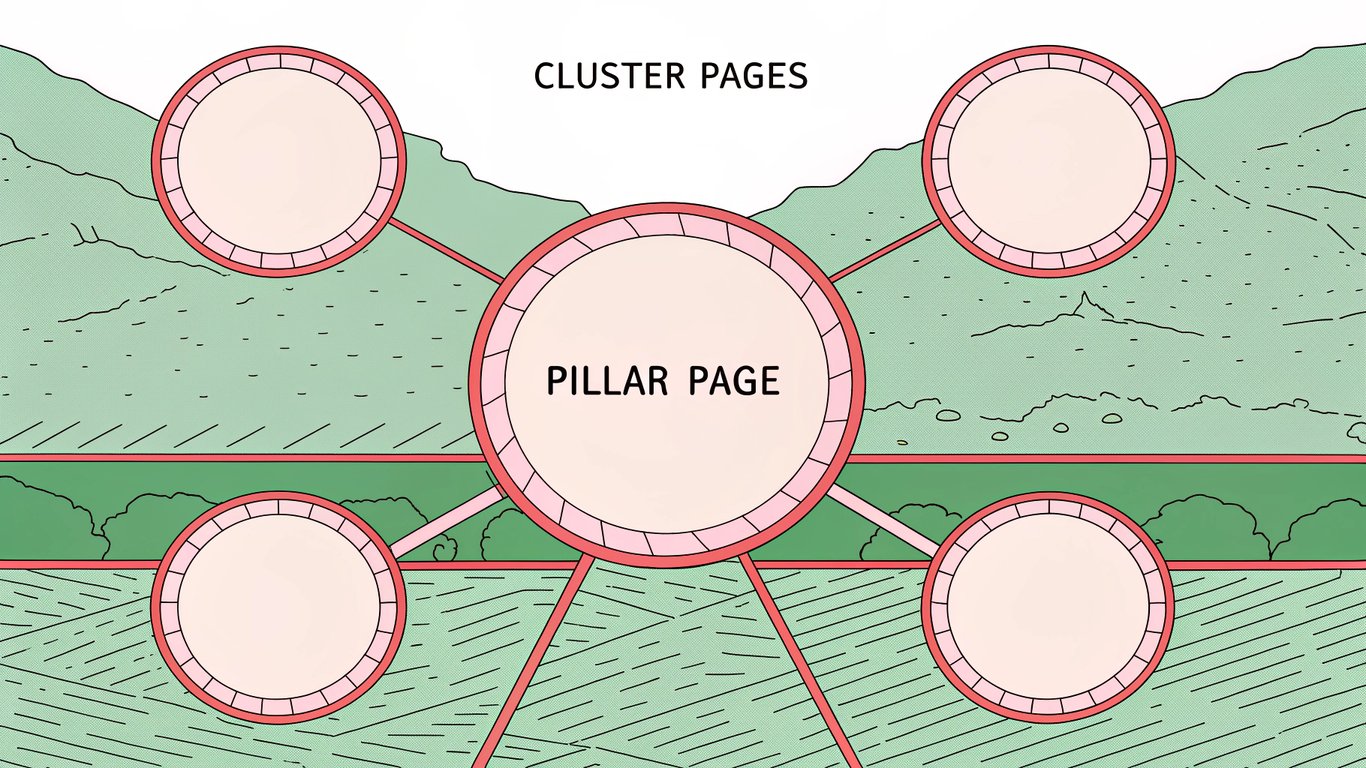
Pillar pages serve as your comprehensive hub. This is typically a longer piece (often 3,000+ words) that covers a broad topic at a high level. It touches on all the major subtopics without going too deep into any single one. The pillar page is where someone would start if they're new to the subject.
Cluster pages (also called subtopic pages) are your deep-dive content pieces. Each one focuses on a specific aspect of the main topic. These pages provide detailed, specialized information that the pillar page only mentions briefly. They're where you really demonstrate expertise on particular subtopics.
Internal linking structure is the connective tissue that holds everything together. The pillar page links out to all relevant cluster pages, and each cluster page links back to the pillar. This creates a hub-and-spoke model that helps both users and search engines navigate your content.
Topic Clusters vs. Content Clusters: Understanding the Difference
People use these terms interchangeably, but there's a subtle distinction worth understanding. A content cluster looks at the aggregate of pages around a given topic without necessarily requiring the formal pillar-and-spoke structure. It's a broader term that just means related content grouped together.
Topic clusters are more specific. They require that intentional architecture with a clear pillar page and strategically linked supporting content. All topic clusters are content clusters, but not all content clusters follow the topic cluster model.
For most practical purposes though, you'll hear people use both terms to mean the same thing.
Visual Example: How a Topic Cluster Works
Let's say you run a website about digital marketing. Your pillar page might be "Email Marketing: Complete Guide." That page would cover the basics of email marketing, why it matters, key concepts, and overview of different strategies.
Your cluster pages would then dive into specifics:
- How to Build an Email List from Scratch
- Email Segmentation Strategies That Work
- Writing Subject Lines That Get Opened
- Email Automation Workflows for E-commerce
- A/B Testing Your Email Campaigns
- Email Deliverability Best Practices
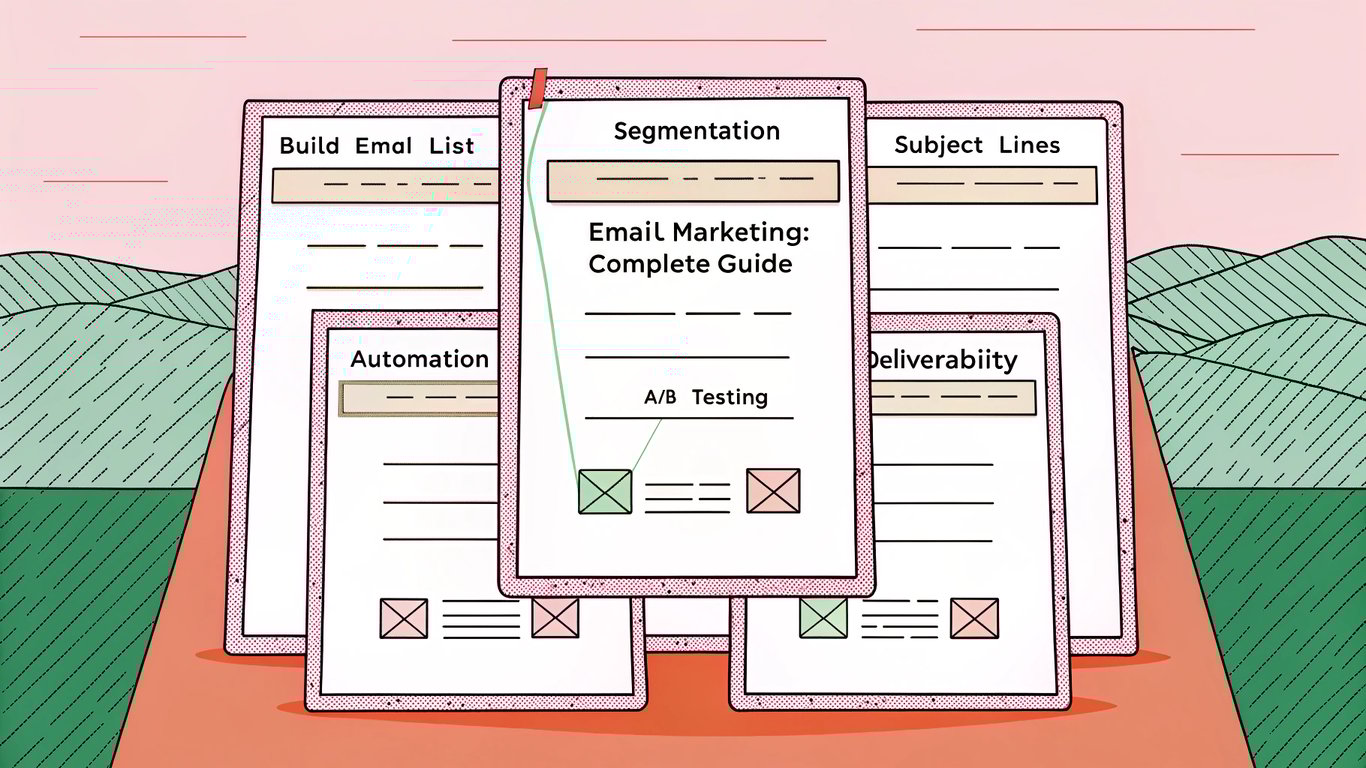
Each of those cluster pages links back to your main email marketing guide, and that guide links out to all of them. Someone reading about segmentation strategies can easily jump to the pillar page for broader context, or navigate to the automation workflows article for related information.
Why Topic Clusters Matter for SEO and Content Marketing
The benefits of topic clusters go way beyond just organizing your content better. They fundamentally change how search engines and users perceive your expertise.
Building Topical Authority and Expertise
When you comprehensively cover a topic from multiple angles, you signal to search engines that you're a legitimate authority on that subject. It's the difference between someone who wrote one article about running shoes and someone who's created an entire library covering shoe types, fitting guides, brand comparisons, injury prevention, and maintenance tips.
Search engines reward this depth of coverage. They're more likely to rank your content higher when they can see you've invested in becoming a real resource on a topic rather than just chasing individual keywords.
Improved Search Engine Visibility
Topic clusters help you rank for more keywords overall. Your pillar page might rank for broad, high-volume terms while your cluster pages capture more specific, long-tail searches. Together, they create a wider net that catches different types of search queries.
You're also more likely to appear in featured snippets and other SERP features when you have comprehensive coverage of a topic. Google pulls these answers from pages it trusts as authoritative sources.
Enhanced User Experience and Engagement
From a user perspective, topic clusters make it easier to find comprehensive answers without leaving your site. Someone researching email marketing can start with your overview guide and then explore specific aspects that interest them most.
This typically increases time on site and reduces bounce rates. People stick around longer when they can easily navigate to related content that answers their follow-up questions.
Preparing for AI and Generative Search
Here's something that's becoming increasingly important: topic clusters are essential for visibility in AI-powered search results. As generative AI tools like ChatGPT and Google's AI Overviews become more prevalent, they prioritize content from sites that demonstrate comprehensive topical coverage.
These AI systems are looking for authoritative sources they can trust to provide accurate information. A well-structured topic cluster signals that authority more effectively than scattered individual articles.
Better Content Organization and Discoverability
Topic clusters make your content easier to navigate for both users and search engine crawlers. The clear hierarchical structure helps search engines understand the relationship between your pages and how they fit together thematically.
For users, it creates natural pathways through your content. They don't have to rely on your site search or navigation menu to find related articles because the internal links guide them logically from topic to topic.
Anatomy of a Topic Cluster: Breaking Down Each Element
Let's get into the specifics of what makes each component of a topic cluster effective.
The Pillar Page: Your Comprehensive Hub
A good pillar page is substantial but not overwhelming. You're aiming for comprehensive coverage without getting lost in the weeds. Most effective pillar pages run between 3,000 and 5,000 words, though this varies by topic.
The key is providing enough detail that someone could understand the topic at a high level, while making it clear that deeper information exists in your cluster pages. You want readers thinking "I'd like to know more about that specific aspect" and then finding a link to exactly that information.
Your pillar page should be evergreen content that doesn't need constant updating. It covers fundamental concepts and principles rather than trending news or time-sensitive information.
Cluster Pages: Deep-Dive Subtopic Content
Cluster pages are where you really show your expertise. Each one should thoroughly cover a specific subtopic that supports your main pillar theme. These pages typically range from 1,500 to 3,000 words, depending on the complexity of the subtopic.
The best cluster pages answer specific questions or solve particular problems. They're focused and actionable rather than broad and theoretical. Someone should be able to read a cluster page and walk away with practical knowledge they can apply.
Strategic Internal Linking: The Connective Tissue
Internal linking is what transforms a collection of related articles into an actual topic cluster. Your pillar page should link to every relevant cluster page, ideally with descriptive anchor text that tells readers what they'll find.
Each cluster page should link back to the pillar page, usually early in the content. You might also link between cluster pages when it makes sense, though the primary structure is hub-and-spoke rather than a web of interconnections.
Use natural, contextual anchor text rather than generic phrases like "click here." Something like "learn more about email segmentation strategies" works better than "read this article."
The Hub-and-Spoke Model Explained
Think of your pillar page as the hub of a wheel, with each cluster page as a spoke radiating outward. All the spokes connect back to the hub, creating a clear hierarchical structure.
This model makes it easy for search engines to understand which page is the main authority on the broad topic and which pages provide supporting detail. It also creates a logical user journey where people can easily move between overview and detail as needed.
How to Create Your Own Topic Cluster: Step-by-Step Process
Building a topic cluster from scratch is more straightforward than it might seem. Here's how to approach it systematically.
Step 1: Choose Your Core Topic
Start by identifying a broad topic that aligns with your business goals and audience needs. This should be something you can genuinely claim expertise in and that has enough depth to support multiple subtopics.
Good core topics are broad enough to have many subtopics but focused enough to maintain coherence. "Marketing" is probably too broad. "Email marketing" or "content marketing" works better.
Step 2: Conduct Topic and Keyword Research
Use tools like SEMrush, Ahrefs, or MarketMuse to discover what questions people are asking about your topic. Look for related keywords, common search queries, and content gaps you could fill.
Pay attention to search intent patterns. What are people trying to accomplish when they search for these terms? That'll help you structure your cluster pages around actual user needs rather than just keywords.
Step 3: Map Out Your Cluster Structure
Create a visual map showing your pillar page in the center with all your planned cluster pages around it. This doesn't need to be fancy; a simple diagram or spreadsheet works fine.
Aim for somewhere between 5 and 15 cluster pages per pillar. Too few and you're not really demonstrating comprehensive coverage. Too many and your cluster becomes unwieldy.
Step 4: Create Your Pillar Page Content
Write your pillar page first. This gives you a framework for what your cluster pages need to cover. Include sections for each major subtopic, with brief overviews and links to where readers can learn more.
Make sure your pillar page is genuinely useful on its own. Someone should be able to read just that page and come away with a solid understanding of the topic, even if they don't click through to any cluster pages.
Step 5: Develop Supporting Cluster Pages
Now create your cluster pages, focusing on depth and specificity. Each page should thoroughly answer questions or solve problems related to its subtopic.
You don't have to create all your cluster pages at once. Many successful topic clusters are built gradually over time. Just make sure you update your pillar page with links as you add new cluster content.
Step 6: Implement Strategic Internal Links
Add contextual links from your pillar page to each cluster page. Place these links where they make sense naturally in the content, not just in a list at the end.
Make sure each cluster page links back to the pillar page, typically in the introduction or early in the content. This creates the bidirectional linking that defines the hub-and-spoke structure.
Step 7: Monitor, Measure, and Optimize
Track how your topic cluster performs using Google Analytics and Search Console. Look at metrics like organic traffic, rankings for target keywords, time on page, and internal navigation patterns.
Update your content regularly based on performance data and changing search trends. Topic clusters aren't set-it-and-forget-it; they need ongoing maintenance to stay effective.
Common Mistakes to Avoid and Best Practices
Even with a solid understanding of topic clusters, it's easy to make mistakes that undermine their effectiveness.
Mistakes That Undermine Topic Clusters
Weak internal linking is probably the most common problem. If your pillar and cluster pages aren't properly connected, you don't really have a cluster at all, just a collection of related articles.
Keyword cannibalization happens when your cluster pages compete with each other or with your pillar page for the same keywords. Each page should target distinct search intent and keywords.
Shallow content defeats the purpose of demonstrating expertise. If your cluster pages are just 500-word fluff pieces, you're not building topical authority. Go deep or don't bother.
Best Practices for Maximum Impact
Focus on content depth over breadth. It's better to have five really comprehensive cluster pages than fifteen mediocre ones. Quality matters more than quantity when you're trying to establish expertise.
Match user intent at every level. Your pillar page should serve people looking for broad overviews, while cluster pages target specific questions or problems. Don't try to make one page do everything.
Update your content regularly to keep it fresh and accurate. Search engines favor content that's maintained and improved over time. Set a schedule to review and update your topic clusters at least quarterly.
Maintaining and Scaling Your Clusters
As your content library grows, you'll probably identify opportunities to create new cluster pages or even spin off sub-clusters. That's fine, but maintain the clear hierarchical structure.
Consider creating multiple topic clusters around different core topics rather than trying to make one massive cluster that covers everything. It's easier to maintain several focused clusters than one sprawling mess.
Getting Started with Topic Clusters
Topic clusters represent a fundamental shift in how we think about content strategy. Instead of chasing individual keywords, you're building comprehensive resources that establish genuine expertise. This approach works hand-in-hand with content pillars to create a cohesive content ecosystem.
The beauty of this approach is that it aligns SEO goals with user needs. When you create truly helpful, interconnected content, both search engines and readers benefit. You're not gaming the system; you're just organizing information in a way that makes sense. Understanding the distinction between pillar pages and blog posts helps you structure your clusters effectively.
Start small if you're new to this. Pick one core topic where you already have some content and expertise. Map out a simple cluster with a pillar page and maybe five supporting articles. See how it performs, learn from the process, and then expand from there. For sites needing to scale cluster content quickly, WordPress AI autoblogging can help you build out supporting articles efficiently.
The shift toward topic-based SEO isn't going away. As AI and generative search become more sophisticated, they'll continue prioritizing sites that demonstrate comprehensive topical coverage. Building topic clusters now positions you well for whatever changes come next in search. Ready to implement? Our guide on how to build topic clusters walks you through the process step by step.