

You've got something to say, and you're ready to build an audience around it. But here's the thing: choosing where to publish isn't just about picking a pretty template anymore. It's about deciding who owns your relationship with readers, how you'll make money, and whether you'll still have control over your content five years from now.
The substack vs wordpress debate has gotten louder in 2025, and for good reason. Both platforms have evolved significantly, but they're solving fundamentally different problems. Substack promises simplicity and built-in monetization. WordPress offers complete control and powers over 43% of all websites on the internet.
I've watched countless writers agonize over this decision. Some jump to Substack for the ease of setup, only to realize they've boxed themselves in. Others spend weeks wrestling with WordPress plugins, wondering if they should've just kept it simple.

Why This Decision Matters More Than Ever
The creator economy has shifted dramatically. Direct relationships with your audience matter more than chasing algorithmic favor on social platforms. When you own your email list and content, you're not at the mercy of platform changes or policy updates that could tank your reach overnight.
But ownership comes with tradeoffs. More control means more responsibility. The platform you choose today shapes how you'll distribute content, monetize your work, and scale your operation tomorrow. Get it wrong, and migrating later becomes a painful, expensive process that risks losing subscribers.
What We'll Compare: The Four Pillars
This comparison breaks down into four critical areas that actually matter for your publishing business:
- Distribution: How you reach readers and grow your audience through email, SEO, and discovery features
- Monetization: Revenue models, fee structures, and how much money you actually keep
- Ownership: Who controls your content, subscriber data, and long-term business value
- Workflow: Daily publishing experience, technical requirements, and time investment
We'll dig into real-world scenarios, actual costs, and help you figure out which platform aligns with your goals. No fluff, just the information you need to make an informed choice.
Understanding Substack and WordPress
Before we compare features, let's establish what these platforms actually are. They're often mentioned in the same breath, but they're built on completely different philosophies.
What is Substack? The Newsletter-First Publishing Platform
Substack launched in 2017 as an all-in-one newsletter platform. It's designed specifically for writers who want to publish essays, build a subscriber base, and monetize through paid subscriptions. Everything you need is included: email delivery, payment processing, subscriber management, and a simple web interface for your archive.
The platform takes a 10% cut of your subscription revenue, but handles all the technical infrastructure. You don't worry about hosting, security updates, or payment gateway integrations. You write, hit publish, and Substack delivers your content to inboxes.
Substack also has network effects built in. Their recommendation engine suggests your publication to readers of similar newsletters, potentially driving discovery without you doing anything. It's a closed ecosystem, but one designed to reduce friction for writers who just want to focus on writing.
What is WordPress? The Open-Source Content Management System

Here's where things get slightly confusing. When people say "WordPress," they usually mean WordPress.org, the self-hosted, open-source software. There's also WordPress.com, a hosted service that's more limited but easier to use.
WordPress.org gives you complete control. You download the free software, install it on your own hosting, and customize everything. Want to add membership functionality? Install a plugin. Need advanced SEO tools? There's a plugin for that. Want to sell digital products, run a forum, or build a job board? All possible with the right plugins and themes.
This flexibility comes with responsibility. You're managing hosting, security, backups, and updates. You're choosing and configuring plugins. You're responsible when something breaks. But you also own everything: your content, your data, your subscriber relationships, and your domain.
Quick Comparison: Substack vs WordPress at a Glance
| Feature | Substack | WordPress |
|---|---|---|
| Primary Focus | Email newsletters | Flexible publishing platform |
| Ease of Use | Very simple, minimal setup | Moderate learning curve |
| Customization | Limited templates and options | Unlimited with themes/plugins |
| Monetization | Built-in subscriptions (10% fee) | Multiple options (various costs) |
| Ownership | Platform-dependent | Full ownership and control |
| SEO Capabilities | Basic, limited control | Advanced with plugins |
| Technical Maintenance | None required | Regular updates needed |
| Best For | Newsletter-focused writers | Publishers wanting full control |
Distribution: Reaching and Growing Your Audience
Getting your content in front of readers is half the battle. Both platforms approach distribution differently, with distinct advantages depending on your strategy.
Email Newsletter Capabilities
Substack's entire infrastructure is built around email delivery. When you publish, your post goes directly to subscriber inboxes with reliable deliverability. The email design is clean and consistent, though you can't customize much beyond basic branding. Subscriber management is straightforward: you see who's subscribed, who's paid, and basic engagement metrics.
WordPress requires you to add email functionality through plugins. Popular options include MailPoet, ConvertKit, or Mailchimp integrations. This adds complexity but also flexibility. You can segment your list more granularly, create automated sequences, and design custom email templates that match your brand perfectly.
The tradeoff? You're managing another service, potentially paying separate fees, and dealing with integration issues when something breaks. But you also get more sophisticated email marketing capabilities if you need them.
Built-in Discovery and Network Effects
Substack's recommendation engine is probably its biggest distribution advantage. When readers finish an article, they see suggestions for similar publications. If your content resonates, you can gain subscribers without spending a dollar on marketing. Some writers report meaningful growth from recommendations alone.
WordPress has no equivalent discovery mechanism. You're responsible for driving all your own traffic through SEO, social media, guest posting, or paid advertising. There's no platform helping you find readers. You're building from scratch.
That said, WordPress's lack of a built-in network means you're not competing with thousands of other newsletters for attention within the same ecosystem. Your growth is entirely in your hands, which can be liberating if you've got a solid traffic strategy.
SEO and Search Engine Visibility
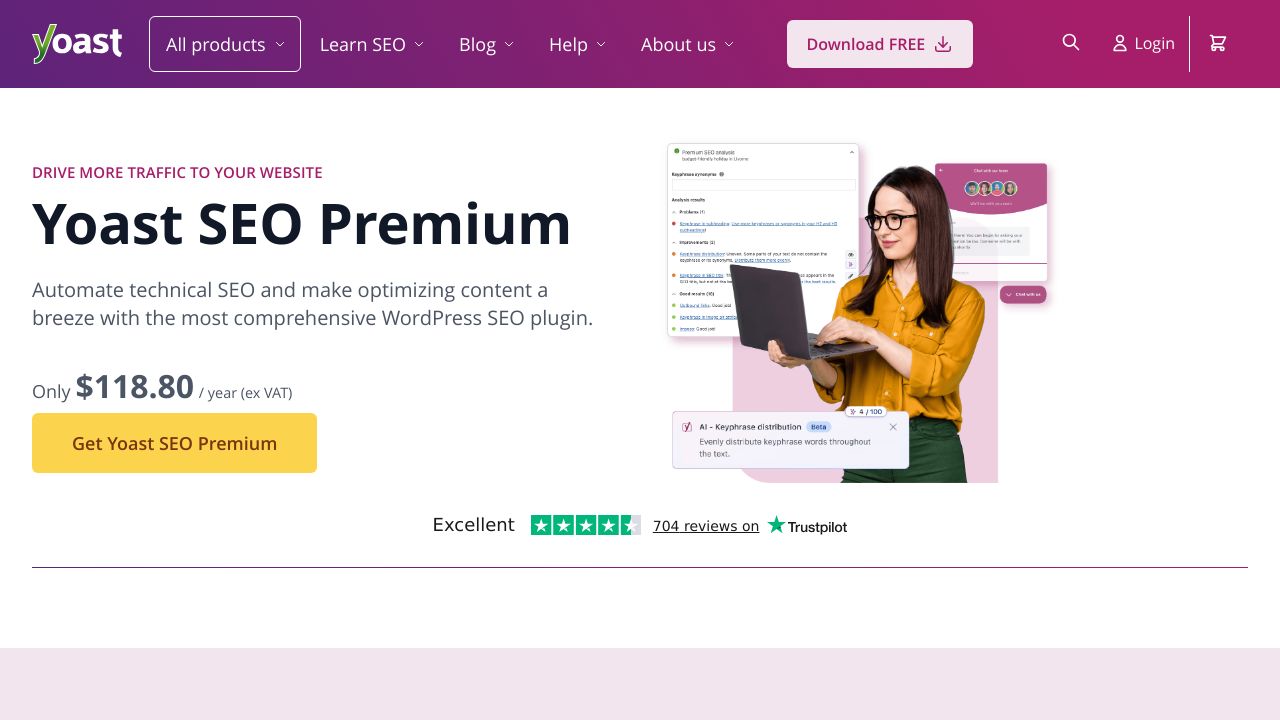
Here's where WordPress dominates. With plugins like Yoast SEO or Rank Math, you get granular control over meta descriptions, schema markup, XML sitemaps, and every other SEO element. You can optimize for specific keywords, build internal linking structures, and create content hubs that rank for competitive search terms. For more insights on leveraging AI for search visibility, explore our AI WordPress SEO resources.
Substack's SEO capabilities are basic. Your posts are indexed by search engines, but you can't customize much. No control over meta descriptions, limited URL structure options, and minimal technical SEO features. If organic search traffic is central to your growth strategy, this is a significant limitation.
For writers focused purely on email newsletters, this might not matter. But if you want your content to rank and drive ongoing traffic months or years after publication, WordPress is the clear winner.
Monetization: Turning Your Content Into Revenue
Making money from your writing is probably why you're considering either platform. The monetization models differ significantly, and understanding the real costs matters more than the marketing promises.
Subscription Models and Pricing Flexibility
Substack's monetization is dead simple: offer free posts, paid posts, or both. You set your subscription price (most writers charge between $5-10 monthly), and Substack handles everything else. Readers can subscribe with a few clicks, and you start earning immediately. The simplicity is genuinely appealing if you just want to write and get paid.

WordPress offers multiple monetization paths. You can use membership plugins like MemberPress or Restrict Content Pro to create subscription tiers. You can sell digital products, run display ads, offer sponsored content, create online courses, or combine multiple revenue streams. The flexibility is powerful but requires more setup and decision-making. Learn more about how to monetize your WordPress blog effectively.
Fee Structures and Revenue Share
Substack takes 10% of your subscription revenue, plus payment processing fees (around 2.9% + 30 cents per transaction). So if you charge $10/month, you're actually keeping about $8.60 per subscriber after all fees. Simple math, predictable costs.
WordPress costs are more variable. You'll pay for hosting (anywhere from $5-50+ monthly depending on traffic), potentially premium plugins for membership functionality ($100-300 annually), and payment processing fees (2.9% + 30 cents is standard for Stripe or PayPal). But there's no platform taking 10% off the top.
Let's say you have 100 paid subscribers at $10/month. On Substack, you'd net about $860 monthly after fees. On WordPress, you might pay $20 for hosting and keep about $970 after payment processing, netting $950. The difference grows as you scale. At 1,000 subscribers, you're keeping an extra $1,000+ monthly with WordPress.
Alternative Revenue Streams
Substack is primarily subscription-focused. You can't easily run display ads, sell one-time products, or diversify revenue streams within the platform. Some writers work around this by linking to external stores or services, but it's not integrated.
WordPress lets you monetize however you want. Run Google AdSense or Mediavine ads. Sell ebooks or courses through WooCommerce. Offer consulting services. Create a job board. Accept sponsorships with custom landing pages. The platform doesn't limit your business model.
This matters more as you grow. Many successful publishers start with subscriptions but eventually add complementary revenue streams. WordPress makes that transition seamless. Substack requires you to manage multiple platforms.
Ownership: Who Controls Your Content and Audience?
This is where the substack vs wordpress debate gets philosophical. Ownership isn't just about legal rights; it's about long-term control over your business.
Content Ownership and Data Rights
Both platforms let you own your content legally. You can export your posts from Substack and take them elsewhere. But there's a difference between legal ownership and practical control.
With WordPress, your content lives on your server, in your database, under your domain. You control the files, the backups, and every aspect of how it's stored and displayed. If you want to move hosts or change platforms, you're copying your own data.
Substack hosts everything for you. Your content lives on their servers, under their infrastructure. While you can export it, you're dependent on their export tools working correctly. And if Substack changes their terms, pricing, or features, you're along for the ride.
Subscriber List Control and Portability
Substack lets you export your subscriber list as a CSV file. You own the email addresses and can take them to another platform. But the relationship was built on Substack's infrastructure, and migrating means asking subscribers to update payment information if they're paid members.
WordPress gives you direct database access to subscriber information. If you're using a plugin like MemberPress, you control the entire membership system. Migrating to a different email service or membership platform is more straightforward because you're not leaving a closed ecosystem.
The practical difference: leaving Substack means rebuilding payment relationships with every paid subscriber. Leaving WordPress just means moving your database and files to a new host.
Platform Dependency and Lock-in Risks
Substack's simplicity creates dependency. Your entire publishing operation runs on their infrastructure. If they raise fees, change policies, or shut down (unlikely but possible), you're scrambling to rebuild elsewhere. You're also subject to their content moderation decisions, which have been controversial at times.
WordPress is open-source software. Even if Automattic (the company behind WordPress.com) disappeared tomorrow, the software would continue existing. Thousands of developers maintain it, and you can always find hosting and support. You're not locked into any single company's decisions.
Long-term Business Asset Value
If you ever want to sell your publication, ownership structure matters. A WordPress site with full control over content, subscribers, and revenue streams is worth more than a Substack publication where you're essentially renting infrastructure.
Buyers want assets they can control and integrate into their existing operations. A self-hosted WordPress site with a proven traffic and revenue model is a sellable business. A Substack publication is harder to value and transfer because it's tied to platform-specific features and relationships.
Workflow: Daily Publishing Experience and Technical Requirements
Theory is nice, but what's it actually like to use these platforms day-to-day? The workflow differences are significant.
Ease of Use and Learning Curve
Substack wins on simplicity. You can set up a publication in minutes, write your first post, and send it to subscribers without touching a single setting. The interface is clean and focused. There aren't dozens of options to configure or plugins to evaluate. You just write.
WordPress has a steeper learning curve. You need to understand themes, plugins, widgets, and various settings. The block editor (Gutenberg) is powerful but takes time to master. You'll spend your first few days figuring out how everything works rather than publishing content.
For writers who just want to write, Substack's simplicity is genuinely valuable. For publishers who want control and customization, WordPress's complexity is the price of flexibility.
Design and Customization Options
Substack offers limited design customization. You can change colors, add a logo, and choose between a few layout options. Every Substack publication looks recognizably like a Substack publication. If brand differentiation matters to you, this is limiting.
WordPress offers unlimited design possibilities. Thousands of themes provide different looks, and you can customize every element with CSS or page builders like Elementor. Want a unique brand identity? You can build it. Want to match your existing website? Easy.
Technical Requirements and Maintenance
Substack requires zero technical maintenance. No updates to install, no security patches to apply, no backups to manage. The platform handles everything. You focus entirely on content creation.
WordPress requires regular maintenance. You'll update plugins, monitor security, manage backups, and occasionally troubleshoot issues. Managed WordPress hosts like WP Engine or Kinsta handle much of this, but you're still responsible for plugin updates and compatibility issues.
This maintenance takes maybe an hour monthly if you're organized. But it's an ongoing responsibility that Substack users never think about.
Making Your Decision: Which Platform is Right for You?
There's no universally correct answer. The right platform depends on your specific goals, technical comfort, and long-term vision.
Choose Substack If...
- You want to start publishing immediately without technical setup
- Your primary focus is email newsletters rather than web traffic
- You're comfortable with limited customization in exchange for simplicity
- You don't mind paying 10% of revenue for infrastructure management
- You value Substack's discovery network and recommendation engine
- You're a solo writer without plans for a complex publishing operation
- Technical maintenance sounds like a nightmare you'd rather avoid
Choose WordPress If...
- You want complete ownership and control over your platform
- SEO and organic search traffic are important to your strategy
- You need design flexibility and custom branding
- You plan to diversify revenue beyond subscriptions
- You're building a long-term business asset you might sell
- You're comfortable with (or willing to learn) basic technical management
- You want to minimize platform fees as you scale
Hybrid Approach: Using Both Platforms
Some publishers use both platforms strategically. They publish SEO-optimized content on WordPress to drive organic traffic, then use Substack for their email newsletter and paid subscriptions. This combines WordPress's search visibility with Substack's email infrastructure.
The downside? You're managing two platforms, potentially confusing your audience about where to find content, and splitting your subscriber base. It works for some publishers but adds complexity most writers don't need.
The Verdict for 2025
The substack vs wordpress decision ultimately comes down to control versus convenience. Substack offers a faster path to publishing with less technical overhead. WordPress provides more control, flexibility, and long-term value.
If you're just starting out and want to test whether people will pay for your writing, Substack's simplicity is hard to beat. You can validate your idea without investing in hosting, plugins, or technical setup.
But if you're building a serious publishing business, WordPress's flexibility and ownership advantages probably outweigh the additional complexity. The 10% fee Substack charges adds up quickly as you scale, and the platform limitations become more constraining as your needs evolve.
Most importantly, don't let platform choice become an excuse for not publishing. Both platforms work. Pick one based on your priorities, start creating content, and adjust later if needed. Your writing matters more than your publishing infrastructure.