

Most content calendars fail because they're treated like scheduling tools instead of decision-making systems. I've watched teams spend hours building beautiful spreadsheets that get abandoned within weeks. The problem isn't the calendar itself; it's that we're solving the wrong problem.
A content calendar should function as your blog's operating system. It's where you decide what matters, what gets published, and how your team coordinates without constant meetings. This is a core part of your overall content strategy. But most approaches miss this completely.

The Real Cost of Ad-Hoc Content Planning
When you're publishing without a system, the costs compound fast. Your team wastes time in last-minute scrambles. Writers duplicate effort on similar topics. SEO opportunities slip through because nobody's tracking keyword coverage.
The coordination tax is probably the worst part. Someone asks what's publishing next week, and nobody knows. Another person starts writing about a topic you covered last month. Your social team can't plan promotions because they don't know what's coming.
Inconsistent publishing hurts your search rankings too. Google rewards sites that publish regularly and cover topics comprehensively. When you're reactive, you end up with random content gaps and missed opportunities to build topical authority.
What Makes WordPress Content Calendars Different
WordPress has specific quirks that affect how you should plan content. The platform's editorial workflow features, plugin ecosystem, and multi-author capabilities all influence your calendar design.
You've got built-in post scheduling, but it's pretty basic. Most teams need more sophisticated coordination, especially when multiple people are writing, editing, and publishing. That's where calendar-specific plugins and external tools come in.
The category and tag structure in WordPress also matters for planning. Your calendar should align with how you're organizing content architecturally. If you're building topic clusters for SEO, your publishing schedule needs to reflect that strategy.
Calendar Maturity Model: Where Does Your Team Stand?
Most teams fall into one of four stages. Reactive teams publish whenever something's ready, with no advance planning. Scheduled teams have a basic calendar but it's mostly just dates and titles. Strategic teams plan content around business goals and SEO opportunities. Automated teams have systems that handle routine decisions and keep content flowing.
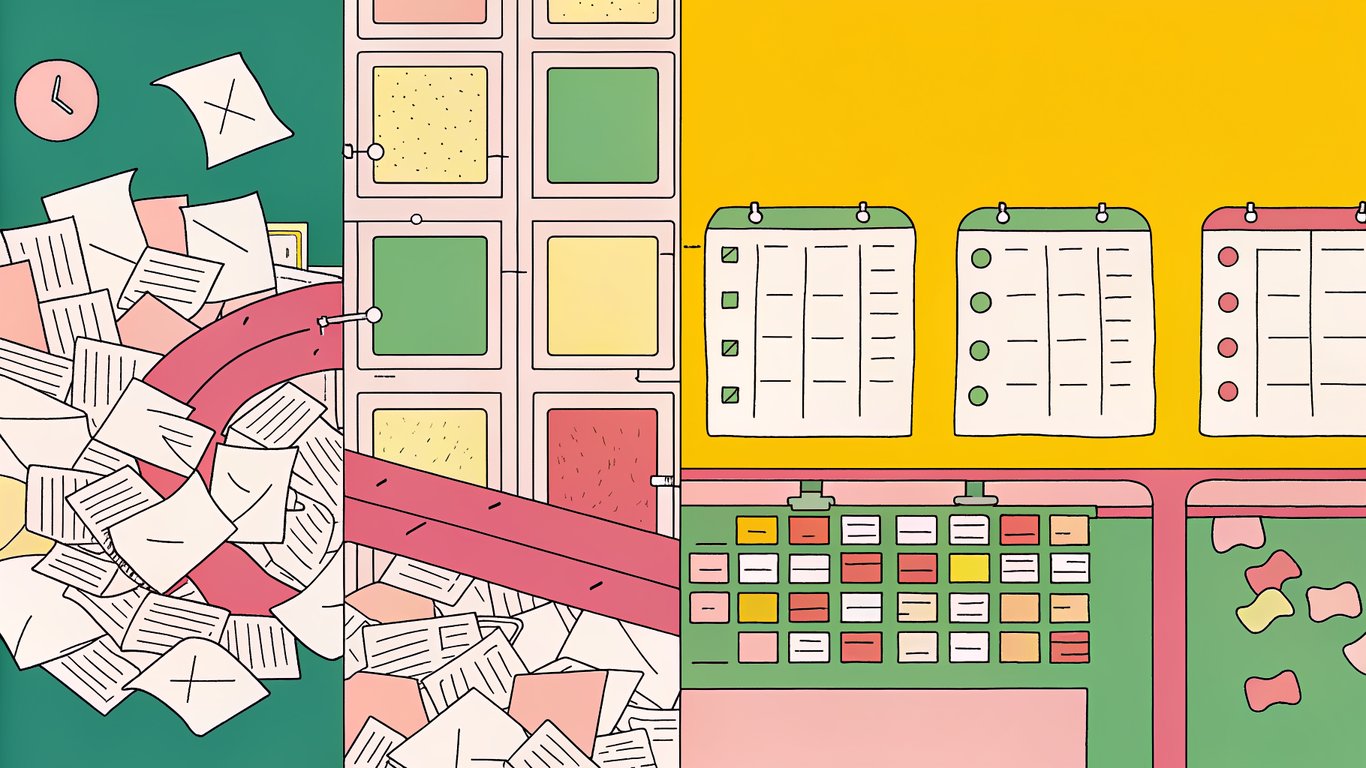
Figure out where you are now. If you're reactive, your first priority is getting a basic schedule in place. If you're already scheduling consistently, focus on adding strategic prioritization. Don't try to jump straight to full automation if you haven't nailed the fundamentals.
The Complete WordPress Content Calendar Framework: 4 Core Components
A working calendar system needs four pieces that fit together. Miss any one of them and you'll struggle with either consistency, quality, or team coordination.

Component 1: Content Cadence Templates by Blog Type
Your publishing frequency should match your goals and capacity. An authority-building blog might publish 2-3 comprehensive posts weekly. A product-led blog might focus on one detailed guide per week plus shorter updates. Seasonal campaigns need concentrated bursts followed by maintenance periods.
The key is picking a cadence you can actually maintain. Publishing daily for two weeks then going silent for a month is worse than consistent weekly posts. WordPress's scheduling features work best when you establish predictable patterns.
Component 2: Prioritization Framework (ICE + Editorial Fit)
When you've got more ideas than capacity, you need a scoring system. The ICE framework evaluates each content idea on three factors: Impact (how much it'll move your goals), Confidence (how sure you are it'll work), and Ease (how quickly you can execute).
Add a fourth dimension for editorial fit. Does this content align with your brand voice and expertise? Will your audience actually care? A high-scoring SEO opportunity that doesn't fit your editorial mission probably isn't worth pursuing.
Component 3: Automation Rules and Triggers
Automation saves time on repetitive decisions. Set up rules like: all how-to guides publish on Tuesdays, product announcements trigger immediate social posts, posts older than six months get flagged for updates.
WordPress plugins can handle much of this automatically. You don't need complex enterprise tools. Simple if-then rules eliminate dozens of manual decisions each month.
Component 4: Quality Gates and Approval Workflows
Quality checkpoints prevent bad content from publishing while avoiding bottlenecks. Define what must be checked before publishing: SEO basics covered, images optimized, links working, formatting consistent.
Keep approval workflows simple. If everything needs three sign-offs, nothing will publish on time. Reserve heavy review for high-stakes content. Routine posts should flow through faster.
Step-by-Step: How to Create a Content Calendar for Your WordPress Blog
Building your calendar from scratch takes about a week if you're focused. Here's the process that actually works for small teams.
Step 1: Audit Your Current Content and Identify Gaps
Start by mapping what you've already published. Export your WordPress posts and categorize them by topic, content type, and performance. Look for patterns in what's working and what's missing.
Use your analytics to identify high-traffic posts and conversion drivers. These show you what topics resonate. Then find the gaps where you should be ranking but aren't. Those become calendar priorities.
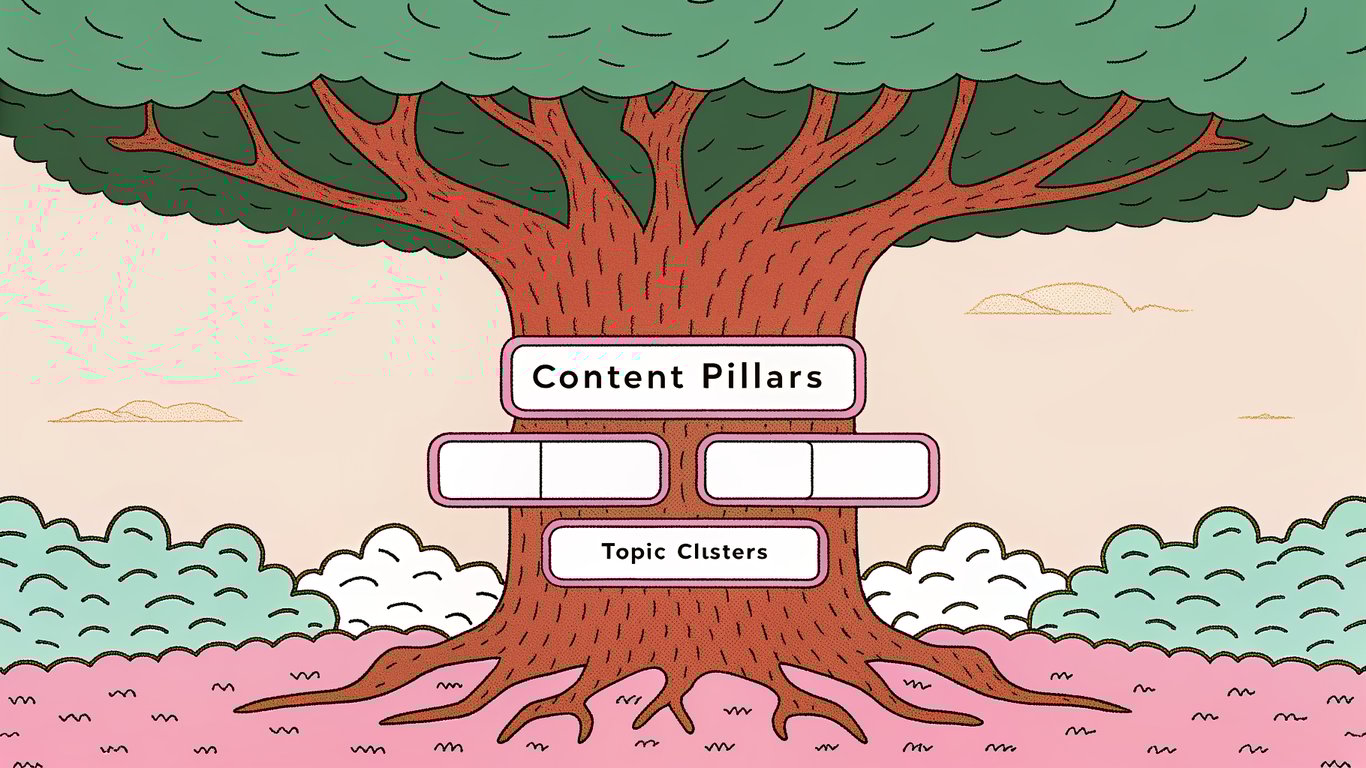
Step 2: Define Your Content Pillars and Topic Clusters
Pick 3-5 main themes that align with your business goals and audience needs. These become your content pillars. Under each pillar, map out specific topic clusters you want to own.
Your WordPress category structure should mirror this organization. When you're planning content in your calendar, you'll assign each piece to a pillar and cluster. This ensures you're building comprehensive coverage instead of random one-off posts.
Step 3: Choose Your Calendar Tool and Set Up the Template
You've got several options for managing your calendar. Google Sheets works well for simple setups and it's free. Notion offers more flexibility with databases and views. CoSchedule integrates directly with WordPress but costs money.
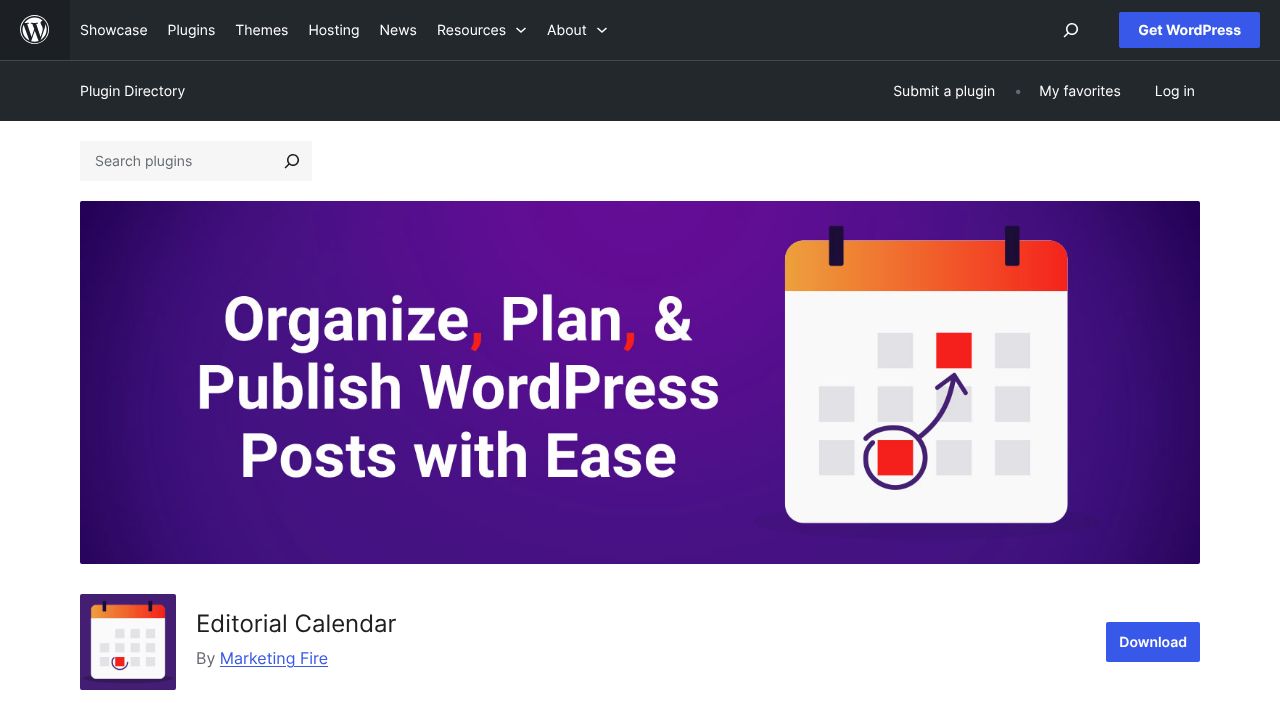
For WordPress-specific features, the Editorial Calendar plugin gives you drag-and-drop scheduling right in your dashboard. PublishPress adds editorial workflow features on top of basic scheduling.
Pick based on your team size and technical comfort. A two-person team can probably manage in Google Sheets. Five or more people benefit from dedicated tools with better collaboration features.
Step 4: Map Your Publishing Cadence Using the Templates
Take your chosen cadence template and adapt it to your situation. Block out holidays and slow periods when you'll publish less. Mark high-priority campaigns that need concentrated effort.
Be realistic about capacity. If you've got one writer working part-time, don't plan for daily posts. Better to publish two solid pieces weekly than scramble to fill a daily schedule with mediocre content.
Step 5: Build Your Automation Stack in WordPress
Install plugins that automate routine tasks. The Editorial Calendar plugin handles drag-and-drop scheduling. Revive Old Posts automatically reshares evergreen content on social media. Yoast SEO enforces basic optimization checks before publishing.
Connect Zapier to WordPress for cross-platform automation. Set up Zaps that post to Slack when content publishes, add new posts to your Google Calendar, or create Trello cards for promotion tasks.
Step 6: Implement the Prioritization System
Score your content backlog using the ICE framework. Rate each idea from 1-10 on Impact, Confidence, and Ease. Multiply the scores together to get a priority ranking.
Run a weekly planning session where you review scores and assign the highest-priority items to your calendar. This takes about 30 minutes and prevents analysis paralysis.
Step 7: Test, Measure, and Refine Your Calendar
Track metrics that show if your calendar is working: publishing consistency, time from idea to publication, content performance, and team satisfaction. Review these monthly.
Adjust your cadence if you're consistently missing deadlines or if you've got excess capacity. Refine your prioritization criteria based on what content actually performs. The calendar should evolve as you learn what works.
Automation Rules That Actually Work for Small WordPress Teams
Automation gets overhyped, but a few well-chosen rules genuinely save hours each week. Focus on automating decisions you make repeatedly, not one-off tasks.
Essential WordPress Plugins for Calendar Automation
- Editorial Calendar: Drag-and-drop post scheduling with a visual timeline view
- PublishPress: Editorial workflow with custom statuses and notifications
- CoSchedule: Full marketing calendar with social scheduling integration
- Revive Old Posts: Automatic social sharing of evergreen content
You don't need all of these. Pick the ones that solve your specific bottlenecks. If coordination is your problem, focus on workflow tools. If promotion is the issue, prioritize social automation.
5 High-Impact Automation Workflows You Can Set Up Today
Auto-schedule by content type: Set rules so tutorials always publish on Tuesdays, news updates on Fridays, and long-form guides on Mondays. This creates predictable patterns for your audience.
Deadline reminders: Automatically notify writers three days before their deadline, then again one day before. Reduces late submissions without manual nagging.
SEO checklist enforcement: Use Yoast or similar plugins to block publishing until basic SEO requirements are met. Prevents common mistakes from going live.
Social auto-posting: When a post publishes, automatically share it to your primary social channels. Schedule follow-up shares for evergreen content.
Content refresh triggers: Flag posts older than six months for review. Keeping content updated helps maintain rankings and provides easy wins when you're short on new ideas.
When NOT to Automate: Keeping the Human Touch
Some decisions should stay manual. Don't automate final approval for high-stakes content like product launches or thought leadership pieces. Don't auto-publish without human review of tone and accuracy.
Strategic planning sessions need human judgment. Automation handles execution, but deciding what content matters most requires understanding your business context and audience needs in ways that rules can't capture.
Prioritization Frameworks: Deciding What Content to Create
You'll always have more ideas than time. The teams that win aren't the ones with the most ideas; they're the ones who pick the right ideas to execute.
The ICE + Editorial Fit Scoring System
Score each content idea on four dimensions, using a 1-10 scale for each:
- Impact: How much will this move your key metrics (traffic, leads, revenue)?
- Confidence: How certain are you this will work based on data or experience?
- Ease: How quickly can you create this with your current resources?
- Editorial Fit: How well does this align with your brand and expertise?
Multiply Impact × Confidence × Ease, then multiply that result by your Editorial Fit score. Higher numbers get priority in your calendar. This prevents you from chasing high-impact ideas that don't fit your brand or easy wins that don't move the needle.
The Content Triage Method for Overwhelmed Teams
When you're drowning in ideas, use quick triage instead of detailed scoring. Sort ideas into four buckets during your planning meeting:
- Now: High impact, time-sensitive, or blocking other work
- Next: Important but not urgent, schedule within 90 days
- Later: Good ideas that don't fit current priorities, revisit quarterly
- Never: Doesn't align with strategy, archive and forget
This takes 15 minutes instead of hours of detailed analysis. You can always score the Now and Next buckets more carefully later.
Balancing SEO Opportunity vs. Brand Building Content
Most blogs need both keyword-driven content and thought leadership pieces. The right mix depends on your business stage. Early-stage companies typically need more SEO content to build traffic. Established brands can invest more in original perspectives and brand building.
A reasonable starting point is 70% SEO-focused content and 30% brand-building pieces. Adjust based on your goals and what's working. Track both organic traffic growth and engagement metrics to see if your balance is right.
Common Calendar Failures (And How to Avoid Them)
I've seen the same problems kill content calendars repeatedly. Here's how to spot and fix them before they derail your system.
Problem: The Calendar Becomes Shelfware
Calendars get abandoned when they add work without adding value. This happens when the calendar is too complex, disconnected from actual workflow, or nobody's accountable for maintaining it.
Fix it by making the calendar your single source of truth. If it's not in the calendar, it doesn't get published. Assign one person to own calendar maintenance. Keep the system simple enough that updating it takes minutes, not hours.
Problem: Too Rigid or Too Flexible
Some teams treat their calendar like law and miss timely opportunities. Others change plans constantly and lose all the benefits of planning ahead.
Build in flex capacity. Reserve 20% of your publishing slots for reactive content and breaking news. Stick to your plan for the other 80%. This gives you structure with room to adapt.
Problem: Automation Creates More Work Than It Saves
Automation fails when you automate the wrong things or create overly complex workflows. If you're spending more time maintaining automation than it saves, something's wrong.
Audit your automation quarterly. Kill any workflow that requires frequent manual intervention or breaks regularly. The best automation is simple, reliable, and mostly invisible.
Putting It All Together: Your 30-Day Implementation Plan
Here's how to roll out your complete calendar system without disrupting current operations. This assumes you're still publishing during the transition.
Week 1: Foundation Setup
- Audit your last 90 days of published content
- Define your 3-5 content pillars and initial topic clusters
- Choose your calendar tool and set up the basic template
- Install essential WordPress plugins for scheduling and workflow
Week 2: Populate and Prioritize
- Brainstorm content ideas for each pillar (aim for 50+ ideas)
- Score ideas using the ICE + Editorial Fit framework
- Fill your calendar with the next 90 days of planned content
- Assign initial owners and deadlines
Week 3: Automation and Workflows
- Set up your first 3-5 automation rules
- Configure Zapier integrations if you're using them
- Train your team on the new calendar system and tools
- Document your workflow and quality checkpoints
Week 4: Launch and Optimize
- Start using the calendar for all content decisions
- Hold your first weekly planning meeting
- Gather feedback from your team on what's working and what's not
- Schedule your first monthly review for 30 days out
Maintenance Mode: Quarterly Calendar Reviews
Every 90 days, step back and evaluate your system. Look at publishing consistency, content performance, and team satisfaction. Adjust your cadence if needed. Refine your prioritization criteria based on what's actually working.
Review your automation stack and kill anything that's not delivering value. Add new rules for problems that keep recurring. Update your content pillars as your business evolves.
The calendar that works in month one probably won't be perfect in month six. That's fine. The goal is continuous improvement, not perfection from day one.