

Most content teams operate in constant crisis mode. You're scrambling to publish something, anything, just to keep your site active. One week you're writing about trending topics, the next you're desperately trying to fill gaps in your publishing schedule.
This reactive approach kills your SEO performance and exhausts your team. Without a structured editorial calendar, you're missing seasonal opportunities, neglecting your best-performing content, and creating inconsistent publishing patterns that confuse both search engines and readers.
A balanced editorial calendar solves this problem by organizing three distinct content types: evergreen articles that drive consistent traffic, seasonal pieces that capture timely opportunities, and republished content that extends the life of your best work. When you balance these three pillars strategically, you build a sustainable content engine that works for months and years, not just days.

The Three-Pillar Content Framework
Evergreen content forms your foundation. These are tutorials, how-to guides, and resource lists that remain relevant regardless of the date. They accumulate traffic over time and provide steady returns on your investment.
Seasonal content captures spikes in search interest around holidays, industry events, and trending topics. This content drives short-term traffic bursts but requires advance planning to maximize impact.
Republished content breathes new life into your existing articles. By updating statistics, adding new sections, and refreshing outdated information, you maintain rankings without starting from scratch.
Understanding Your Content Mix: The 60-30-10 Rule
The 60-30-10 framework provides a starting point for allocating your content resources. This ratio isn't rigid, but it reflects what typically works for WordPress publishers building sustainable traffic.
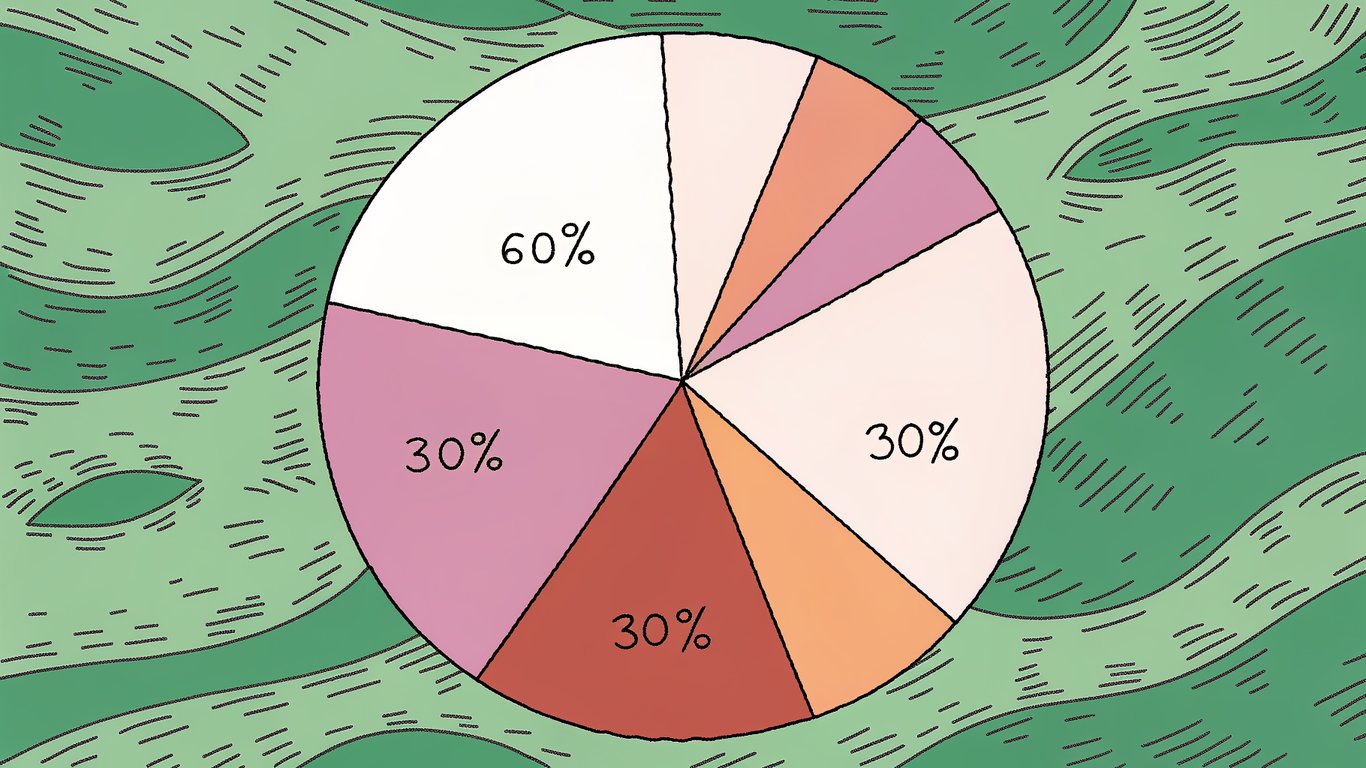
Evergreen Content (60%): Your Traffic Foundation
Dedicate roughly 60% of your publishing schedule to evergreen content. These articles compound in value over time, continuing to attract visitors months or years after publication.
For WordPress publishers, evergreen content includes plugin comparisons, coding tutorials, site optimization guides, and troubleshooting articles. These topics maintain consistent search volume and don't expire when a holiday passes or a trend fades.
The beauty of evergreen content is its efficiency. You invest time once and reap benefits continuously. A well-written tutorial published today could still drive traffic five years from now with minimal updates.
Seasonal Content (30%): Capturing Timely Opportunities
Allocate about 30% of your calendar to seasonal content. This includes holiday-related articles, coverage of industry conferences, and pieces tied to predictable annual events.
The key to seasonal content is planning 3-6 months ahead. If you're writing about Black Friday deals in November, you've already missed the opportunity. Start planning in August, create content in September, and publish in October to capture early searchers.
Seasonal content also includes trending topics in your industry. When WordPress releases a major update, that's a seasonal opportunity. When a popular plugin changes its pricing model, that's another chance to capture timely traffic.
Republished Content (10%): Maximizing Existing Assets
Reserve 10% of your content scheduling efforts for updating and republishing existing articles. This is probably the most overlooked aspect of content strategy, but it's incredibly efficient.
Your older articles already have backlinks, established rankings, and proven search demand. By refreshing them with current information, you maintain those rankings without the effort of creating entirely new content.
Look for articles that rank on page two of Google, have declining traffic, or contain outdated information. These are prime candidates for republishing. Update statistics, add new sections, improve formatting, and republish with a current date.
Adjusting Ratios Based on Your Niche
The 60-30-10 rule isn't universal. A news site might flip to 30-60-10, prioritizing timely content over evergreen. An educational site might go 80-10-10, focusing almost entirely on timeless tutorials.
Consider your audience's behavior. Do they search for timely information or timeless solutions? Look at your analytics. Which content types drive the most valuable traffic? Adjust your ratios accordingly, but maintain some balance across all three types.
Building Your Editorial Calendar Foundation
Creating an editorial calendar from scratch feels overwhelming. You're staring at empty cells wondering how to fill twelve months of content. Break it into manageable steps.
Step 1: Audit Your Existing Content
Start by understanding what you already have. Export your content list from WordPress and pull traffic data from Google Analytics and Search Console.
Identify your top performers. Which articles drive the most traffic? Which ones convert best? These successful pieces reveal what your audience wants and what search engines reward.
Next, find content gaps. What topics do your competitors cover that you don't? What questions does your audience ask that you haven't answered? These gaps become your evergreen content pipeline.
Finally, flag republishing opportunities. Look for articles published more than 12 months ago that still drive traffic. These need updates to maintain their rankings.
Step 2: Map Out Your Seasonal Opportunities
Create a master list of seasonal events relevant to your niche. For WordPress publishers, this includes major WordPress releases, WordCamp events, Black Friday, Cyber Monday, and the start of each quarter when businesses plan their website budgets.
Plot these events on your calendar 3-6 months in advance. If you're targeting Black Friday, schedule content creation for September and publication for October. This gives you time to create quality content and capture early search traffic.
Step 3: Build Your Evergreen Content Pipeline
Use keyword research tools to identify evergreen topics with consistent search volume. Look for questions your audience asks repeatedly. Check forums, social media groups, and support tickets for recurring themes.
Schedule these evergreen pieces to fill gaps between seasonal content. If you have a major seasonal push in November, balance it with evergreen content in October and December to maintain consistent publishing.
Step 4: Schedule Republishing Cycles
Set up a systematic review process. Every article should be evaluated 6-12 months after publication. Add these review dates to your calendar as recurring tasks.
When a review date arrives, check the article's performance. If traffic is declining or information is outdated, schedule an update. If it's still performing well, push the review date forward another 6-12 months.
Step 5: Choose Your Calendar Tool
Your tool choice depends on team size and complexity. Google Sheets works well for solo publishers or small teams. It's free, flexible, and everyone knows how to use it.
Trello and Asana offer better workflow management for larger teams. You can assign tasks, set deadlines, and track progress through different stages.
WordPress plugins like Edit Flow and PublishPress integrate directly with your publishing platform. This eliminates the need to switch between tools and keeps everything in one place.
Step 6: Establish Your Content Scheduling Workflow
Define clear stages for each piece of content: ideation, assignment, drafting, editing, approval, and publication. Each stage needs an owner and a deadline.
Build buffer time into your workflow. If you need content published on Monday, set the final deadline for Thursday. This cushion prevents last-minute scrambling when writers miss deadlines or editors need extra time.

Content Scheduling Best Practices for WordPress Publishers
Determining Your Optimal Publishing Frequency
Quality beats quantity every time. Publishing three mediocre articles per week won't outperform one excellent article. Start with what your team can consistently produce at high quality.
For most WordPress publishers, 2-4 articles per week provides a good balance. This maintains regular activity without overwhelming your team or sacrificing quality.
Consistency matters more than frequency. Publishing every Tuesday and Thursday is better than publishing randomly throughout the week. Search engines and readers both appreciate predictable patterns.
Strategic Timing: When to Publish Each Content Type
Publish evergreen content during slower periods. If your traffic dips on weekends, schedule evergreen articles for Saturday or Sunday. They'll accumulate value over time regardless of initial traffic.
Release seasonal content early. If you're targeting a holiday, publish 4-6 weeks before the event. Early publication captures people planning ahead and gives your content time to rank.
Schedule republished content during peak traffic days. These updates often see immediate traffic boosts, so maximize impact by publishing when your audience is most active.
Building Buffer Time and Flexibility
Reserve 20% of your calendar for unexpected opportunities. When breaking news hits your industry or a trending topic emerges, you need space to respond quickly without derailing your planned content.
Keep a backlog of completed evergreen content. These articles can fill gaps when planned content falls through or when you need to shift resources to timely opportunities.
Automation Strategies to Streamline Your Editorial Calendar
Automation doesn't mean sacrificing quality. It means eliminating repetitive tasks so you can focus on creating great content.
WordPress Scheduling Features
WordPress includes built-in scheduling that lets you write content in advance and publish automatically. Write several articles during a productive week, then schedule them to publish over the next month.
The Editorial Calendar plugin adds a visual calendar interface to WordPress. You can drag and drop posts to different dates, making it easy to adjust your schedule.
Automating Content Republishing
Plugins like Revive Old Posts automatically share your evergreen content on social media. This keeps older articles circulating without manual effort.
Set up automated reminders for content reviews. When an article reaches 6 or 12 months old, trigger an email reminder to review and update it. This ensures nothing falls through the cracks.
Using Zapier for Calendar Workflows
Zapier connects your editorial calendar with other tools. When you add a new article to your Google Sheet calendar, Zapier can automatically create a task in Asana, send a Slack notification to your team, or add an event to your Google Calendar.
These automations eliminate manual data entry and keep everyone informed without constant status meetings.
Batch Scheduling Techniques
Schedule multiple articles at once using WordPress bulk editing. Select several posts, set their publication dates, and save. This works especially well when you've created a batch of evergreen content.
Batch your planning sessions too. Instead of planning week by week, dedicate one day per month to mapping out the entire month's content. This reduces context switching and helps you see the bigger picture.
Maintaining and Optimizing Your Editorial Calendar
Weekly and Monthly Calendar Reviews
Review your upcoming week every Monday. Confirm all assignments are on track, deadlines are realistic, and no conflicts exist. This 15-minute review prevents surprises later in the week.
Conduct a deeper monthly review. Analyze what published, what performed well, and what fell behind schedule. Use these insights to adjust next month's plan.
Tracking Performance Metrics
Track different metrics for each content type. Evergreen content should show steady traffic growth over time. Seasonal content should spike during its target period. Republished content should maintain or improve its previous rankings.
Don't obsess over immediate results. Evergreen content often takes 3-6 months to reach its full potential. Judge performance over quarters, not weeks.
Adapting to Changes and Trends
Your calendar should be a guide, not a prison. When Google releases an algorithm update or your industry experiences major news, adjust your schedule to respond.
Keep that 20% buffer for flexibility. This breathing room lets you capitalize on unexpected opportunities without abandoning your strategic plan.
From Calendar to Consistent Content Success
Building an editorial calendar isn't a one-time project. It's an ongoing system that evolves with your site and audience.
Your 30-Day Implementation Plan
- Week 1: Audit your existing content and identify top performers, gaps, and republishing opportunities
- Week 2: Map out seasonal events for the next 6 months and choose your calendar tool
- Week 3: Build your evergreen content pipeline and schedule your first month of content
- Week 4: Set up automation workflows and establish your review process
Start small. You don't need a perfect system on day one. Build your calendar gradually, learn what works for your team, and refine your process over time.
Common Pitfalls to Avoid
Don't over-plan. Mapping out 12 months in detail wastes time because things will change. Plan 3 months ahead in detail, 6 months ahead broadly.
Don't ignore your data. If certain content types consistently underperform, adjust your ratios. Your calendar should reflect what actually works, not what you think should work.
Don't sacrifice quality for consistency. Missing a publication date is better than publishing mediocre content. Your reputation depends on quality, not perfect adherence to a schedule.
A balanced editorial calendar transforms content creation from reactive chaos into strategic execution. You'll publish consistently, capture seasonal opportunities, and maximize the value of every article you create. The initial setup takes effort, but the long-term payoff in traffic, rankings, and team sanity makes it worthwhile.