
You've spent hours crafting the perfect blog post. The content is solid, the keywords are right, and you hit publish with confidence. Weeks pass, and nothing happens. No traffic, no rankings, no engagement. What went wrong?
The problem might be simpler than you think. Your page could be an orphan.
Understanding Orphan Pages: A Simple Definition
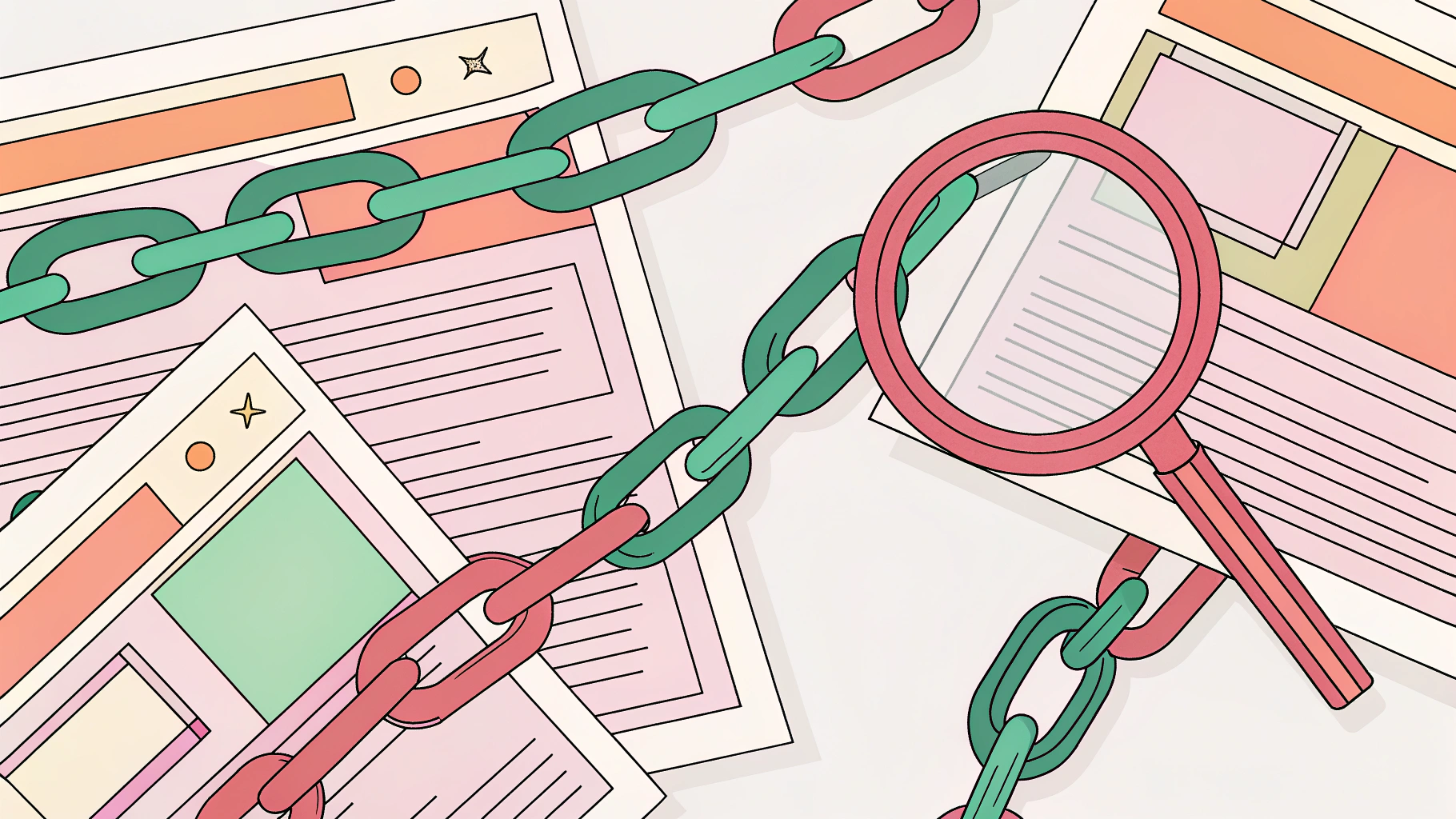
An orphan page is a web page that exists on your site but has no internal links pointing to it from other pages. Think of it like a room in your house that has no doors. It's there, it takes up space, but nobody can actually get to it through normal navigation.

These pages are essentially isolated from your site's structure. Users can't find them by clicking through your menu or following links from other content. Search engine crawlers face the same problem when they try to discover and index your content.
Here's the thing though: orphan pages can still be accessed directly through their URL or through external links from other websites. This means Google can technically still index them, but it's much harder for the search engine to understand their importance or relevance within your site's overall structure.
The SEO Impact of Orphan Pages
Orphan pages create several problems for your SEO efforts. First, they waste your crawl budget. Search engines allocate a certain amount of resources to crawling your site, and orphan pages that get indexed through external means consume this budget without contributing to your site's internal link equity.
Second, these pages miss out on the ranking power that comes from internal linking. When you link to a page from other relevant content on your site, you're essentially telling search engines that this page matters. Orphan pages don't get this signal, which typically means they won't rank as well as they could.
The user experience suffers too. Visitors who somehow land on an orphan page through a direct link or external source might struggle to navigate to other parts of your site. They're stuck in a dead end with limited options for exploring related content.

Common Misconceptions About Orphan Pages
Many people assume that if a page has no internal links, Google simply can't find it. That's not entirely accurate. If your orphan page is listed in your XML sitemap or has external backlinks pointing to it, Google can still discover and index it.
Another misconception is that all orphan pages are bad. Sometimes you might intentionally create pages without internal links, like thank-you pages after form submissions or special landing pages for paid advertising campaigns. These pages serve a specific purpose and don't need to be part of your main site navigation.
The real issue is unintentional orphan pages. Content that should be discoverable but isn't.
Why Orphan Pages Happen: Common Causes
Website Restructuring and Migration Issues
Site redesigns are probably the biggest culprit behind orphan pages. When you migrate to a new platform or restructure your navigation, it's easy to lose track of pages that existed in the old structure. URLs change, menu items get reorganized, and suddenly dozens of pages are floating in limbo.
I've seen this happen with WordPress migrations where someone moves from an old theme to a new one. The new theme has different menu structures, and pages that were linked in the old sidebar widgets or footer areas just disappear from the navigation.
Removed or Broken Internal Links
Content updates can accidentally create orphan pages. You delete an old blog post that linked to another page, or you remove a category page that served as a hub for related content. If those were the only internal links pointing to certain pages, boom, you've created orphans.
Sometimes it's more subtle. You update a page and remove what seemed like an unnecessary link, not realizing it was the only pathway to another piece of content on your site.
Poor Site Architecture and Navigation
Some sites just don't have a solid internal linking strategy from the start. Content gets published without thinking about how it connects to existing pages. There's no systematic approach to linking related articles or creating topic clusters.
This is especially common on larger sites with multiple content creators. Without clear guidelines about internal linking, each writer does their own thing, and gaps appear in the site structure.
Forgotten or Abandoned Content
Marketing campaigns end, seasonal promotions expire, and test pages get left behind. These pages were created for a specific purpose, got their moment in the spotlight, and then were forgotten. Nobody bothered to either integrate them properly into the site or remove them entirely.
Draft pages that accidentally went live are another source. Someone creates a page, forgets about it, and it sits there published but never linked from anywhere.

How to Find Orphan Pages: 6 Proven Methods
Finding orphan pages requires comparing what exists on your site with what's actually linked. Here are six methods that work, ranging from simple to more technical.
Method 1: Using Google Search Console
Google Search Console gives you a list of pages that Google has indexed on your site. Compare this with the pages that appear in a crawl of your site's internal links, and the difference reveals your orphans.
Start by going to the Coverage report (or Page Indexing report in the newer interface). Export the list of indexed pages. Then use a crawler tool to map all the pages that are actually linked internally. Any indexed page that doesn't appear in your crawl is likely an orphan.
This method works well because it shows you what Google sees versus what your site structure actually provides.
Method 2: Crawling Your Site with SEO Tools
Tools like Screaming Frog, Semrush, and Ahrefs can crawl your entire site and identify pages without internal links. These tools follow links just like a search engine would, mapping out your site's structure.
With Screaming Frog, you'd run a crawl of your site, then compare the crawled URLs with your server logs or analytics data. Pages that show up in your logs but not in the crawl are orphans.
Ahrefs has a specific feature in their Site Audit tool that identifies orphan pages automatically by comparing crawled pages with pages found in your sitemap and analytics.
Method 3: Analyzing Google Analytics 4 Data
Your Google Analytics 4 account shows pages that are receiving traffic. If a page gets visitors but doesn't appear in your site crawl, it's probably an orphan that people are finding through external links or direct URLs.
Go to Engagement, then Pages and Screens. Export the data for your preferred date range. Cross-reference this list with your crawl data. Pages with traffic but no internal links need attention.
This method is particularly useful because it helps you prioritize. Orphan pages that are already getting traffic are probably worth fixing first.
Method 4: Checking Your XML Sitemap
Your XML sitemap should list all the important pages on your site. If pages in your sitemap aren't linked internally, they're orphans. This is a quick way to spot problems, especially if you maintain your sitemap manually or through a plugin.
Download your sitemap, extract all the URLs, and compare them against your crawl data. The gaps tell you where your orphans are hiding.
Method 5: Server Log Analysis
This is more technical but incredibly thorough. Your server logs show every page that exists on your server and gets accessed. By analyzing these logs, you can identify pages that Googlebot visits but that aren't part of your internal link structure.
You'll need access to your server logs and some technical knowledge to parse them effectively. Tools like OnCrawl specialize in log file analysis and can automate much of this process.
Method 6: Manual Site Audit
Sometimes the old-fashioned way works best, especially for smaller sites. Click through your entire site systematically, checking that every page can be reached through your navigation or internal links.
Create a spreadsheet of all your pages, then mark which ones you can actually reach through normal browsing. It's time-consuming but gives you an intimate understanding of your site structure.
How to Fix Orphan Pages: Actionable Solutions
Once you've identified your orphan pages, you need to decide what to do with them. Not every orphan needs to be saved, but valuable content definitely deserves a proper place in your site structure.
Strategy 1: Add Relevant Internal Links
The most straightforward fix is adding internal links from related content. Look for pages that naturally connect to your orphan content and add contextual links.
Don't just throw random links everywhere. The links should make sense for readers. If you have an orphan page about email marketing automation, link to it from articles about email marketing strategy, marketing tools, or customer engagement.
Aim for at least 2-3 internal links to each important page. This gives search engines multiple pathways to discover the content and helps establish its relevance within your site's topic structure.
Strategy 2: Integrate Pages into Site Navigation
Some pages deserve a spot in your main navigation, category pages, or footer. If an orphan page covers an important topic that fits your site's core content areas, add it to the appropriate menu.
Category and tag pages are particularly useful for this. They create natural hubs that link to related content, and adding your orphan pages to relevant categories instantly connects them to your site structure.
Strategy 3: Implement Topic Clusters and Hub Pages
Topic clusters are a powerful way to organize content and eliminate orphans. Create pillar pages that cover broad topics, then link to more specific subtopic pages (including your former orphans) from these hubs.
For example, if you have several orphan pages about different aspects of content marketing, create a comprehensive content marketing pillar page that links to all of them. This establishes clear topical relationships and helps search engines understand how your content fits together.
Strategy 4: Update Your XML Sitemap
Make sure all valuable pages are included in your XML sitemap and that the sitemap is submitted to search engines. While this doesn't fix the internal linking problem, it ensures search engines can at least find and index your content.
Most WordPress sites use plugins like Yoast SEO or Rank Math that automatically generate and update sitemaps. Just verify that your orphan pages are actually included.
Strategy 5: Delete or Redirect Unnecessary Pages
Not every orphan page deserves to be saved. Outdated content, duplicate pages, or low-quality material should probably be deleted or redirected to more relevant pages.
If you delete a page, set up a 301 redirect to the most relevant existing content. This preserves any external link equity the page might have and prevents users from hitting dead ends.
Be strategic about this. If a page has backlinks or historical traffic, redirecting is usually better than deleting outright.
Strategy 6: Use Breadcrumb Navigation
Breadcrumbs create automatic internal linking pathways based on your site's hierarchy. They show users (and search engines) exactly where a page fits within your site structure.
Implementing breadcrumbs can help connect orphan pages to parent categories and your homepage, creating at least a basic internal linking structure even if you haven't added contextual links yet.
Preventing Orphan Pages: Best Practices for 2026
Develop a Strong Internal Linking Strategy
Prevention starts with having a clear plan for internal linking. Before you publish any new content, identify at least 2-3 existing pages where you can add links to it. Then add links from the new page to related existing content.
Create guidelines for your content team about internal linking requirements. Every new page should be connected to your site structure from day one.
Implement Regular Site Audits
Schedule quarterly or monthly audits to catch orphan pages before they become a major problem. Use the methods we covered earlier to systematically check for pages that have become disconnected from your site structure.
Regular audits also help you spot patterns. Maybe certain types of content consistently become orphaned, which tells you there's a structural issue to address.
Use Content Management Workflows
Build internal linking checks into your publishing workflow. Create a checklist that writers and editors must complete before content goes live, including verification that the page is properly linked from relevant existing content.
Some teams use editorial calendars that map out not just what content to create, but how it connects to existing content through internal links.
Monitor Site Changes and Migrations
Whenever you make significant changes to your site, whether it's a redesign, platform migration, or navigation restructure, do a thorough audit immediately after. Don't wait for problems to surface.
Before any major change, document your current internal linking structure. After the change, verify that all important pages are still accessible through internal links.
Tools and Resources for Managing Orphan Pages
Free Tools for Finding Orphan Pages
Google Search Console and Google Analytics 4 are your best free options. They provide the data you need to identify orphan pages, though you'll need to do some manual comparison work.
The free version of Screaming Frog lets you crawl up to 500 URLs, which works fine for smaller sites. You can use it to map your internal link structure and identify pages that aren't connected.
Premium SEO Tools and Their Features
Screaming Frog's paid version removes the URL limit and adds features like scheduled crawls and more detailed reporting. It's probably the most popular choice for technical SEO audits.
Semrush and Ahrefs both include site audit features that automatically identify orphan pages. They compare your crawl data with your sitemap and analytics to flag disconnected pages. These tools are more expensive but offer comprehensive SEO functionality beyond just orphan page detection.
Ahrefs' Site Audit specifically has an "Orphan pages" report that makes the process pretty straightforward. It shows you exactly which pages are orphaned and provides suggestions for fixing them.
WordPress Plugins and CMS-Specific Solutions
For WordPress sites, plugins like Yoast SEO and Rank Math include internal linking suggestions that can help prevent orphan pages. They analyze your content and recommend relevant internal links as you write.
Link Whisper is another WordPress plugin specifically designed for internal linking. It suggests relevant internal links and helps you build a more connected site structure, which naturally reduces orphan pages.
Measuring Success: Tracking Your Orphan Page Fixes
Key Metrics to Monitor
After fixing orphan pages, track several metrics to measure the impact. Watch your indexation rate in Google Search Console. Pages that were previously orphaned should start appearing more consistently in search results.
Monitor organic traffic to the pages you've fixed. You should see gradual increases as search engines better understand the pages' relevance and importance within your site structure.
Check your crawl efficiency. With fewer orphan pages, search engines can focus their crawl budget on your important content, potentially leading to faster indexation of new pages.
Setting Up Ongoing Monitoring
Create a dashboard that tracks the number of orphan pages on your site over time. Many SEO tools let you schedule regular crawls and will alert you when new orphan pages appear.
Set up alerts in Google Search Console for indexation issues. While it won't specifically flag orphan pages, it'll notify you of coverage problems that might indicate new orphans have appeared.
Case Studies and Expected Results
The impact of fixing orphan pages varies depending on how many you had and how valuable the content was. Sites with hundreds of orphan pages often see noticeable improvements in organic traffic within a few months of fixing the issue.
You probably won't see overnight results. Search engines need time to recrawl your site, discover the new internal links, and reassess the importance of previously orphaned pages. Give it at least 4-6 weeks before expecting significant changes.
The biggest wins typically come from fixing orphan pages that already had some external backlinks or historical traffic. These pages already had some authority; they just needed to be properly integrated into your site structure to reach their full potential.
Learning how to find and fix orphan pages isn't glamorous SEO work, but it's essential for maintaining a healthy site structure. Your content deserves to be found, and fixing these disconnected pages ensures that both users and search engines can actually discover the valuable information you've created. It's a fundamental part of technical SEO—and especially important when scaling content with AI autoblogging.