

You've probably heard that internal links are important for SEO. But here's what most people don't talk about: the number of internal links you include in each post can make or break your site's performance.
I've seen blogs with amazing content struggle to rank simply because they weren't linking enough. And I've also seen sites penalized (well, not officially, but their rankings tanked) because they went overboard with links.
The truth is, there's a sweet spot. And finding it depends on your content type, length, and goals.
What Are Internal Links and Why They're Critical for SEO
Internal links are hyperlinks that point from one page on your website to another page on the same domain. They're different from external links, which send visitors to other websites.
These links serve two main purposes. First, they help your readers navigate your site and discover related content they might find useful. Second, they help search engines understand your site's structure and distribute authority across your pages.

When you link from a strong page to a weaker one, you're essentially telling Google, "Hey, this page matters too." That's powerful stuff.
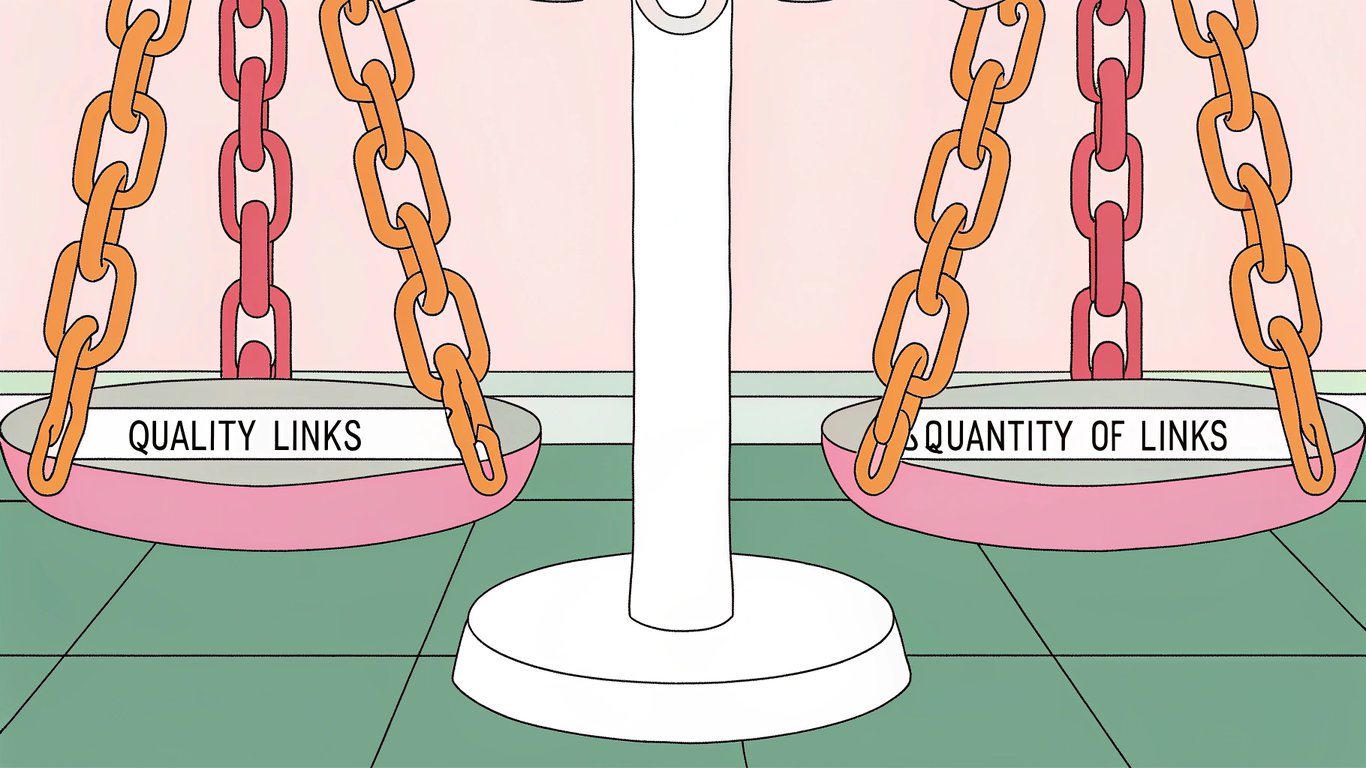
The Real Question: Quality vs. Quantity
Here's where things get interesting. You can't just throw links everywhere and expect magic to happen.
A single well-placed, contextually relevant internal link can do more for your SEO than ten random ones. But you also can't be too stingy with your links, or you'll miss opportunities to guide readers and distribute page authority.
The key is finding that balance between having enough links to be useful and avoiding the spammy look of over-optimization.
The Magic Number: How Many Internal Links Should You Include Per Blog Post?
Let's get to what you actually came here for. How many internal links blog post should you aim for?
The General Rule: 3-5 Links Per 1,000 Words
Most SEO experts recommend including 3-5 internal links for every 1,000 words of content. This range works well because it provides enough linking opportunities without overwhelming your readers or looking manipulative to search engines.
According to StanVentures, there's no documented limit on the number of internal links you can build on your site, but they suggest 2-5 links per post depending on length.
This guideline gives you flexibility. A 1,000-word post might have 3 links, while a 2,000-word piece could comfortably include 6-10.
Adjusting for Content Length and Depth
Not all content is created equal, and your internal linking strategy should reflect that.
For a short 500-word post, you might only need 2-3 internal links. These posts are typically quick reads, and too many links can feel disruptive.
Medium-length posts around 1,500 words work well with 5-7 internal links. You've got enough content to naturally weave in relevant connections without forcing it.
Long-form content over 3,000 words? You can easily include 10-15 internal links or more. The key is maintaining that natural flow and only linking when it genuinely adds value.
Different Content Types Require Different Approaches
Blog posts aren't the only pages on your site, and different content types have different internal linking needs.
Product pages typically benefit from 5-10 relevant internal links. You want to connect to related products, category pages, and helpful blog content that supports the purchase decision.
Pillar content or comprehensive guides can handle 15-20+ internal links because they're designed to be authoritative resources that connect to multiple related topics.
Landing pages are trickier. You generally want fewer internal links here (maybe 2-5) because you don't want to distract visitors from your main conversion goal.
What Google Says (and Doesn't Say) About Link Limits
Google has never published an official maximum number of internal links per page. In fact, they've moved away from their old recommendation of keeping links under 100 per page.
That said, Google does care about user experience. If your page is stuffed with so many links that it becomes difficult to read or navigate, that's a problem.
The best approach? Focus on what's helpful for your readers. If a link adds value and context, include it. If you're adding it just to hit some arbitrary number, skip it.
Step-by-Step Guide: How to Determine the Right Number of Internal Links
Let me walk you through a practical framework for figuring out exactly how many internal links your specific content needs.
Step 1: Analyze Your Content Length and Structure
Start by looking at your word count. A 2,000-word article has more natural opportunities for internal links than a 600-word post.
Next, examine your content structure. How many main sections do you have? Each major section probably deserves at least one internal link to related content.
Count your subheadings too. If you've got 8 H2 sections, you might aim for 8-12 internal links distributed throughout.
Step 2: Identify Your Most Important Pages to Link To
Not all pages deserve equal linking attention. You need to prioritize.
Start with your cornerstone content. These are your most comprehensive, authoritative pieces that you want to rank for competitive keywords.
Then look at pages that are closely related to your current topic. If you're writing about email marketing, linking to your guide on subject lines makes perfect sense.
Don't forget about pages that need a boost. If you've got quality content that's underperforming, strategic internal links from stronger pages can help.
Step 3: Map Contextual Relevance
This step is crucial. Every internal link should make sense in context.
Read through your content and ask yourself: where would a reader naturally want more information? Those are your linking opportunities.
If you mention a concept that you've covered in depth elsewhere, that's a perfect spot for an internal link. If you reference a tool or strategy, link to your detailed guide about it.
The link should feel like a natural extension of the content, not an interruption.
Step 4: Distribute Link Authority Strategically
Here's something many people miss: your strongest pages can help boost your weaker ones through strategic internal linking.
Identify your pages with the highest authority (you can check this in tools like Ahrefs or Semrush). These are typically your oldest, most-linked-to pages.
Use these strong pages as launching pads. Add internal links from them to newer or underperforming content that deserves more visibility.
Step 5: Review and Optimize Your Link Placement
Where you place your internal links matters almost as much as how many you include.
Links in the main body content typically carry more weight than those in sidebars or footers. Place your most important internal links within the first few paragraphs or in the middle of your content where engagement is highest.
Avoid clustering all your links in one section. Spread them throughout the content for better user experience and SEO value.
Common Internal Linking Mistakes to Avoid
I've made plenty of internal linking mistakes over the years. Let me save you some trouble by highlighting the most common ones.
Over-Optimization: When Too Many Links Hurt Your SEO
There's definitely such a thing as too many internal links.
If every other sentence contains a link, you're probably overdoing it. This creates a poor reading experience and can make your content look spammy to both users and search engines.
A good rule of thumb: if you're questioning whether you have too many links, you probably do. Step back and remove any that don't add clear value.

Under-Linking: Missing Valuable Opportunities
On the flip side, being too conservative with internal links is also a mistake.
I've seen great content that barely links to anything else on the site. That's a missed opportunity to guide readers to related content and distribute page authority.
If you're consistently using fewer than 2-3 internal links per 1,000 words, you're probably under-linking.
Irrelevant Links That Confuse Users and Search Engines
Forcing unrelated links into your content is worse than not linking at all.
If you're writing about social media marketing, linking to your recipe blog post doesn't make sense (unless you're specifically discussing food bloggers' social strategies).
Every internal link should have a clear, logical connection to the content around it. If you can't explain why the link is there, remove it.
Using the Same Anchor Text Repeatedly
Anchor text diversity matters for internal links just like it does for external ones.
If you're always linking to your SEO guide with the exact phrase "SEO guide," that looks unnatural. Mix it up with variations like "our comprehensive SEO resource," "this detailed SEO tutorial," or "learn more about SEO."
Varied anchor text looks more natural and helps search engines understand the different contexts in which your content is relevant.
Advanced Internal Linking Strategies for Maximum Impact
Once you've mastered the basics, these advanced techniques can take your internal linking to the next level.
The Hub and Spoke Model for Content Clusters
The hub and spoke model is one of the most effective internal linking strategies out there.
Create a comprehensive pillar page (the hub) on a broad topic. Then write multiple related articles (the spokes) that dive deep into specific subtopics.
Link from each spoke article back to the hub, and from the hub to each spoke. This creates a tight cluster of related content that signals topical authority to search engines.
Using Internal Links to Boost Underperforming Pages
According to a case study from Sterling Sky, they made just one internal link update to a page and saw an immediate ranking improvement.
This demonstrates the power of strategic internal linking. If you've got quality content that's not ranking well, try adding internal links to it from your stronger pages.
Focus on pages with high authority and relevant topics. Even 2-3 well-placed internal links can make a noticeable difference.
Seasonal and Timely Internal Link Updates
Your internal linking strategy shouldn't be set-it-and-forget-it.
As you publish new content, go back to older related posts and add links to the new material. This keeps your content fresh and helps new pages gain traction faster.
For seasonal content, update your internal links to reflect what's currently relevant. In December, link more heavily to holiday-related content. In January, shift focus to New Year topics.
Leveraging High-Authority Pages as Link Sources
Not all pages on your site have equal authority. Some have accumulated more backlinks, traffic, and trust over time.
Identify these high-authority pages and use them strategically. When you publish new content, find natural opportunities to add internal links from these strong pages.
This helps new content get indexed faster and can give it an initial ranking boost.
Tools and Methods to Audit Your Internal Linking Structure
You can't improve what you don't measure. Here's how to analyze your current internal linking setup.
Free Tools for Internal Link Analysis
Google Search Console is your first stop. Check the Links report to see which pages have the most internal links pointing to them.
The free version of Screaming Frog can crawl up to 500 URLs and show you internal link counts, broken links, and linking patterns.
These tools give you a solid foundation for understanding your internal linking structure without spending money.
Premium SEO Tools for Advanced Link Audits
If you want deeper insights, premium tools are worth considering.
Semrush offers comprehensive internal link analysis, showing you link distribution, anchor text usage, and opportunities for improvement.
Ahrefs provides similar features with their Site Audit tool, including internal link reports and suggestions for optimization.
SEO Clarity is another option that specializes in internal link analysis and can help you identify strategic linking opportunities.
How to Conduct a Manual Internal Link Audit
Sometimes the best insights come from manual review.
Pick 10-15 of your most important pages and read through them. Count the internal links. Are there enough? Too many? Do they make sense contextually?
Check if your cornerstone content is getting linked to from related posts. Look for orphan pages (pages with no internal links pointing to them).
This manual process often reveals issues that automated tools miss.
Creating an Internal Linking Template for Consistency
A simple template can help maintain consistency across your content.
Create a checklist that includes: target number of internal links based on word count, list of cornerstone pages to consider linking to, reminder to vary anchor text, and note to check contextual relevance.
Use this template every time you publish new content or update existing posts.
Measuring Success: Tracking the Impact of Your Internal Links
Internal linking changes don't always show immediate results, but you can track their impact over time.
Key Metrics to Monitor
Watch your organic traffic in Google Analytics. Pages that receive new internal links should see gradual traffic increases.
Monitor bounce rate and time on site. Better internal linking typically improves both metrics as readers explore more of your content.
Track rankings for target keywords. Pages with improved internal linking often see ranking improvements within a few weeks.
Before and After: Documenting Internal Link Changes
Keep a simple spreadsheet documenting your internal linking changes.
Record the date, which pages you modified, how many links you added or removed, and what pages you linked to. Then track the performance of those pages over the next 30-60 days.
This documentation helps you understand what works and refine your strategy over time.
When to Adjust Your Internal Linking Strategy
Your internal linking strategy should evolve as your site grows.
If you're not seeing traffic improvements after 60 days of consistent internal linking, try increasing the number of links or changing which pages you're linking from.
If you notice declining engagement metrics, you might be over-linking. Pull back and focus on quality over quantity.
Your Action Plan for Optimal Internal Linking
Internal linking doesn't have to be complicated. Start with the basics and build from there.
Quick Reference: Internal Links Per Post Cheat Sheet
Content Type | Word Count | Recommended Links |
|---|---|---|
Short blog post | 500 words | 2-3 links |
Standard blog post | 1,000 words | 3-5 links |
Medium article | 1,500 words | 5-7 links |
Long-form content | 3,000+ words | 10-15+ links |
Product page | Any length | 5-10 links |
Pillar content | 3,000+ words | 15-20+ links |
Landing page | Any length | 2-5 links |
Next Steps: Implementing Your Internal Linking Strategy Today
Pick three of your most important pages right now. Read through them and identify 2-3 opportunities to add relevant internal links.
Then, create a simple spreadsheet to track your internal linking efforts. Include columns for page URL, number of internal links, and date last updated.
Finally, make internal linking part of your content creation process. Before you publish anything new, ask yourself: what 3-5 pages should this link to, and which existing pages should link back to this?
That's it. Start small, stay consistent, and watch your organic traffic grow. Mastering internal links is a core part of technical SEO—and it becomes even more powerful when you're scaling content with AI autoblogging.