

A content audit is basically a health check for your website. You're systematically reviewing every piece of content you've published to see what's working, what's not, and what needs attention. Think of it like cleaning out your closet, except instead of old clothes, you're dealing with blog posts, landing pages, and product descriptions that might be dragging down your site's performance.

The process involves cataloging all your content, analyzing performance metrics, evaluating quality, and making decisions about what to keep, update, or remove. It's not the most exciting task, but it's one of those things that can dramatically improve your search rankings and user experience without creating anything new.
What a Content Audit Actually Evaluates
When you're doing an seo content audit, you're looking at several key areas. Content quality comes first - is your information accurate, comprehensive, and actually helpful? Then there's performance data like organic traffic, rankings, and engagement metrics. You'll also check technical elements like page speed, mobile responsiveness, and indexation status.
On-page SEO gets scrutinized too. Are your title tags optimized? Do your meta descriptions make people want to click? Is your internal linking structure helping or hurting you? All these factors combine to determine whether your content deserves to stay, needs improvement, or should be removed entirely.
Why Regular Content Audits Matter
Here's the thing about content: it decays. What was accurate and relevant two years ago might be outdated or even wrong today. Search algorithms change, user expectations evolve, and your competitors aren't sitting still. Regular audits help you stay ahead of these shifts.

The benefits are pretty tangible. You'll typically see improved search rankings because you're removing low-quality content and strengthening what remains. User experience gets better when people can actually find what they need. Conversion rates often increase because you're focusing on content that drives results. And you get a clearer picture of your content ROI, which helps with future planning.
When to Schedule Your Audit
You don't need to audit your content every month, but certain situations call for it. Website redesigns are an obvious trigger since you're already making major changes. If you've noticed a significant traffic drop, an audit can help identify the problem. Rebranding efforts should include a content review to ensure everything aligns with your new direction.
Many organizations schedule annual or semi-annual audits as part of their maintenance routine. This prevents content from getting too far out of control and makes each audit more manageable. If you've been publishing consistently for years without ever looking back, you're probably overdue.
Different Types of Content Audits
Not all audits need to be comprehensive. An SEO-focused audit concentrates on search performance, rankings, and technical optimization. This works well if your main goal is improving organic visibility. A UX audit looks at readability, navigation, and user satisfaction, which matters more for conversion-focused sites.
A comprehensive audit covers everything - SEO, UX, content quality, technical performance, and business alignment. It takes longer but gives you the complete picture. Choose your approach based on your resources and what problems you're trying to solve.
Preparing for Your Content Audit
Jumping straight into an audit without preparation is a recipe for frustration. You'll waste time, miss important issues, and probably give up halfway through. A little upfront planning makes the whole process smoother and more effective.
Define Your Goals First
What are you actually trying to accomplish? "Make our content better" is too vague. Get specific. Maybe you want to increase organic traffic by 30% in six months. Or reduce bounce rate on your top landing pages. Or identify content gaps in your product documentation.
Your goals should align with broader business objectives. If your company is pushing into a new market segment, your audit should identify content opportunities in that area. If customer retention is the priority, focus on content that supports existing users rather than just attracting new ones.
Tools You'll Actually Need
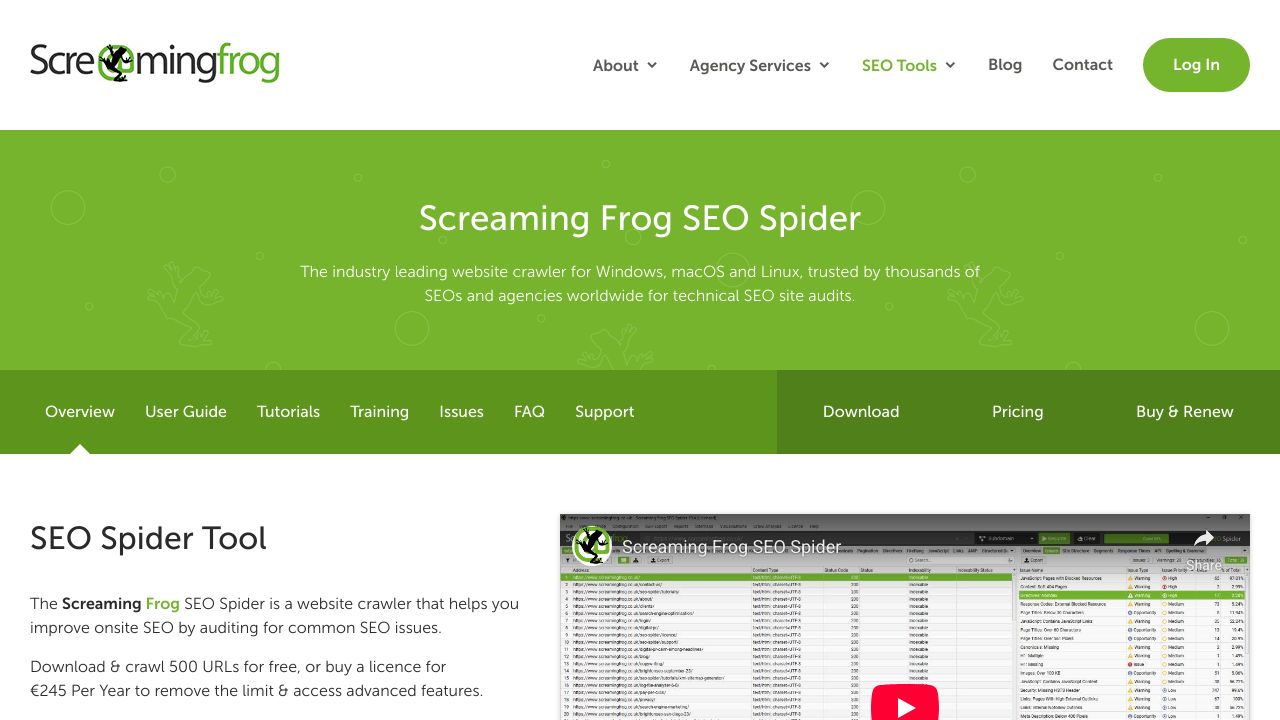
You can do a basic audit with just Screaming Frog and Google Analytics, but having the right tools makes everything easier. Screaming Frog crawls your site and exports all your URLs along with technical data. Google Analytics shows you how people interact with your content. Google Search Console reveals your search performance and indexation issues.
A spreadsheet is essential for organizing everything. You can use Google Sheets or Excel, whichever you prefer. Some people like specialized content audit tools, but honestly, a well-structured spreadsheet works fine for most sites. You might also want backlink analysis tools if you're evaluating link equity, though that's optional for basic audits.
Who Should Be Involved
Content audits work best as team efforts. You'll want someone who understands SEO to evaluate technical elements and search performance. Content creators or editors can assess quality and relevance. If you have UX specialists, they can identify usability issues. And stakeholders from different departments can provide context about business priorities.
Assign clear roles upfront. Who's responsible for data collection? Who evaluates quality? Who makes final decisions about what to keep or delete? Without defined responsibilities, tasks fall through the cracks and the audit drags on forever.
Deciding Your Scope
Should you audit your entire site or just specific sections? It depends on your resources and goals. If you have thousands of pages and limited time, start with your most important content - maybe your blog or your main product pages. You can always expand the scope later.
For smaller sites (under a few hundred pages), auditing everything makes sense. You'll get a complete picture and won't miss important issues. Just be realistic about what you can actually accomplish with the time and people you have available.
Step 1: Create Your Content Inventory
Before you can evaluate anything, you need to know what you have. Creating a comprehensive inventory is tedious but necessary. This is where you catalog every piece of content on your site in a format you can actually work with.
Crawling Your Site for URLs
Fire up Screaming Frog and enter your domain. The tool will crawl your site and collect all your URLs along with basic information like status codes, page titles, and word counts. Export this data to a spreadsheet - this becomes the foundation of your inventory.
Make sure you're crawling the right version of your site (www vs non-www, http vs https). Check that your crawl settings match your site structure. If you have a large site, you might need to adjust the crawl limits or use the paid version of Screaming Frog.
Building Your Audit Spreadsheet
Your spreadsheet needs columns for all the data you'll collect. At minimum, include URL, page title, publish date, last modified date, word count, and content type. You'll add performance metrics later, but get the basic structure in place now.
Leave columns for your evaluation notes and action items. You might add fields like "Quality Score," "Action Needed," "Priority," and "Assigned To." The exact structure depends on your goals, but make it detailed enough to be useful without becoming overwhelming.
Organizing Content by Type and Topic
Add a column for content type and categorize each URL. Blog posts, landing pages, product pages, help documentation - whatever categories make sense for your site. This helps you spot patterns and makes it easier to filter and analyze specific content types later.
Topic categorization is also helpful. If you have a marketing blog, you might group content by themes like SEO, social media, email marketing, etc. This reveals gaps in your coverage and helps identify opportunities for content consolidation.
Step 2: Collect and Analyze Performance Data
Now comes the data gathering phase. You're pulling metrics from various sources to understand how each piece of content is actually performing. This is where you separate your winners from your losers.
Extracting SEO Metrics
Google Search Console is your primary source for SEO data. Export performance reports showing impressions, clicks, average position, and click-through rate for each URL. This tells you which pages are getting search visibility and which ones are invisible to Google.
Look at the date range carefully. Three to six months of data usually gives you a reliable picture without being skewed by seasonal fluctuations. If you see pages with high impressions but low clicks, that's a sign your titles and meta descriptions need work.
Gathering Engagement Metrics
Google Analytics shows you what happens after people land on your pages. Pull data on sessions, bounce rate, average time on page, and conversions (if you have goals set up). High bounce rates might indicate content that doesn't match search intent or poor user experience.
Time on page is tricky to interpret. Very short times usually mean people didn't find what they wanted. But very long times don't always mean success either - maybe your content is confusing or hard to scan. Look at these metrics in context with your other data.
Step 3: Evaluate Content Quality and SEO Performance
This is where you actually read your content and make judgments about its quality. It's time-consuming, but there's no way around it. Automated tools can flag technical issues, but they can't tell you if your content is genuinely helpful or just keyword-stuffed fluff.
Assessing Content Quality
Read each piece with fresh eyes. Is the information accurate and up-to-date? Does it provide real value, or is it generic advice anyone could write? Is it comprehensive enough to satisfy user intent, or does it leave obvious questions unanswered?
Check readability too. Is the writing clear and scannable? Are there helpful subheadings, bullet points, and images? Would you personally find this content useful if you were searching for this topic? Be honest - sometimes content you published years ago doesn't hold up well.
Reviewing On-Page SEO Elements
Check your title tags and meta descriptions. Are they compelling and keyword-optimized? Do they accurately represent the page content? Look at your header structure - is it logical and does it include relevant keywords naturally?
Internal linking deserves attention too. Are you linking to related content where it makes sense? Or are your pages isolated islands with no connections? Good internal linking helps both users and search engines understand your site structure.
Identifying Technical Issues
Your Screaming Frog crawl should have flagged obvious technical problems. Look for broken links, duplicate content, slow-loading pages, and mobile usability issues. Check that important pages are actually indexed and that you're not accidentally blocking content with robots.txt or noindex tags.
Page speed matters more than it used to. If pages take more than a few seconds to load, that's hurting both user experience and search rankings. Use tools like Google PageSpeed Insights to identify specific performance bottlenecks.
Step 4: Categorize and Prioritize Your Content
You've collected all this data, now what? You need a framework for making decisions about each piece of content. The keep-improve-delete model works well for most audits.
The Keep-Improve-Delete Framework
Content that's performing well and still relevant gets a "keep" designation. It might need minor updates, but it's fundamentally solid. Content with potential but current problems goes in the "improve" category - maybe it needs better optimization, updated information, or expanded coverage.
The "delete" category is for content that's outdated, low-quality, or just not worth saving. For a detailed breakdown of this decision-making process, see our guide on deciding whether to update, keep, or delete each piece.his might feel wasteful, but removing poor content often helps your overall site performance. Just make sure you set up proper redirects so you don't create broken links.
Finding Content to Update
Look for pages that rank on page two or three of search results. These are prime candidates for optimization - they're close to page one but need a boost. Also target content that used to perform well but has declined. Often a refresh and some updated information can bring it back to life.
Pages with high impressions but low click-through rates need better titles and meta descriptions. Pages with good traffic but high bounce rates might need better content or clearer calls-to-action.
Identifying Content to Consolidate
If you have multiple thin pages covering similar topics, consider merging them into one comprehensive resource. This is especially common with blogs that have published variations on the same theme over the years. Consolidation can improve rankings by concentrating your authority on fewer, stronger pages.
When you merge content, keep the URL with the best performance and redirect the others to it. Combine the best elements from each piece and make sure the final result is genuinely better than any individual page was.
Step 5: Create and Execute Your Action Plan
An audit without action is just an interesting spreadsheet. You need a concrete plan for implementing your findings, with deadlines and accountability.
Building Your Optimization Roadmap
Prioritize based on impact and effort. Quick wins - high impact, low effort tasks - should come first. These might be simple title tag updates or fixing broken links. Then tackle high-impact, high-effort items like major content rewrites or consolidations.
Create a phased timeline. Maybe month one focuses on technical fixes and deletions. Month two handles content updates. Month three addresses new content creation to fill gaps. Break it into manageable chunks so you actually finish.
Tracking Your Progress
Set up a system to monitor implementation. Update your spreadsheet as tasks are completed. Track performance changes for updated content - are you seeing the improvements you expected? If not, you might need to adjust your approach.
Give changes time to take effect. SEO improvements can take weeks or months to show results. Don't panic if you don't see immediate traffic spikes after updating content.
Maintaining Your Content After the Audit
The audit is done, your content is optimized, and you're seeing results. Content audits are a foundational part of content optimization. Great. But content maintenance isn't a one-time thing. You need ongoing processes to prevent everything from getting messy again.
Setting Up a Regular Review Schedule
Most sites benefit from quarterly mini-audits focusing on recent content and top-performing pages. Then do a comprehensive audit annually or every 18 months. This prevents content decay and keeps your site healthy without requiring constant intensive work.
Build content reviews into your workflow. When you publish new content, schedule a review date six months out. This ensures nothing gets forgotten and left to rot.
Creating Content Standards
Document what you learned from your audit. Create guidelines for content quality, SEO best practices, and technical requirements. This helps prevent future problems and ensures new content meets your standards from the start.
Establish clear ownership for different content areas. Someone should be responsible for keeping product pages updated, someone else for blog content, etc. When everyone owns everything, nobody owns anything.
Monitoring Performance Continuously
Set up dashboards in Google Analytics and Search Console to track your most important metrics. Configure alerts for significant traffic drops or technical issues. The earlier you catch problems, the easier they are to fix.
Keep a running list of content that needs attention using a structured content audit template. When you notice outdated information or declining performance, add it to your update queue. This makes your next audit much easier because you've been maintaining things all along. AI autoblogging tools can automate much of this monitoring and flag content that needs attention.