
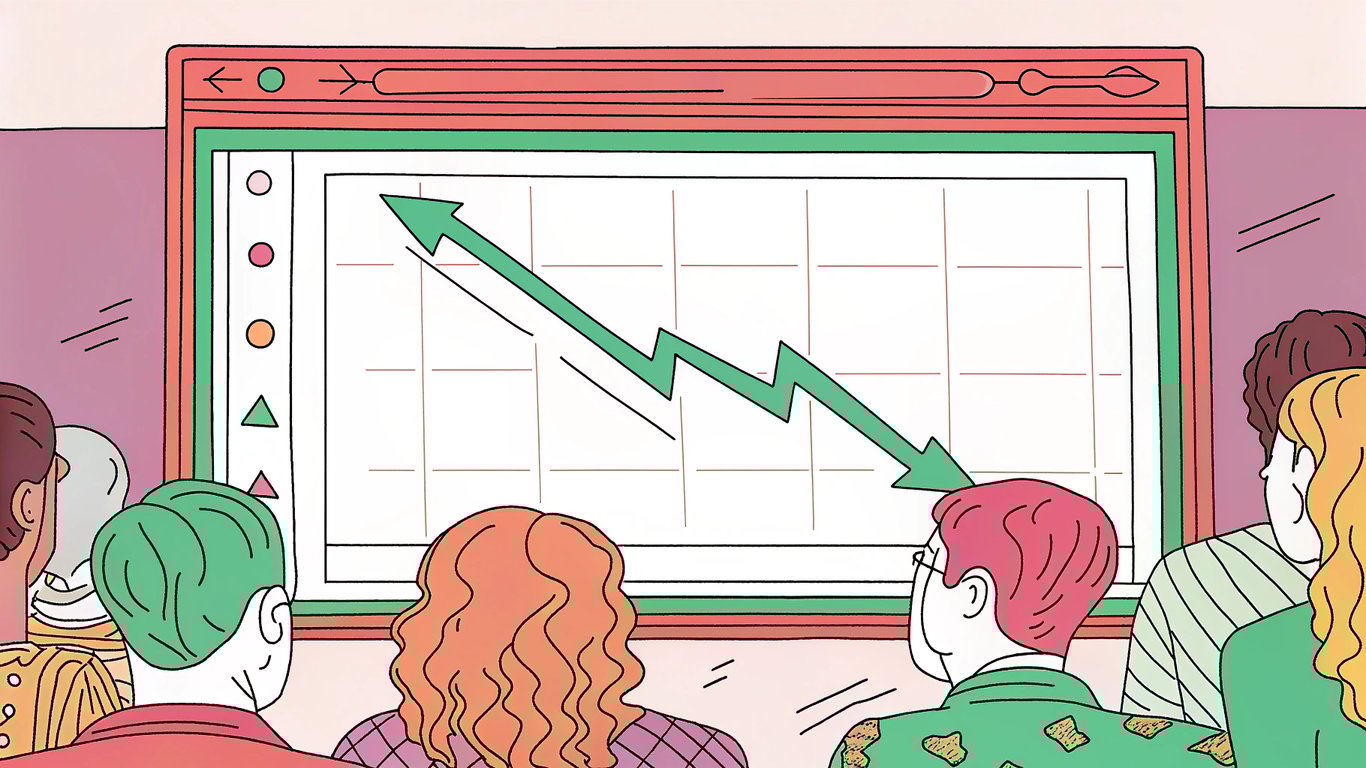
You check your analytics one morning and notice something unsettling. That blog post that used to bring in 500 visitors a month now barely gets 100. Your rankings have slipped from page one to page three. The leads have dried up.
This isn't a sudden algorithm penalty or a technical glitch.
It's content decay, and it's probably happening to your site right now.
The Reality of Content Decay in 2025
Here's a sobering fact: about 90% of web pages get no traffic from Google. Even pages that do rank can lose their organic traffic over time. Search engines never stay the same, and what worked six months ago might not work today.
For WordPress blog owners and content marketers who depend on organic search for visibility, leads, and revenue, content decay represents a constant threat. You can't just publish and forget anymore.
What You'll Learn in This Guide
This guide covers everything you need to understand and combat content decay. We'll explore why it happens, how to measure it before it becomes critical, and practical strategies for both prevention and recovery. You'll walk away with actionable techniques you can implement on your WordPress site today.
What is Content Decay? A Complete Definition
Content decay refers to the gradual decline in a piece of content's ranking, visibility, and organic traffic over time. It's not a dramatic overnight crash but rather a slow erosion of performance that can take weeks or months to become noticeable.
Think of it like a building that slowly deteriorates without maintenance. The foundation might be solid, but weather, wear, and changing standards eventually take their toll.

Content Decay vs. Sudden Traffic Loss
It's important to distinguish content decay from sudden traffic drops. If your traffic plummets overnight, you're probably dealing with an algorithm penalty, technical issue, or manual action. Content decay is different; it's the gradual slide that happens even when you haven't done anything wrong.
Rankings slip by a few positions. Clicks begin to fade. Competitors creep ahead. This slow erosion often goes unnoticed until the damage is significant.
The Lifecycle of Content Performance
Most content follows a predictable lifecycle. After publication, there's typically a honeymoon period where Google tests your content in search results. If it performs well, you might see steady traffic for months or even years.
But eventually, the decline begins. Information becomes outdated. Competitors publish better content. Search intent shifts. Technical issues accumulate. Without intervention, even your best-performing content will eventually decay.
Why Content Decay Matters for Your Business
The impact of content decay extends beyond vanity metrics. When your content loses visibility, you lose potential customers at the exact moment they're searching for solutions. Your competitors capture those leads instead. Revenue opportunities disappear.
For businesses that have invested heavily in content marketing, watching that investment slowly lose value is frustrating and expensive.
Why Does Content Decay Happen Over Time? Main Causes Explained
Understanding why content decay happens is the first step toward preventing it. The causes are varied and often work together to erode your content's performance.
Algorithm Updates and Evolving Search Intent
Google updates its algorithm constantly, with major updates happening several times a year. Each update can shift what Google considers valuable content. What ranked well under yesterday's algorithm might not meet today's standards.
Search intent evolves too. Users change how they search and what they expect to find. A keyword that once indicated informational intent might now signal commercial intent. If your content doesn't match current expectations, it'll lose ground.
Outdated Information and Statistics
This is probably the most obvious cause. Statistics from 2020 don't carry much weight in 2025. Examples that reference outdated tools or practices make your content feel stale. Screenshots showing old interfaces signal that you haven't maintained the content.
Google increasingly prioritizes fresh, current information. If your content references data that's several years old, you're signaling that it might not be reliable anymore.
Keyword Shifts and Search Behavior Changes
Language evolves. The terms people use to search for information change over time. New terminology emerges while old phrases fall out of favor. If your content targets keywords that people don't use anymore, it'll naturally decline.
Voice search and mobile usage have also changed how people phrase queries. Longer, more conversational searches are becoming common. Content optimized for older search patterns might not match these new behaviors.
Increased Competition and Content Saturation
Your competitors aren't standing still. They're publishing new content, updating their existing posts, and trying to outrank you. When someone publishes a more comprehensive, better-optimized piece on your topic, Google has a reason to rank them higher.
Content saturation is real. Popular topics get covered by hundreds or thousands of sites. Standing out becomes harder, and maintaining your position requires constant effort.

Technical SEO Degradation
Technical issues accumulate over time. Links break as external sites change or disappear. Images get deleted or moved. Page speed degrades as you add more plugins or scripts. Mobile usability issues emerge as device standards evolve.
These technical problems might seem minor individually, but collectively they signal to Google that your content isn't well-maintained. Core Web Vitals scores can decline, affecting your rankings.
Declining Backlink Quality and Relevance
Your backlink profile doesn't stay static. Sites that linked to you might go offline, remove their links, or become less authoritative themselves. The relevance of linking sites can diminish as they change focus or become outdated.
Meanwhile, your competitors are building new links. The relative strength of your backlink profile weakens even if you don't lose a single link.
Content Format and User Experience Expectations
User expectations for content presentation change rapidly. Text-heavy articles that worked well five years ago might feel outdated compared to content with videos, interactive elements, and modern design. Users expect faster loading times, better mobile experiences, and more engaging formats.
If your content looks and feels old, users will bounce quickly. High bounce rates and low engagement signal to Google that your content isn't meeting user needs.
How to Measure Content Decay: Metrics and Tools
You can't fix what you don't measure. Identifying content decay early gives you the best chance of recovery before significant traffic loss occurs.
Key Performance Indicators to Monitor
Focus on these metrics to spot decay:
- Organic traffic trends: Compare current traffic to previous periods (3 months, 6 months, 1 year)
- Ranking positions: Track whether your target keywords are slipping in search results
- Click-through rates: Declining CTR often precedes traffic loss
- Conversion rates: Even if traffic holds steady, conversions might decline
- Engagement metrics: Time on page, bounce rate, and pages per session reveal content quality
Using Google Analytics 4 to Spot Decay
Google Analytics 4 makes it relatively easy to identify declining content. Create a custom report that shows organic traffic by landing page over time. Sort by pages with the largest traffic decreases.
Look for pages that have lost 20% or more of their traffic compared to the previous period. These are your decay candidates. Set up automated alerts to notify you when specific pages drop below certain thresholds.
Google Search Console for Ranking Analysis
Google Search Console provides direct insight into how Google sees your content. The Performance report shows impressions, clicks, and average position for each page.
Compare date ranges to identify pages losing impressions or dropping in position. Pay attention to CTR changes too; declining CTR might indicate that your title and description need updating to match current search intent.
WordPress-Specific Monitoring Tools
Several WordPress plugins can help you monitor content performance directly from your dashboard. MonsterInsights integrates Google Analytics data into WordPress, making it easier to spot declining posts. Rank Math includes analytics features that track keyword rankings over time.
These tools won't replace dedicated analytics platforms, but they make monitoring more convenient for WordPress users who want quick insights without leaving their admin panel.
Third-Party SEO Tools for Content Audits
Tools like Ahrefs, SEMrush, and Moz offer comprehensive content audit features. They can identify pages losing rankings, track backlink changes, and compare your content against competitors.
These platforms typically offer content decay reports that automatically flag declining pages. The investment is worth it if you're managing a large content library.
Creating a Content Decay Dashboard
Set up a simple dashboard that consolidates your key metrics. This could be a Google Sheets document that pulls data from various sources, or a dedicated tool like Google Data Studio.
Include columns for page URL, current traffic, previous period traffic, percentage change, current ranking, and last update date. Review this dashboard monthly to catch decay early.
How AI Can Detect Content Decay Earlier
AI-powered tools are getting better at predicting content decay before it becomes severe. These tools analyze patterns in your traffic data, competitor movements, and algorithm updates to forecast which content is at risk.
While still emerging, these predictive capabilities could help you stay ahead of decay rather than constantly reacting to it.
Content Decay Prevention Techniques: Proactive Strategies
Prevention is always easier than recovery. Building content maintenance into your workflow from the start saves time and preserves your rankings.
Building Evergreen Content Foundations
Structure your content to minimize decay from the start. Focus on fundamental concepts that don't change quickly. When you must include time-sensitive information, isolate it in specific sections that are easy to update.
Use phrases like "as of [current year]" or "recent data shows" rather than specific dates. This makes updates easier and signals freshness to readers.
Implementing a Content Maintenance Schedule
Create a calendar for reviewing and updating content. High-traffic pages might need quarterly reviews, while less critical content can be checked annually. Mark your calendar and treat these reviews as seriously as creating new content.
During reviews, update statistics, check links, refresh examples, and verify that the content still matches search intent. Even small updates can signal freshness to Google.
Future-Proofing Your Content Strategy
When planning content, think about longevity. Choose topics with lasting relevance. Avoid tying content too closely to current events or trends unless that's your niche. Use timeless examples when possible.
Build modular content that's easy to update. If you write a comprehensive guide, structure it so individual sections can be refreshed without rewriting the entire piece.
Technical SEO Maintenance Checklist
Run regular technical audits to catch issues before they impact rankings:
- Check for broken internal and external links monthly
- Monitor page speed and Core Web Vitals
- Test mobile usability across different devices
- Verify that images load properly and have appropriate alt text
- Ensure schema markup remains valid and current
Continuous Keyword Research and Monitoring
Don't assume your target keywords remain constant. Review search trends quarterly to identify shifts in how people search for your topics. Tools like Google Trends can reveal emerging terminology.
When you spot keyword shifts, update your content to include new terms while maintaining the old ones. This helps you capture both established and emerging search traffic.
Content Recovery Techniques: Reviving Decaying Content
When prevention fails and content starts decaying, you need a systematic recovery approach.
Conducting a Content Decay Audit
Start by identifying all decaying content. Export your analytics data and flag pages with significant traffic declines. Prioritize based on historical traffic value and business importance.
For each page, decide whether to update, consolidate with other content, redirect, or delete. Not every page deserves recovery; some content has simply outlived its usefulness.
The Content Refresh Framework
Follow this process for content refresh:
- Update all statistics and data points to current information
- Replace outdated examples with recent ones
- Refresh screenshots and images
- Check and fix all broken links
- Review and update the publication date or add a "last updated" date
- Improve formatting and readability based on current standards
Optimizing for Current Search Intent
Search the keywords your content targets and analyze the top-ranking results. What format are they using? What questions are they answering? How comprehensive are they?
Adjust your content to match current expectations. If top results now include video content and yours doesn't, consider adding video. If they're more comprehensive, expand your coverage.
Enhancing Content Depth and Comprehensiveness
Often, content decays because competitors have published more thorough coverage. Add new sections that address questions you missed. Include additional examples, case studies, or data.
Use tools like Answer The Public or Google's "People Also Ask" feature to find questions you should address.
Content Consolidation Strategies
Sometimes you have multiple thin posts on related topics that are all decaying. Consider consolidating them into one comprehensive guide. This creates a stronger piece that's more likely to rank well.
After consolidation, set up 301 redirects from the old URLs to the new comprehensive post. This preserves any existing backlinks and signals to Google that you've improved the content.
Re-Promotion and Link Reclamation
After updating content, promote it again. Share on social media, include it in your newsletter, and reach out to sites that linked to the old version to let them know you've updated it.
Look for broken link opportunities where sites link to outdated content on other sites. Reach out and suggest your freshly updated content as a replacement.
Measuring Recovery Success
Track the same metrics you used to identify decay. Give updates at least 4-6 weeks to show results; Google needs time to recrawl and reassess your content.
Look for improvements in rankings, impressions, and traffic. If you don't see recovery after two months, the content might need more substantial changes or the topic might no longer have search demand.
Making Content Decay Management Part of Your Strategy
Content decay isn't a one-time problem you solve and forget. It's an ongoing challenge that requires systematic attention. The good news? Once you build decay management into your workflow, it becomes routine rather than overwhelming.
Your 30-Day Content Decay Action Plan
Start with these steps over the next month:
- Week 1: Set up tracking in Google Analytics and Search Console to identify decaying content
- Week 2: Audit your top 20 pages by traffic and identify any showing decline
- Week 3: Update your three most important decaying pages using the refresh framework
- Week 4: Create a maintenance calendar for ongoing content reviews
Long-Term Content Health Maintenance
Build these practices into your regular workflow. Allocate time each month for content updates, not just new content creation. Many successful content marketers follow a 70/30 rule: 70% of effort on new content, 30% on maintaining existing content.
Train your team to think about content longevity from the planning stage. Make freshness a key performance indicator alongside traffic and conversions.
Key Takeaways and Next Steps
Content decay is inevitable, but it's manageable. The key is catching it early through consistent monitoring and addressing it systematically through updates and optimization.
Start small. You don't need to audit your entire site today. Pick your most valuable content and ensure it stays fresh. Build from there.
The investment in maintaining your content pays dividends. It's almost always easier and more effective to update existing content than to start from scratch. Your historical content has authority, backlinks, and established rankings. Don't let those assets decay when a few hours of maintenance can preserve them.