

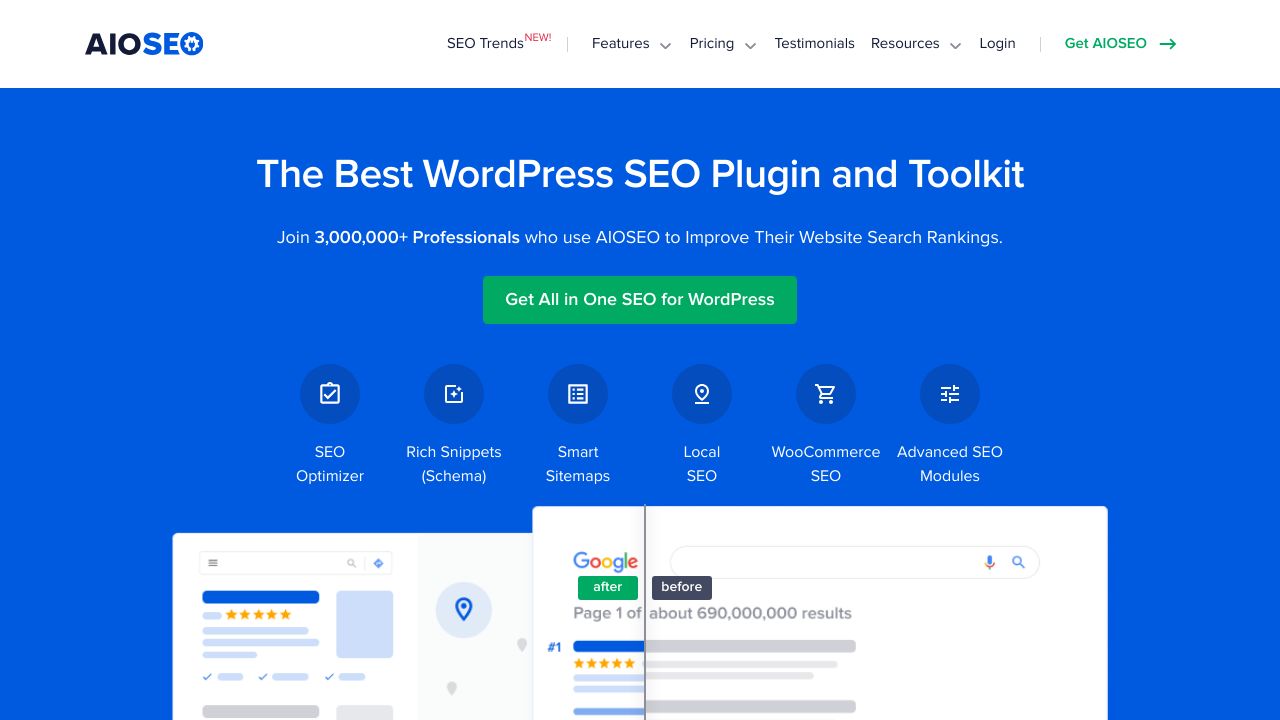
AIOSEO stands for All in One SEO, and it's one of the most widely used SEO WordPress plugins available today. If you've ever wondered how to make your WordPress site more visible on Google, AIOSEO might be exactly what you need.
This plugin has been around since 2007, making it the original WordPress SEO plugin. That's pretty impressive when you consider how much the web has changed over the past 18 years. The team behind AIOSEO has continuously adapted their plugin to keep up with Google's evolving algorithms and WordPress's constant updates.
But why do WordPress users need SEO plugins in the first place? WordPress is fantastic for creating websites, but it doesn't automatically optimize your content for search engines. That's where plugins like AIOSEO come in. They bridge the gap between your content and what search engines want to see.
Think of it this way: you can write the best blog post in the world, but if Google can't understand what it's about or why it matters, your content might never reach your intended audience. AIOSEO helps translate your content into a language that search engines understand.

Core Features That Make AIOSEO Stand Out
AIOSEO packs a lot of functionality into one plugin. Let's break down what makes it tick.
On-Page SEO Made Simple
The plugin's bread and butter is on-page optimization. You can easily customize meta titles and descriptions for every page and post on your site. AIOSEO also provides content analysis that suggests improvements as you write, similar to having an SEO expert looking over your shoulder.
The keyword optimization features help you understand how well your content targets specific search terms. It's not just about stuffing keywords everywhere (that actually hurts your rankings), but about using them naturally and strategically.
Technical SEO Without the Headaches

Technical SEO can be intimidating, but AIOSEO handles most of the heavy lifting automatically. The plugin generates XML sitemaps that help search engines understand your site structure. It also adds schema markup, which is basically a way to give search engines extra context about your content.
Breadcrumbs might seem like a small feature, but they help both users and search engines navigate your site more effectively. AIOSEO makes implementing them straightforward, even if you're not particularly technical.
AI-Powered Features for 2025
The team at AIOSEO recently introduced an AI Content Generator in their latest updates. This feature helps create optimized content and suggests improvements based on current SEO best practices. It's part of their push to stay ahead of the curve as search engines become more sophisticated.
The AI features aren't just about generating content though. They also help with smart SEO optimizations that adapt to your specific site and industry. This is particularly useful if you're managing multiple websites or don't have time to manually optimize every piece of content.
Advanced Management Tools
For users who want more control, AIOSEO offers SEO revisions that track changes to your optimization settings over time. The cornerstone content feature helps you identify and prioritize your most important pages. There's also bulk editing functionality, which is a lifesaver if you're working with large sites.

How AIOSEO Compares to Other SEO Plugins
The WordPress SEO plugin market is competitive, with several strong options available. Let's see how AIOSEO stacks up against the competition.
AIOSEO vs Yoast SEO
Yoast SEO is probably AIOSEO's biggest competitor. Both plugins offer similar core functionality, but they approach SEO differently. Yoast tends to be more opinionated about how you should optimize your content, while AIOSEO gives you more flexibility.
In terms of performance, many users report that AIOSEO feels lighter and doesn't slow down their WordPress admin as much. The interface is also generally considered more intuitive, especially for beginners who might find Yoast's traffic light system confusing.
AIOSEO vs RankMath

RankMath is a newer player that offers a lot of features in their free version. However, AIOSEO's longer track record means it's generally more stable and has better compatibility with various WordPress themes and plugins.
The pricing structures are different too. RankMath uses a more aggressive freemium model, while AIOSEO provides a solid free version with clear upgrade paths for users who need advanced features.
What Makes AIOSEO Unique
AIOSEO's biggest advantage is probably its balance between power and simplicity. The plugin doesn't overwhelm beginners, but it also doesn't limit advanced users. The recent addition of AI features shows they're committed to staying current with SEO trends.
The plugin also has excellent documentation and support, which matters when you're trying to improve your site's search rankings. SEO can be complex, and having reliable help when you need it makes a real difference.
Free vs Pro: What You Get at Each Level
AIOSEO follows a freemium model, offering substantial functionality in the free version while reserving advanced features for paying customers.
Free Version Features
The free version of AIOSEO includes everything most small websites need:
- Meta title and description optimization
- XML sitemap generation
- Basic schema markup
- Social media integration
- Content analysis and suggestions
- Breadcrumb support
- Google Analytics integration
This is honestly more than many paid SEO plugins offered just a few years ago. For bloggers and small business owners, the free version might be all you ever need.
Pro Version Benefits
The Pro version unlocks features that are particularly valuable for larger sites or businesses that take SEO seriously:
- Advanced schema markup options
- Video and news sitemaps
- Local SEO features
- WooCommerce SEO optimization
- Advanced social media controls
- SEO revisions and tracking
- White-label options for agencies
The AI Content Generator is also a Pro feature, which makes sense given the computational costs involved in running AI models.
Pricing Structure
AIOSEO's pricing is competitive with other premium SEO WordPress plugins. They offer different tiers based on the number of sites you want to use the plugin on. The exact pricing can change, so it's worth checking their official website for current rates.
What's nice is that they don't lock essential features behind paywalls. The free version is genuinely useful, not just a teaser for the paid version.
Getting Started with AIOSEO
Installing and setting up AIOSEO is straightforward, even if you're new to WordPress plugins.
Installation Process
You can install AIOSEO directly from your WordPress admin dashboard. Just go to Plugins > Add New, search for "All in One SEO," and click install. The plugin is available in the WordPress Plugin Repository, so you know it meets WordPress's quality and security standards.
After installation, you'll need to activate the plugin. This is when the real magic happens.
Setup Wizard
AIOSEO includes a setup wizard that walks you through the initial configuration. It asks questions about your site type, target audience, and SEO goals. Based on your answers, it automatically configures many settings to match your needs.
This is particularly helpful for beginners who might not know what all the different SEO settings do. The wizard takes care of the technical details so you can focus on creating great content.
Essential Settings for New Users
After the initial setup, there are a few key areas you should review:
- Verify your site's title and description in the General Settings
- Connect Google Analytics if you use it
- Set up social media profiles in the Social Networks section
- Review the XML sitemap settings
- Configure breadcrumbs if your theme supports them
Don't worry about getting everything perfect right away. SEO is an ongoing process, and you can always adjust settings as you learn more about what works for your site.
What's New in 2025
AIOSEO has been busy updating their plugin with new features and improvements throughout 2025.
Version 4.8.7 Updates
The latest version includes several important updates. Security improvements are always welcome, especially given how important it is to keep WordPress sites secure. The enhanced WooCommerce integration is particularly valuable for online stores, as it helps product pages rank better in search results.
Performance enhancements mean the plugin should run more efficiently, which is crucial since site speed is a ranking factor. The team also added support for AVIF images in sitemaps, showing they're keeping up with modern web standards.
AI Content Generator
The AI Content Generator is probably the most exciting new feature. It can help create optimized content and suggest improvements based on current SEO best practices. This is particularly useful for content creators who want to ensure their posts are optimized but don't have deep SEO expertise.
The AI features aren't meant to replace human creativity, but rather to augment it. Think of it as having an SEO consultant built into your WordPress dashboard.
Enhanced Schema Support
Schema markup helps search engines understand your content better, which can lead to rich snippets in search results. AIOSEO's improved schema support means you can take advantage of more structured data types without needing to code anything manually.
This is particularly valuable for businesses, as proper schema markup can help your listings stand out in search results with additional information like ratings, prices, or event dates.
Who Should Use AIOSEO?
AIOSEO works well for different types of WordPress users, but it's particularly strong in certain scenarios.
Perfect for WordPress Beginners
If you're new to WordPress and SEO feels overwhelming, AIOSEO is an excellent choice. The setup wizard and intuitive interface mean you don't need to understand all the technical details to get started. The plugin handles most of the complex stuff automatically.
The content analysis features also serve as a learning tool. As you use the plugin, you'll start to understand what makes content SEO-friendly.
Great for Business Owners
Business owners who want to improve their online visibility without hiring an SEO agency will find AIOSEO valuable. The local SEO features in the Pro version are particularly useful for businesses with physical locations.
The WooCommerce integration also makes it a solid choice for online stores. Product schema markup can help your products appear in Google Shopping results and other rich snippets.
Suitable for Developers and Agencies
Web developers and agencies appreciate AIOSEO's white-label options and bulk editing capabilities. Managing SEO across multiple client sites becomes much more efficient with the right tools.
The plugin also plays well with most WordPress themes and other plugins, which matters when you're building custom solutions for clients.
When to Consider Alternatives
AIOSEO might not be the best fit if you need very specific technical SEO features that aren't included in the plugin. Some enterprise-level sites might need more customization options than any plugin can provide.
If you're already heavily invested in another SEO WordPress plugin ecosystem and it's working well for you, switching might not be worth the effort. The best SEO plugin is often the one you'll actually use consistently.
AIOSEO represents a solid middle ground in the WordPress SEO plugin landscape. It's powerful enough for serious SEO work but accessible enough for beginners. The recent AI features show the team is committed to staying current with SEO trends, while the plugin's long history demonstrates stability and reliability.
Whether you choose AIOSEO or another SEO WordPress plugin, the most important thing is to start optimizing your content for search engines. The best plugin is the one you'll actually use to improve your site's visibility and help your content reach the people who need it most.