

If you're running a WordPress site, you've probably heard about Yoast SEO. It's the plugin that's been helping site owners optimize their content for search engines since 2010. But here's what's changed: AI content generation has exploded, and Yoast has evolved right alongside it.
With over 10 million active installations, Yoast wordpress seo remains the most popular SEO plugin in the WordPress ecosystem. That's not just because it's been around forever. It's because the team keeps adapting to how people actually create content today.
How Yoast Adapted to AI Content Workflows
The plugin started as a straightforward SEO tool. You'd write your content, and Yoast would tell you if your keyword density was off or if your meta description was too long. Simple stuff.
Now? Content marketers are using AI tools to generate articles, product descriptions, and blog posts at scale. Yoast recognized this shift and introduced AI-powered features in 2025 to help optimize this new type of content. The plugin now includes Yoast AI Generate and Yoast AI Optimize, which we'll get into later. For a comprehensive guide on this topic, explore our AI content generation WordPress guide.
Why AI Content Still Needs SEO Optimization
Here's the thing about AI-generated content: it's fast, but it's not automatically optimized for search engines. AI tools can write coherent articles, but they don't inherently understand keyword placement, meta descriptions, or schema markup.
That's where proper configuration becomes critical. You need a system that can handle high-volume content production while maintaining SEO standards. Without it, you're just publishing content that won't rank.
Why RepublishAI WordPress SEO Plugin Is Your New Secret Weapon
Ever wonder how to keep your posts ranking while letting AI write the bulk? RepublishAI’s WordPress SEO plugin turns the heavy lifting of keyword research, meta tag creation, and schema setup into a click‑and‑go process. Feed it a draft or an AI‑generated article and it automatically checks readability, suggests focus keywords, and even writes a snappy meta description that fits Google’s 155‑character limit. The result? A ready‑to‑publish post that still scores high on SERPs, without the usual back‑and‑forth of tweaking settings.
- Auto‑generated meta tags that stay within character limits
- Real‑time readability scoring
- One‑click schema implementation
- Built‑in focus‑keyword suggestions
Core Features and Capabilities of Yoast WordPress SEO
Let's break down what Yoast actually does. The plugin covers both basic and advanced SEO needs, which is why it works for everyone from bloggers to enterprise content teams.
SEO Analysis Tools That Actually Help
Yoast uses a traffic light system: green means good, orange means needs work, red means you've got problems. It's not perfect, but it gives you a quick visual check of your content's SEO health.
The plugin analyzes your content for readability, keyword optimization, and content structure. It'll flag things like passive voice overuse, long sentences, and missing subheadings. For AI-generated content, these checks are particularly useful because AI sometimes produces grammatically correct but awkwardly structured text.
Technical SEO Features You'll Use
Yoast handles the technical stuff that most content marketers don't want to think about:
- XML sitemaps that automatically update when you publish new content
- Canonical URLs to prevent duplicate content issues
- Breadcrumb navigation for better site structure
- Robots.txt editing directly from your WordPress dashboard
- Schema markup for rich snippets in search results
These features run in the background. You set them up once, and they keep working as you scale your content production.
Content Optimization Features
This is where you'll spend most of your time. Yoast provides a meta box on every post and page where you can:
- Write and preview meta titles and descriptions
- Set a focus keyphrase and get optimization suggestions
- See internal linking suggestions based on your content
- Get content insights about word count and keyword distribution
The focus keyphrase analysis is particularly helpful. It tells you if you're using your target keyword in the right places: title, first paragraph, subheadings, and throughout the content.
Free Version vs. Premium
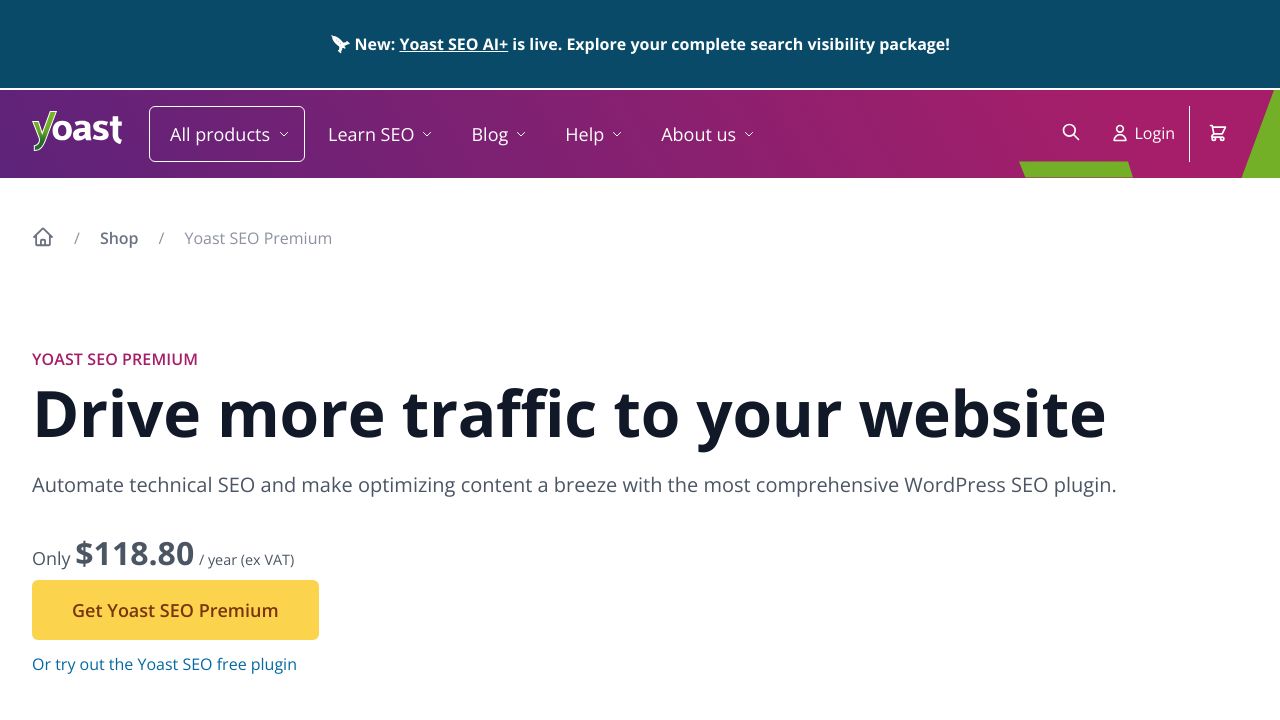
The free version of Yoast covers most basic needs. You get the SEO analysis, technical features, and content optimization tools. For many site owners, that's enough.
Premium adds features like multiple focus keyphrases, internal linking suggestions, redirect management, and the new AI-powered tools. If you're running an AI content pipeline at scale, the premium features become more valuable because they save time across hundreds or thousands of posts.
Yoast's AI-Powered Features for Modern Content
This is where things get interesting for content marketers working with AI tools. Yoast introduced two AI features that specifically address the challenges of optimizing AI-generated content.
Yoast AI Generate: Automated Meta Content
Writing meta titles and descriptions for dozens of articles is tedious. Yoast AI Generate creates optimized titles and meta descriptions automatically based on your content.
The AI analyzes your article and generates options that appeal to both search engines and human readers. You can accept the suggestions, regenerate new ones, or edit them manually. It's faster than writing from scratch, and the suggestions typically follow SEO best practices for length and keyword inclusion.
Yoast AI Optimize: Smart Content Suggestions
Yoast AI Optimize takes a different approach. Instead of generating content, it suggests specific edits to improve your SEO. For example, it might recommend including more words from your keyphrase in the introduction or adding your keyword to a subheading.
You can dismiss suggestions that don't make sense or apply them with one click. This is particularly useful for AI-generated content, which sometimes misses obvious SEO opportunities that a human editor would catch.
How These Features Work with Content Pipelines
Here's a typical workflow: your AI tool generates an article, you import it into WordPress, and Yoast's AI features help you optimize it quickly. Instead of manually reviewing every SEO element, you get automated suggestions that you can approve or reject.
This doesn't replace human oversight. But it does make the optimization process faster when you're dealing with high content volumes.
Installing and Configuring Yoast WordPress SEO
Getting Yoast up and running is straightforward. The plugin includes a configuration wizard that walks you through the essential settings.
Installation Process
From your WordPress dashboard, go to Plugins > Add New. Search for "Yoast SEO" and click Install Now. Once it's installed, activate the plugin.
Alternatively, you can download the plugin from the WordPress plugin repository and upload it manually through the Plugins > Add New > Upload Plugin option.
Running the Configuration Wizard
After activation, Yoast prompts you to run the configuration wizard. This takes about five minutes and covers:
- Site type (blog, online shop, news site, etc.)
- Organization or person details for schema markup
- Social media profiles for rich snippets
- Post type visibility in search results
Don't skip this step. The information you provide here affects how search engines understand and display your site.

Essential General Settings
Navigate to SEO > General in your WordPress dashboard. The Features tab lets you enable or disable specific Yoast features. For AI content workflows, you'll want to enable the REST API endpoints, which allow other tools to interact with Yoast programmatically.
The Webmaster Tools tab is where you verify your site with Google Search Console, Bing Webmaster Tools, and other platforms. This is important for tracking your content's search performance.
Search Appearance Configuration
Under SEO > Search Appearance, you control how different content types appear in search results. This is where you set up templates for titles and meta descriptions.
For example, you might set a template like: %%title%% | %%sitename%% for blog posts. This ensures consistency across your content, which is especially useful when you're publishing at scale.
Configuring Yoast for AI-Assisted Content Pipelines
Now we get into the specific configurations that make Yoast work well with AI content generation. These settings help maintain quality and consistency when you're producing content at volume.
Setting Up Default Templates
AI-generated content benefits from consistent formatting. In the Search Appearance settings, create templates that work across your content categories.
For blog posts, you might use: %%title%% - %%sitename%%. For product pages: %%title%% | Buy Online at %%sitename%%. These templates ensure every piece of content has properly formatted meta information, even if you're publishing dozens of articles per day.
Configuring Schema Markup
Schema markup helps search engines understand your content type. For AI-generated articles, you'll typically want Article schema. For product descriptions, use Product schema.
Yoast handles this automatically based on your content type settings. But you can customize it under SEO > Search Appearance > Content Types. Make sure each content category in your pipeline has the appropriate schema type assigned.
Adjusting Readability Settings
AI-generated content sometimes has different readability characteristics than human-written content. You might find that AI produces longer sentences or uses passive voice more frequently.
While you can't customize Yoast's readability thresholds directly, you can use the feedback to train your AI prompts. If Yoast consistently flags sentence length, adjust your AI instructions to produce shorter sentences.
Using the REST API for Automation
Yoast's REST API lets you interact with the plugin programmatically. This is valuable if you're building automated content pipelines.
You can use the API to set focus keyphrases, update meta descriptions, or retrieve SEO scores without manually opening each post. This requires some technical setup, but it's worth it if you're processing large content volumes.
Bulk Editing Tools
Yoast Premium includes a bulk editor for titles and descriptions. This is incredibly useful when you need to update meta information across multiple posts.
You can filter posts by SEO score, missing meta descriptions, or other criteria. Then edit everything in a spreadsheet-like interface. For AI content pipelines, this means you can quickly review and optimize batches of content.
Best Practices for Using Yoast with AI Content
Having the right configuration is one thing. Using it effectively is another. Here's what works when you're combining Yoast with AI content generation.
Establish Quality Control Workflows
Don't publish AI-generated content without review. Set up a workflow where someone checks Yoast's recommendations before content goes live.
This doesn't mean manually editing every word. But you should verify that the focus keyphrase is appropriate, the meta description is compelling, and the readability score is acceptable. A quick five-minute review per article catches most issues.
Balance Speed with SEO Quality
AI content generation is fast. But if you're publishing 50 articles per day with poor SEO, you're wasting your time. It's better to publish 20 well-optimized articles than 50 that won't rank.
Use Yoast's traffic light system as a minimum quality bar. Aim for green lights on both SEO and readability before publishing. If you're consistently getting orange or red lights, adjust your AI prompts or content generation process.
Implement Smart Keyword Strategies
AI tools can generate content around any topic, but they need direction on keyword targeting. Before generating content, research your focus keyphrases and provide them to your AI tool.
Then use Yoast to verify that the AI actually used those keywords effectively. The plugin will tell you if your keyphrase appears in the title, introduction, subheadings, and throughout the content.
Monitor Performance and Adjust
Yoast provides SEO scores, but those scores don't directly correlate with search rankings. You need to track actual performance in Google Search Console.
Look at which AI-generated articles are ranking and which aren't. If articles with green Yoast scores aren't performing, there might be issues with content quality, keyword selection, or site authority that Yoast can't measure.
Common Mistakes to Avoid
Here are the pitfalls I see content marketers fall into:
- Treating Yoast's green light as a guarantee of ranking success
- Ignoring readability scores because AI content is "good enough"
- Not customizing meta descriptions, just using auto-generated ones
- Publishing without setting focus keyphrases
- Forgetting to update schema markup for different content types
These mistakes compound when you're publishing at scale. Fix them early in your pipeline.
Advanced Configuration Tips
Once you've got the basics down, these advanced strategies can improve your AI content pipeline's efficiency and effectiveness.
Optimize Custom Post Types
If you're using custom post types for different content categories, configure Yoast settings for each type separately. Product reviews might need different schema markup than how-to guides.
Under SEO > Search Appearance, you'll find settings for each post type. Set appropriate templates, schema types, and visibility settings for each category in your content pipeline.
Multi-Site Management
Running multiple WordPress sites? Yoast works on WordPress multisite installations, but you'll need to configure each site individually.
Some settings can be network-activated, which applies them across all sites. This is useful for maintaining consistent SEO standards across a content network, but you'll still need to customize templates and schema for each site's specific content.
Integration with Editorial Tools
Yoast doesn't directly integrate with most editorial calendar or content planning tools. But you can build workflows around it.
For example, use Zapier to trigger actions when content is published. Or use the REST API to pull SEO scores into your project management system. These integrations help you track content quality across your pipeline.
Performance Optimization
Yoast is generally lightweight, but it can slow down your site if you're processing thousands of posts. Disable features you don't use under SEO > General > Features.
Also consider using a caching plugin alongside Yoast. This reduces the load on your server when Yoast generates XML sitemaps or processes schema markup for large content volumes.
Measuring Success and Improving Over Time
Configuration isn't a one-time task. You need to measure results and refine your approach based on what's actually working.
Track These Key Metrics
Focus on metrics that indicate whether your AI content is performing:
- Organic traffic growth over time
- Average position in search results for target keywords
- Click-through rates from search results
- Pages indexed vs. pages published
- Core Web Vitals scores
Compare these metrics between AI-generated content and human-written content. If there's a significant performance gap, your AI content pipeline needs adjustment.
Use Yoast's Built-in Analytics
Yoast Premium includes some basic analytics about your content's SEO health. You can see how many posts have good SEO scores, which ones are missing meta descriptions, and where you have optimization opportunities.
This data helps you identify patterns. If 80% of your AI-generated content has poor readability scores, that's a signal to adjust your content generation prompts.
Test Different Approaches
Try different meta description styles, title formats, or keyword densities. Track which variations perform better in search results.
This isn't formal A/B testing, but you can compare similar articles with different optimization approaches. Over time, you'll identify what works best for your specific content and audience.
Stay Current with Updates
Both Yoast and AI content tools evolve quickly. Yoast releases updates regularly, often adding new features or adjusting how it evaluates content.
Subscribe to the Yoast SEO blog to stay informed about changes. When major updates drop, review your configuration to ensure you're taking advantage of new capabilities.
Making Yoast Work for Your AI Content Strategy
Yoast wordpress seo isn't a magic solution that automatically makes AI content rank. But it's a solid tool for maintaining SEO standards when you're producing content at scale.
The key is proper configuration from the start. Set up your templates, configure schema markup appropriately, and establish quality control workflows. Then use Yoast's AI features to speed up optimization without sacrificing quality.
Quick Start Checklist
If you're setting up Yoast for an AI content pipeline today, start with these steps:
- Install Yoast SEO and run the configuration wizard
- Set up title and meta description templates for your content types
- Configure appropriate schema markup for each content category
- Enable REST API access if you're using automation tools
- Establish a review workflow that checks Yoast recommendations before publishing
- Track performance metrics to identify what's working
These basics will get you started. You can add more sophisticated configurations as your content pipeline matures.
Preparing for What's Next
AI content generation will keep evolving. Search engines will keep updating their algorithms. Yoast will keep adding features.
The content marketers who succeed will be the ones who treat SEO optimization as an ongoing process, not a one-time setup. Use Yoast as a tool to maintain quality standards, but don't rely on it exclusively. Combine it with actual performance data, user feedback, and your own expertise about what your audience needs.
That's how you build a sustainable AI content pipeline that actually drives results.